

GPT Image 1 vs 1.5 Pricing: Cost Per Image Compared (2026)
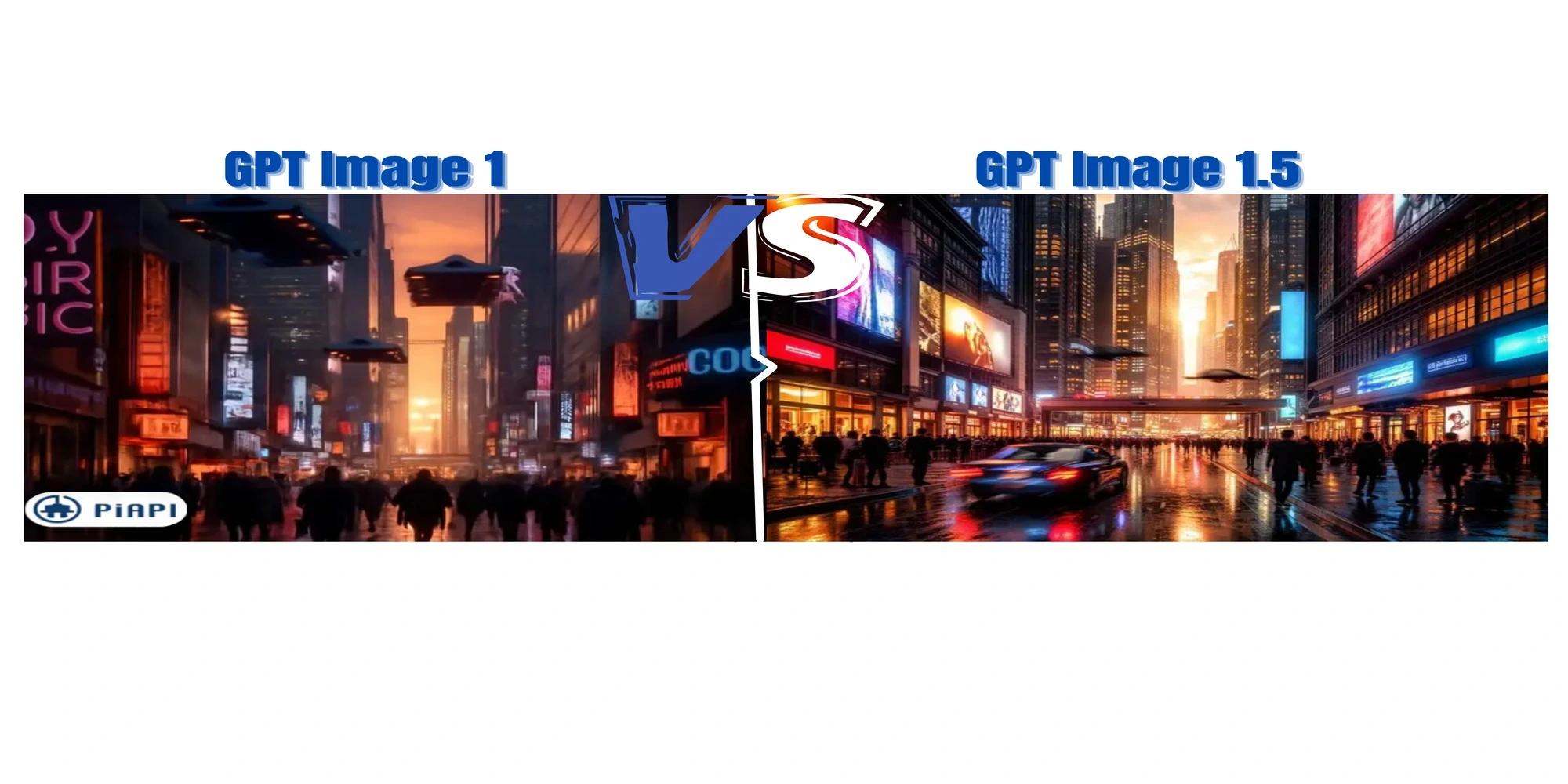
The release of GPT Image 1 introduced a fast and efficient image generation model designed for flexible visual creation. OpenAI later introduced GPT Image 1.5, an upgraded version of the model that focuses on improved visual fidelity, stronger prompt understanding, and more consistent generation behaviour. Both models are accessible through API implementations, allowing developers to generate images using simple prompt based workflows. In this comparison, we evaluate GPT Image 1.5 vs GPT Image 1 to understand the key differences in image quality, prompt responsiveness, and generation behaviour. We also explore GPT Image API pricing, prompt usage, and practical examples to help developers decide which model best fits their workflows.
What is GPT Image 1 API?
The GPT Image 1 API provides developers with access to OpenAI’s image generation model designed for rapid text to image creation. Using a structured prompt, developers can generate images that reflect the scene, subject, and visual style described in the input.
The base GPT Image 1 API focuses on efficiency and accessibility, making it suitable for applications that require high volume image generation with relatively low latency. Because the model prioritizes speed and performance, it is well suited for scalable workflows and real time use cases.
What is GPT Image 1.5?
GPT Image 1.5 is the upgraded version of the base model and is designed to produce higher fidelity images with improved prompt interpretation. Available through the GPT Image 1.5 API, the model focuses on more refined image composition and stronger adherence to structured prompts. Compared to the standard model, GPT Image 1.5 aims to deliver sharper visual details, improved lighting realism, stronger prompt understanding, and more stable generation behaviour.
Model Similarities and Differences
Despite being different model tiers, GPT Image 1 and GPT Image 1.5 share several core capabilities. Both models are designed to generate images from structured prompts, support image editing, and can be integrated into applications through programmatic API workflows. However, GPT Image 1.5 introduces several improvements:
Image Quality
The most noticeable difference between GPT Image 1 vs GPT Image 1.5 is image fidelity. GPT Image 1.5 typically produces sharper textures, improved lighting consistency, and more refined object details compared to the base model.
Prompt Adherence
GPT Image 1.5 demonstrates stronger prompt interpretation, particularly for complex prompts involving multiple objects or detailed scene descriptions. This results in images that more closely match the intended prompt. GPT Image 1.5 also shows improved contextual understanding, making it suitable for more diverse and detailed tasks.
Generation Stability
The GPT Image 1.5 API focuses on improved generation stability, reducing visual inconsistencies and artifacts during image creation.
Speed and Cost Efficiency
The base GPT Image 1 API prioritizes fast image generation and lower cost, making it more suitable for high volume generation workflows. GPT Image 1.5, while producing higher quality images, may require slightly more generation time.
GPT Image API Pricing
Developers integrating the model into applications should consider GPT Image API pricing when choosing between GPT Image 1 and GPT Image 1.5. Pricing typically varies depending on usage and configuration. For GPT Image 1, based on PiAPI's price chart,
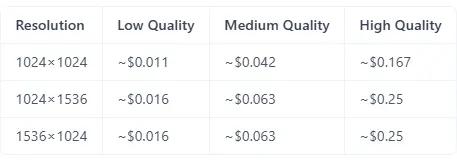
GPT Image 1.5 follows a similar pricing structure, with costs depending on resolution and quality settings, though higher fidelity outputs may result in slightly higher overall usage costs depending on the workflow.The GPT Image API pricing structure usually depends on:
- Model tier used for generation
- Number of generated images
- Image resolution and quality settings
For more details on implementation and usage, developers can refer to the official API documentation.
How to Use GPT Image Models
Many developers want to understand the typical workflow for generating images using GPT Image 1.5 or GPT Image 1. The process generally follows three steps:
Step 1: Obtain an API Key
Access to the model requires authentication through an GPT Image 1.5 API key, which allows developers to send requests to the GPT Image API.
Step 2: Write a Structured Prompt
A clear and structured prompt helps guide the model toward the desired output. Following best practices improves output quality and consistency.
Step 3: Generate Images Through the API
After submitting the prompt through the API, the model generates images that match the prompt description. Developers can then use these images within applications or automated workflows.
Prompt Guide and Examples
Writing strong prompts significantly improves the quality of generated images. A well structured prompt typically includes the following:
background/scene → subject → key details → constraints.
To demonstrate the capabilities of the model, developers often test both GPT Image 1 and GPT Image 1.5 using identical prompts. This allows for a direct comparison of output quality, prompt adherence, and generation consistency across both models. You can refer to a detailed GPT Image 1.5 prompt guide to learn how to structure prompts for more accurate and consistent image generation. We will also evaluate the results using the Labelbox framework to assess prompt adherence, visual quality, composition, and generation consistency.
Example 1: Cinematic Scene
In this example, we will start with a cinematic scene to see how well both models perform against each other.
Prompt Used
"A cinematic, ultra realistic scene of a futuristic city at sunset, with neon lights reflecting off glass skyscrapers. Flying cars move through the air in organized traffic, while pedestrians walk along a busy street filled with digital billboards. Warm golden sunlight mixes with cool neon lighting, creating strong contrast and reflections. Wide angle composition, highly detailed, sharp focus, depth of field, 8k quality."
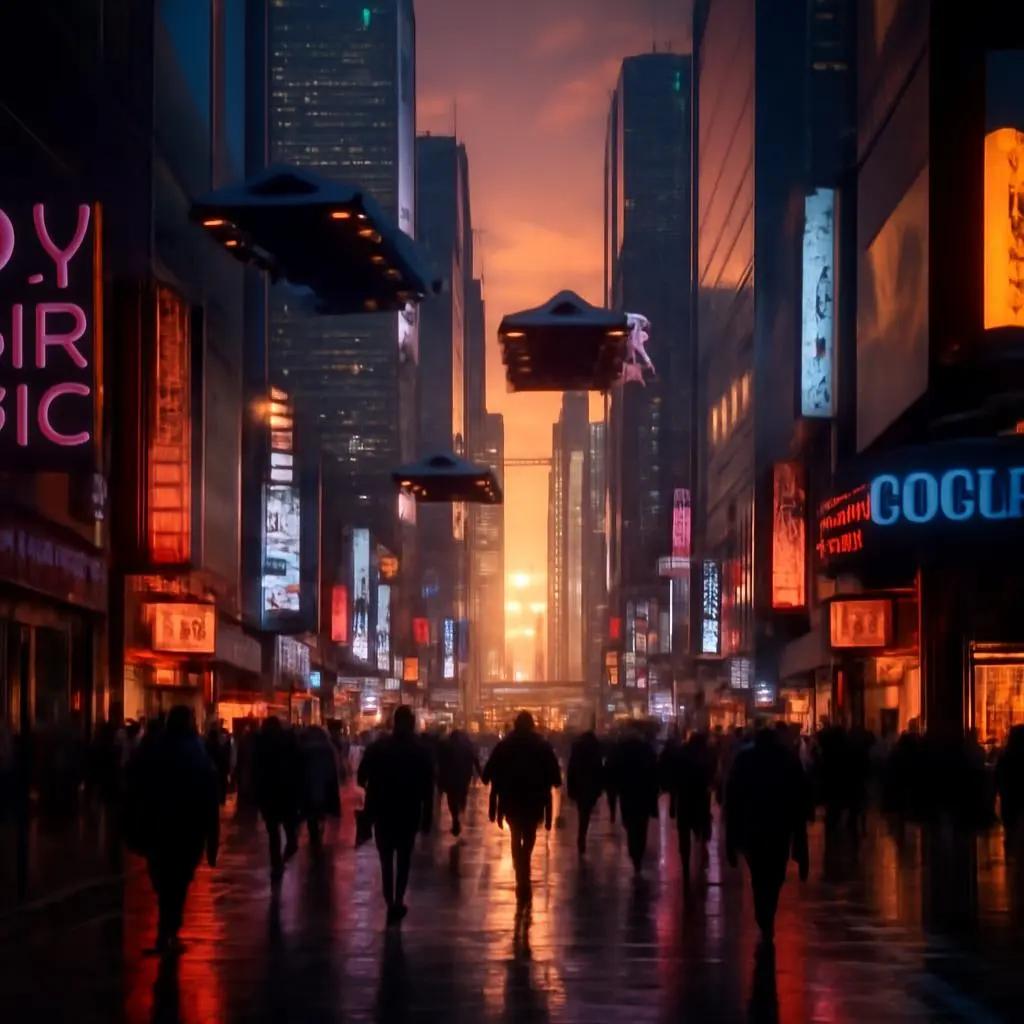
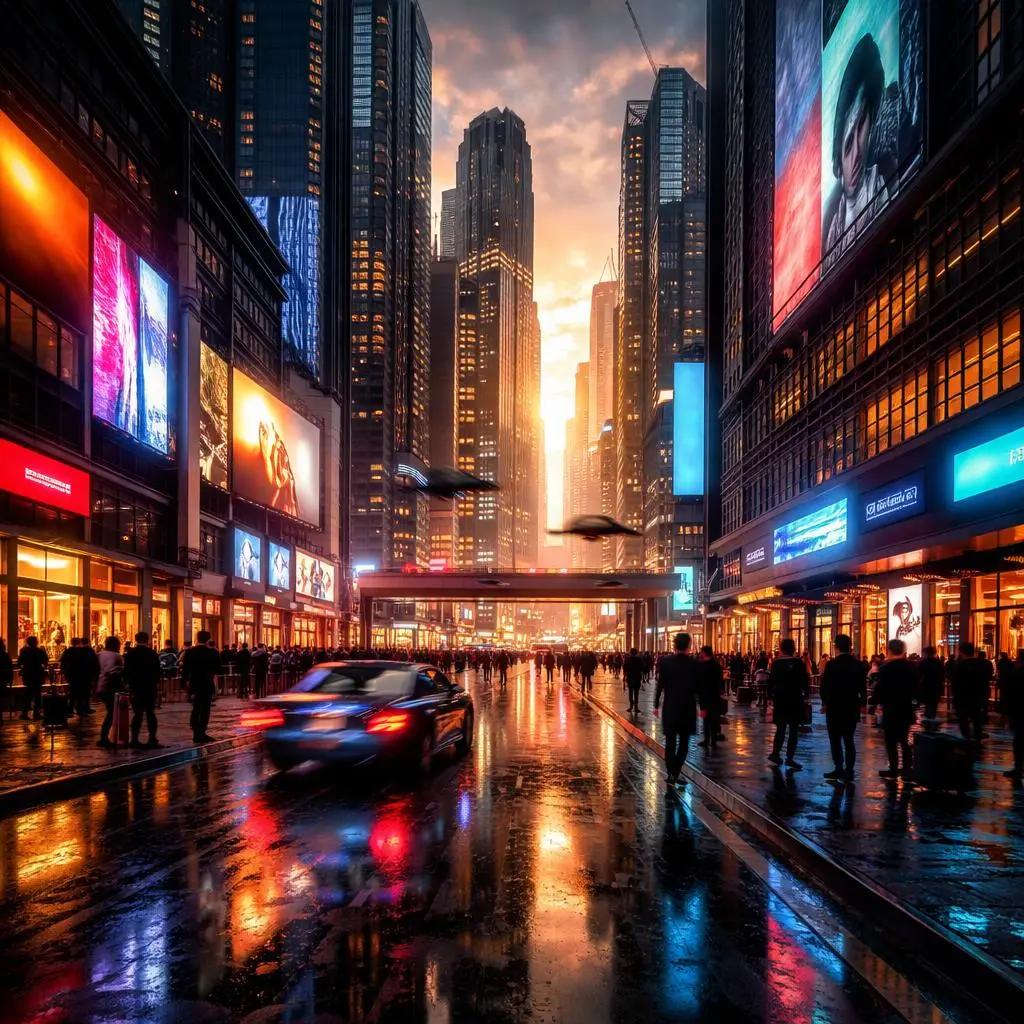
Analysis: Using a Labelbox evaluation framework, we assess prompt adherence, visual quality, composition, and generation consistency. GPT Image 1 captures the overall scene well, including the futuristic buildings, flying vehicles, and neon lighting. However, details appear softer, reflections are less realistic, and lighting lacks precision, which reduces depth and realism. GPT Image 1.5 performs better across all criteria, with sharper textures, more accurate lighting, and stronger reflections. The composition feels more balanced, and the scene is more cohesive with fewer visual inconsistencies.In this example, we test how both models handle human subjects, focusing on realism, lighting, and facial detail.
Example 2: Portrait Scene
In this example, we test how both models handle human subjects, focusing on realism, lighting, and facial detail.
Prompt Used
"A photorealistic portrait of a young woman sitting in a cozy cafe, soft natural window light illuminating her face. She is holding a cup of coffee, with shallow depth of field and blurred background. Skin texture is detailed and natural, with realistic lighting and shadows. Shot on a 50mm lens, cinematic composition, high detail."
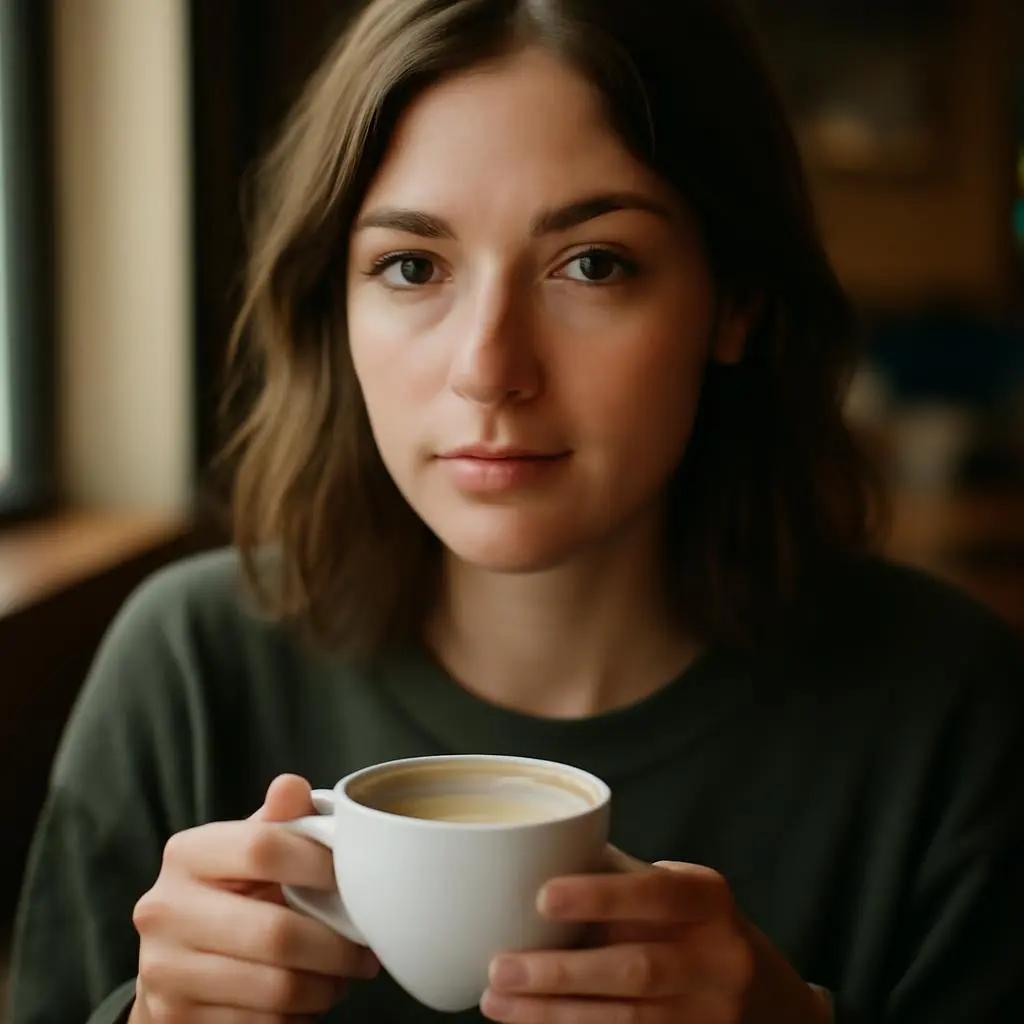
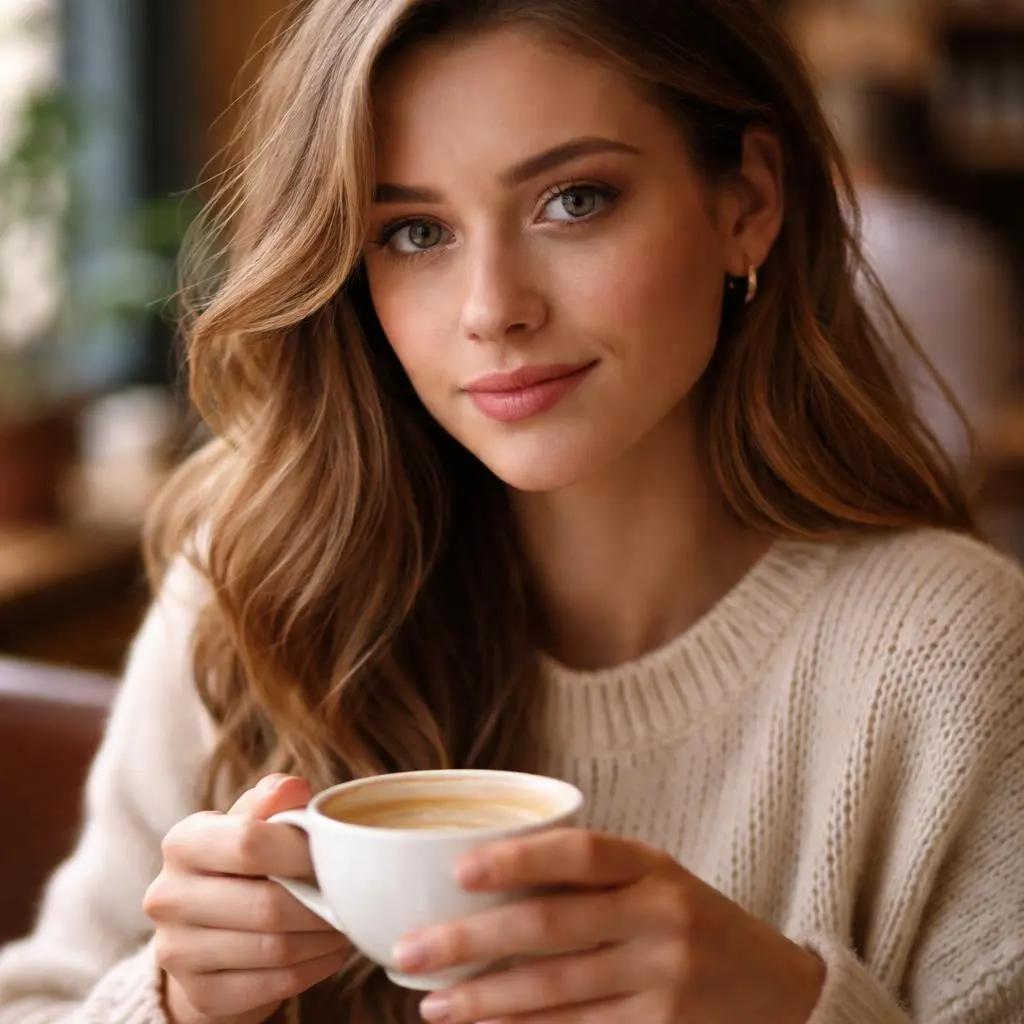
Analysis: Using the same framework, GPT Image 1 produces a portrait that matches the prompt, but facial details appear slightly soft with less natural skin texture. Lighting is present but lacks subtle transitions, and depth of field is less convincing.GPT Image 1.5 delivers a more realistic result, with sharper facial features, natural skin tones, and improved lighting. The subject stands out more clearly, creating a more polished and life like image. In this example, we test how both models handle multiple objects, fine details, and structured composition within a single scene.
Example 3: Complex Object Scene
In this example, we test how both models handle multiple objects, fine details, and structured composition within a single scene.
Prompt Used
"A modern workspace desk setup with a laptop, mechanical keyboard, smartphone, notebook, and a cup of coffee. The desk is made of wood, with warm ambient lighting from a desk lamp. A large monitor displays code on the screen, and there are small decorative items like a plant and headphones. Clean composition, highly detailed, realistic textures, soft shadows, 4k quality."
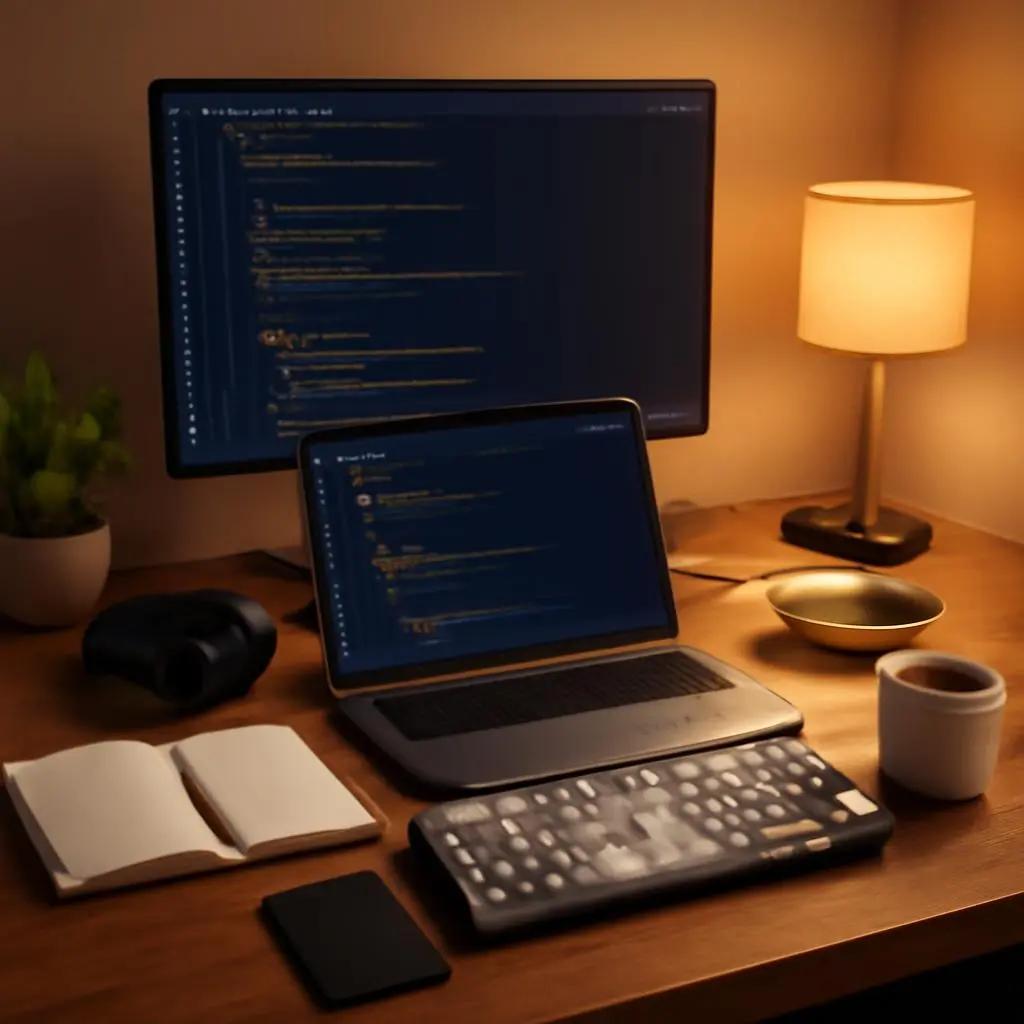
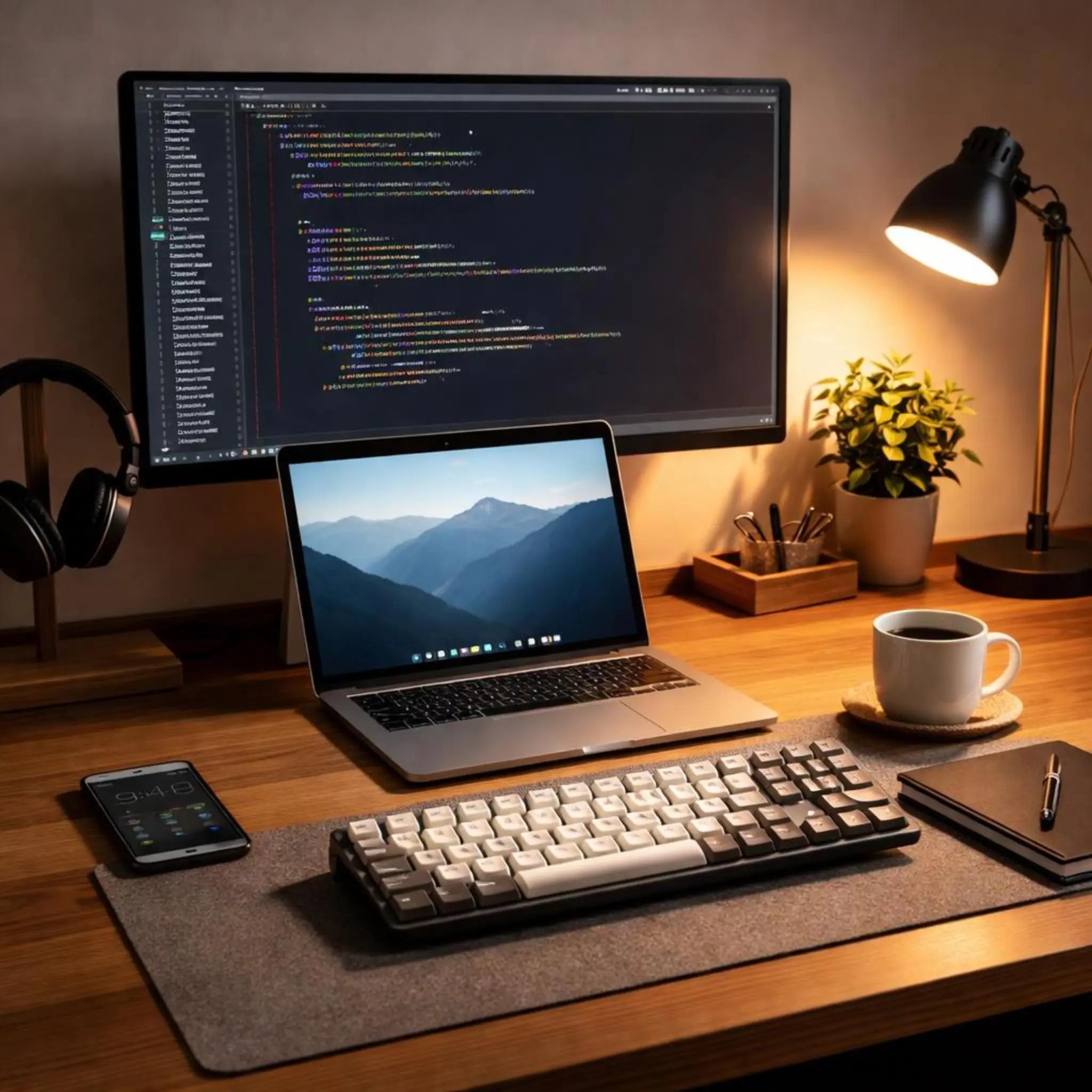
Analysis: Analysis: For multi-object evaluation, GPT Image 1 correctly places key elements in the scene, showing good prompt adherence. However, smaller details lack clarity, and textures appear less defined, making the overall image feel slightly flat. GPT Image 1.5 produces a cleaner and more detailed result, with sharper objects, better material textures, and more accurate lighting. The scene appears more structured, consistent, and closer to a real workspace.
Final Thoughts: GPT Image 1.5 vs GPT Image 1
Across the three examples, both GPT Image 1 and GPT Image 1.5 demonstrate strong prompt alignment and the ability to generate visually appealing images across different scenarios. In simpler scenes, the two models often produce comparable results, with both delivering accurate compositions and minimal visual inconsistencies.However, GPT Image 1.5 consistently shows stronger performance in visual detail, realism, and prompt interpretation. It handles complex scenes more effectively, particularly in areas such as lighting, reflections, and fine textures. In both the cinematic and workspace examples, GPT Image 1.5 produced sharper, more cohesive images, while GPT Image 1 outputs appeared slightly softer with less refined details. For developers evaluating GPT Image 1.5 vs GPT Image 1, the choice ultimately depends on workflow priorities: faster generation and lower cost, or higher fidelity outputs with improved realism and consistency.
Start testing both models and get your GPT Image 1.5 and GPT Image 1 Key via PiAPI today!Unlock the power of 20+ AI models with PiAPI — image, video, chat, music, and more. Sign up today and start building smarter, faster and at scale.
