GPT Image 1.5 vs Nano Banana 2: Which Is Better? (Full Comparison)
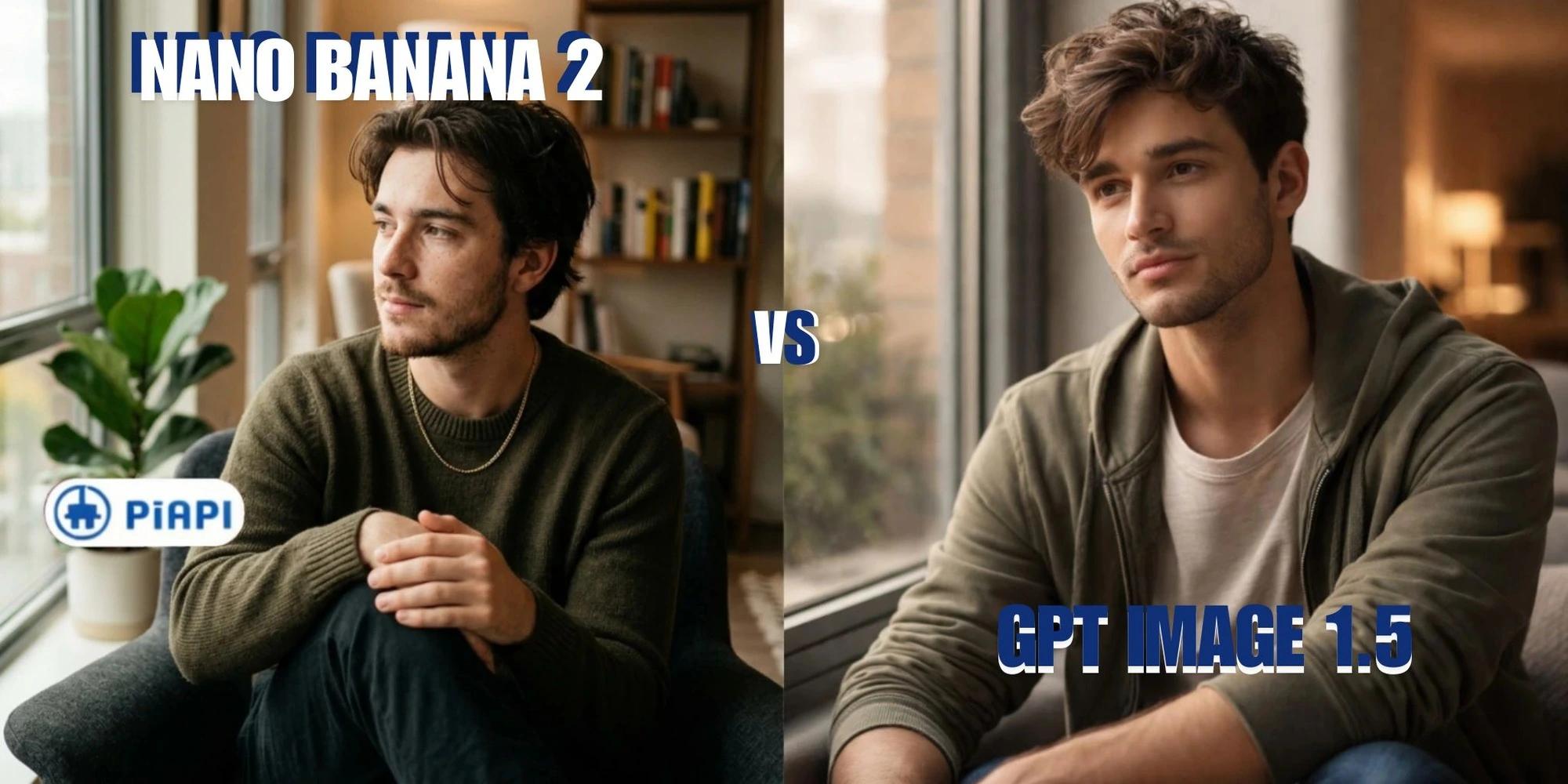
AI image generation models are becoming a core part of modern applications, enabling developers to create visuals directly from text prompts with increasing accuracy and control. Among the latest models, GPT Image 1.5 and Nano Banana 2 offer two distinct approaches to building an efficient AI image generation model, each optimized for different priorities such as visual quality or speed and cost efficiency.Both models can be integrated through API based workflows, allowing developers to generate images using structured prompts via the GPT image API and Nano Banana 2 API. With platforms like PiAPI, developers can access and switch between multiple models without managing complex infrastructure.In this GPT Image 1.5 vs Nano Banana 2 comparison, we evaluate differences in image quality, prompt adherence, and generation performance. We also explore nano banana API pricing, nano banana 2 cost, GPT-image-1-pricing, and practical examples to help developers choose the right model for their use case.
What is GPT Image 1.5?
GPT Image 1.5 is an AI image generation model that produces high fidelity visuals with strong prompt understanding and consistent outputs. It enables developers to generate images using structured text prompts. Through the GPT image API, it can be integrated into applications for use cases such as marketing visuals, content creation, and automated workflows. Refer to the GPT Image 1.5 API documentation for details on integration, request parameters, and usage. Compared to earlier models, GPT Image 1.5 offers improved lighting realism, sharper textures, and better adherence to complex prompts, making it suitable for production-level use cases.
What is Nano Banana 2?
Nano Banana 2 is a lightweight and efficient AI image generation model optimized for fast and scalable text to image workflows. It is designed for speed and cost efficiency, making it suitable for high volume image generation. The model can be integrated through API based workflows using structured prompts. For implementation details, refer to the Nano Banana 2 API documentation. Nano Banana 2 is commonly used in scenarios where speed and affordability are prioritized, including scalable content generation and rapid prototyping.
Model Similarities and Differences: GPT Image 1.5 vs Nano Banana 2 Differences
Despite being different model tiers, GPT Image 1.5 and Nano Banana 2 share several core capabilities. Both models are designed as AI image generation models that convert structured prompts into visual outputs. They can be integrated through API workflows, making them suitable for developers building applications with text to image functionality.However, there are clear differences in how each model performs across key areas:
Image Quality
The most noticeable difference in this GPT Image comparison is image fidelity. GPT Image 1.5 produces sharper textures, more realistic lighting, and stronger detail across complex scenes.
Nano Banana 2 delivers solid results for general use cases, but images may appear slightly softer with less refined textures, especially in more detailed or cinematic prompts.
Prompt Adherence
GPT Image 1.5 demonstrates stronger prompt interpretation, particularly for complex prompts involving multiple elements, lighting conditions, or structured compositions. This makes it more reliable for precise prompt-based image generation.
Nano Banana 2 performs well with simpler prompts but may struggle with highly detailed instructions or nuanced visual requirements.
Generation Stability
GPT Image 1.5 focuses on consistency, producing outputs with fewer artifacts and more coherent object structures across the image.
Nano Banana 2 is generally stable for standard use cases, but may show minor inconsistencies in more complex scenes, especially when multiple objects or detailed environments are involved.
Speed and Cost Efficiency
Nano Banana 2 is optimized for speed and cost efficiency, making it a strong option for developers prioritizing high-volume image generation. Users exploring nano banana API pricing or nano banana 2 cost often choose it for scalable workflows.
GPT Image 1.5, while slightly slower, delivers higher-quality outputs and is preferred when visual fidelity and accuracy are more important than generation speed.
GPT Image 1.5 vs Nano Banana 2 Pricing
Developers evaluating these models should consider pricing when choosing between GPT Image 1.5 and Nano Banana 2, as both models are optimized for different use cases.For GPT Image models, based on PiAPI’s pricing, image generation starts from approximately $0.011 per image for lower quality outputs at standard resolutions and can go up to around $0.25 per image for higher quality settings. This flexible pricing makes GPT Image 1.5 suitable for both cost efficient and high quality use cases depending on configuration.In comparison, Nano Banana 2 follows a more fixed pricing structure based on output resolution. Pricing starts at $0.06 per image (1K resolution), increases to $0.08 per image (2K), and goes up to $0.12 per image (4K). Developers exploring nano banana API pricing or nano banana 2 cost often prefer this predictable pricing model for scaling applications.The overall cost for both models depends on:
1. Model configuration and resolution
2. Number of generated images
3. Output quality settings
In this GPT Image comparison, the key difference lies in flexibility versus predictability. GPT Image 1.5 offers a wider pricing range depending on quality, while Nano Banana 2 provides more consistent per image pricing across resolutions.
Prompt Guide and Best Practices
Writing effective prompts is essential for getting high quality results from any AI image generation model. Both GPT Image 1.5 and Nano Banana 2 rely on structured prompts to generate accurate outputs.A well structured prompt typically includes:
Style → Subject → Setting → Action → Composition
More detailed prompts generally improve results for GPT Image 1.5, especially in complex scenes. Developers can refer to GPT Image 1.5 best prompt practices to better understand how to structure detailed and precise prompts for higher quality outputs.For Nano Banana 2, clear and concise prompts tend to work best, as overly complex instructions may not always improve output. Developers often explore nano banana prompt guide strategies or experiment with different nano banana AI prompt formats. You can also refer to Nano Banana 2 best prompt practices for more optimized prompt techniques.We evaluate all outputs using a Labelbox evaluation framework, focusing on prompt adherence, visual quality, composition, and generation consistency.
Example 1: Cinematic Scene
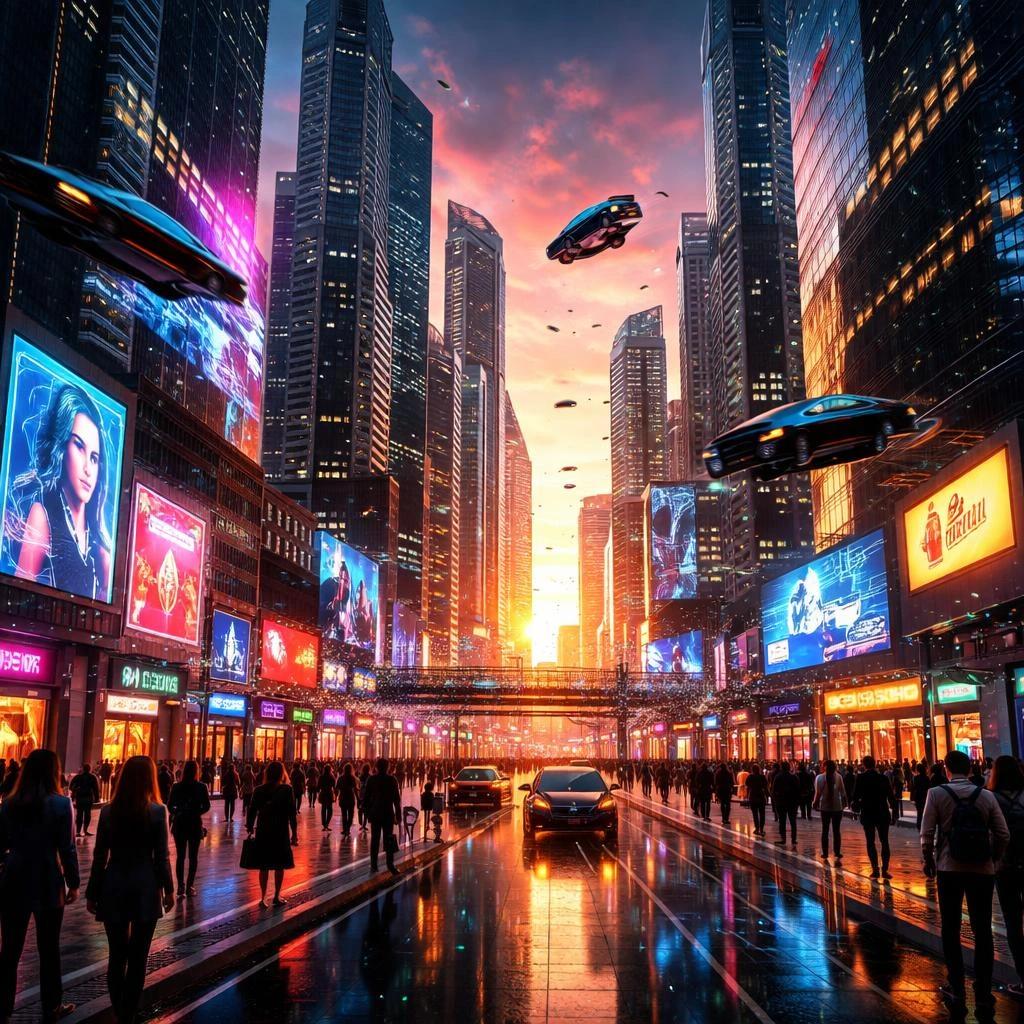
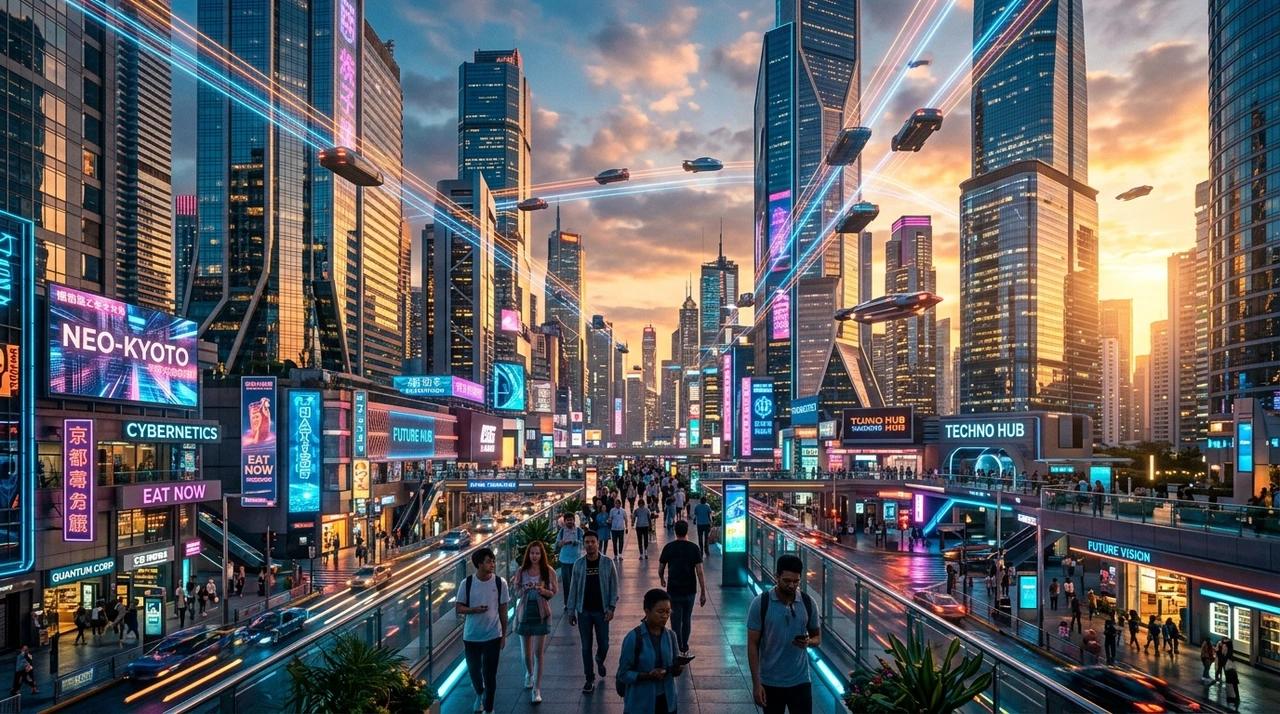
In this example, we test how both models perform on a complex cinematic scene involving multiple elements, lighting conditions, and depth.
Prompt Used
A cinematic, ultra realistic scene of a futuristic city at sunset, with neon lights reflecting off glass skyscrapers. Flying cars move through the air in organized traffic, while pedestrians walk along a busy street filled with digital billboards. Warm golden sunlight mixes with cool neon lighting, creating strong contrast and reflections. Wide angle composition, highly detailed, sharp focus, depth of field, 8k quality.
Analysis
GPT Image 1.5 produces a more polished and photorealistic portrait, with sharper facial features, smoother skin texture, and more refined lighting transitions. The subject stands out clearly from the background, and the overall image has a cinematic feel with strong depth of field. Nano Banana 2 captures the scene accurately, including the subject, lighting, and environment, but the image appears slightly less refined. Facial details are softer, and while the lighting is natural, it lacks the same level of precision and depth. The background elements are well composed, but the overall image feels less detailed compared to GPT Image 1.5.
Example 2: Portrait Scene
In this example, we test how both models handle human subjects, focusing on realism, lighting, and facial detail.
Prompt Used
A photorealistic portrait of a young man sitting by a window in a modern apartment, soft natural morning light illuminating his face. He is wearing casual clothing and looking slightly away from the camera. The background is softly blurred with warm interior tones. Detailed skin texture, natural lighting and shadows, shallow depth of field, 50mm lens, cinematic composition, high detail.
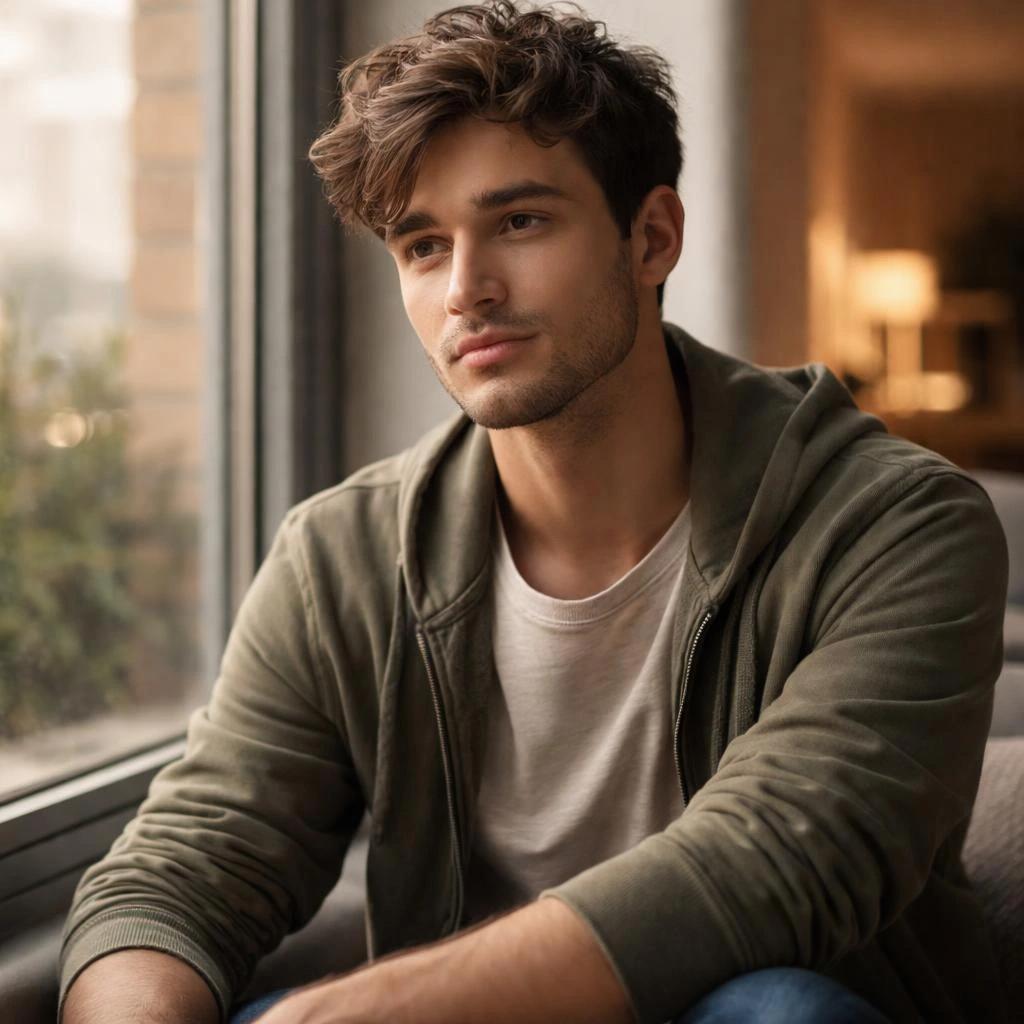

Analysis
GPT Image 1.5 produces a more polished and photorealistic portrait, with sharper facial features, smoother skin texture, and more refined lighting transitions. The subject stands out clearly from the background, and the overall image has a cinematic feel with strong depth of field.Nano Banana 2 captures the scene accurately, including the subject, lighting, and environment, but the image appears slightly less refined. Facial details are softer, and while the lighting is natural, it lacks the same level of precision and depth. The background elements are well composed, but the overall image feels less detailed compared to GPT Image 1.5.
Example 3: Workspace Scene
In this example, we test how both models handle multiple objects, fine details, and structured composition within a realistic environment.
Prompt Used
A modern creative studio desk setup with a tablet displaying a digital illustration, a wireless keyboard, a smartphone, a sketchbook, and a cup of coffee. Soft warm lighting from a desk lamp creates gentle shadows across a wooden desk. A large monitor in the background shows a design interface. Minimalist aesthetic, clean composition, realistic textures, depth of field, high detail, 4k quality.

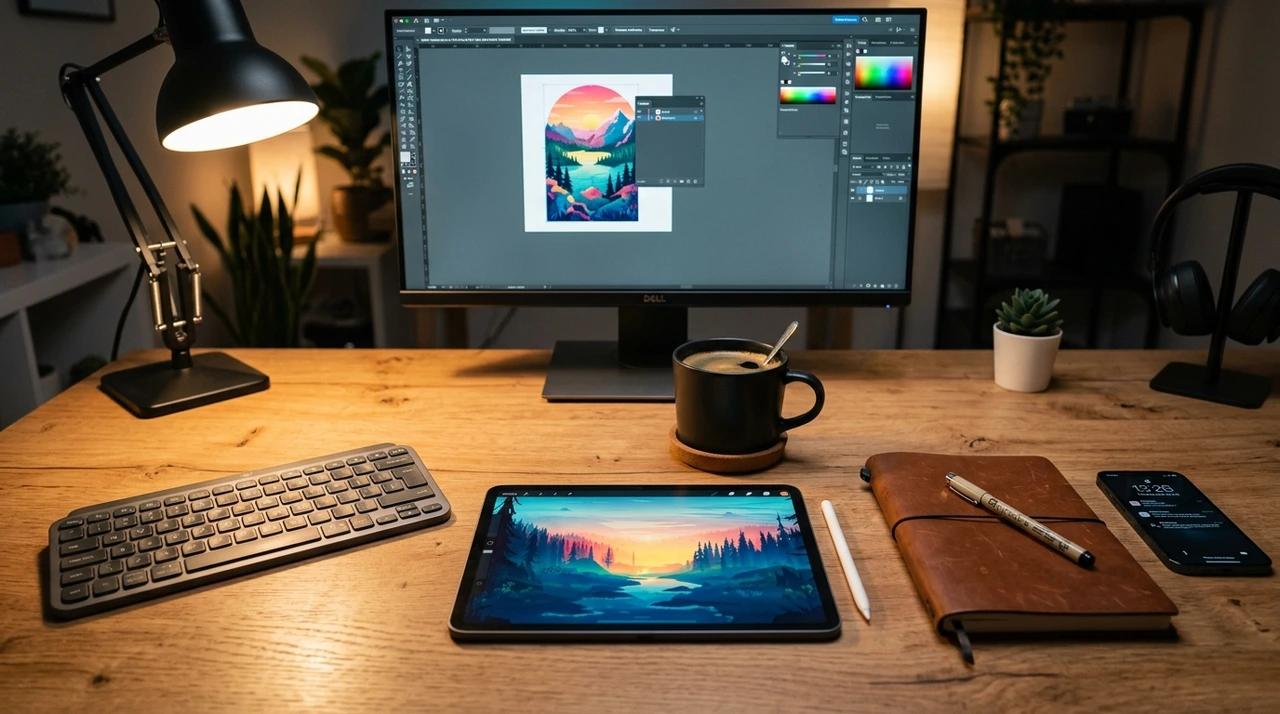
Analysis
GPT Image 1.5 produces a more refined and visually appealing workspace, with sharper object details and more consistent lighting across the scene. Elements such as the tablet display, desk surface, and surrounding objects appear well defined, with realistic textures and a polished overall composition.Nano Banana 2 captures the overall layout and objects accurately, but finer details are less pronounced. Textures appear slightly softer, and while the lighting is natural, it lacks the same level of depth and precision. The scene remains well structured, but overall feels less detailed compared to GPT Image 1.5.
Final Thoughts: GPT Image 1.5 vs Nano Banana 2
Across the three examples, both GPT Image 1.5 and Nano Banana 2 demonstrate strong prompt alignment and the ability to generate visually appealing images across different scenarios. In simpler scenes, the two models can produce comparable results, with both delivering accurate compositions and minimal visual inconsistencies.However, GPT Image 1.5 consistently shows stronger performance in visual detail, realism, and prompt interpretation. It handles complex scenes more effectively, particularly in areas such as lighting, reflections, and fine textures. In all three examples, GPT Image 1.5 produced sharper and more cohesive outputs, while Nano Banana 2 results appeared slightly softer with less refined details.For developers evaluating GPT Image 1.5 vs Nano Banana 2, the choice ultimately depends on workflow priorities: faster generation and cost efficiency, or higher fidelity outputs with improved realism and consistency.
Start testing both models and get your GPT Image 1.5 and Nano Banana 2 API keys via PiAPI today! Unlock the power of 20+ AI models with PiAPI — image, video, chat, music, and more. Sign up today and start building smarter, faster and at scale.