Omnihuman 1.5 API Guide: How to Use ByteDance’s AI Human Video Model
Omnihuman 1.5 Omnihuman 1.5 API Omnihuman API
What is Omnihuman 1.5
Omnihuman 1.5 is an AI model developed by ByteDance that focuses on generating realistic human videos from inputs such as text, images, or audio.
The model is built to simulate natural facial expressions, body movement, and speech, making it suitable for creating talking avatars, presenters, and human-centric video content. Compared to more general video models, Omnihuman 1.5 places a stronger emphasis on human realism, particularly in lip-sync accuracy and expression consistency.
Omnihuman 1.5 API Guide
Omnihuman 1.5 API
Using the Omnihuman 1.5 API follows a simple structured flow:
1. Provide a reference image for the character
2. Upload an audio file for speech or singing
3. Define a prompt describing the scene and behavior
4. Send the request to the API
5. Retrieve the generated video output
Because all three inputs are required, the quality of the result depends on how well they align. A clear prompt, suitable audio, and a consistent reference image will produce more realistic outputs.
Key Features of Omnihuman 1.5
Omnihuman 1.5 focuses on realistic human video generation by combining image, audio, and prompt inputs. The model is designed to produce natural-looking motion and consistent human behavior across generated videos.
Multi-Input Generation (Image + Audio + Prompt)
The model requires a reference image, audio, and prompt, allowing better control over character identity, voice, and scene behavior. This structured approach improves consistency compared to prompt-only generation.
Realistic Facial Expressions
Omnihuman 1.5 generates detailed facial movements that align with speech and emotion, making outputs feel more lifelike.
Accurate Lip-Sync Alignment
By using audio as a core input, the model is able to synchronize mouth movements closely with speech or singing.
Natural Body Movement
The model produces subtle gestures and body motion that match the tone and pacing of the audio input.
Consistent Character Identity
Using a reference image ensures that the generated human remains visually consistent across the video.
Omnihuman 1.5 Pricing
Omnihuman 1.5 API
$0.13 per second (based on input audio length)
This means the total cost scales directly with the length of the generated video. For example, longer speech or music inputs will result in higher generation costs, while shorter clips remain relatively affordable.
PiAPI Omnihuman API documentation.
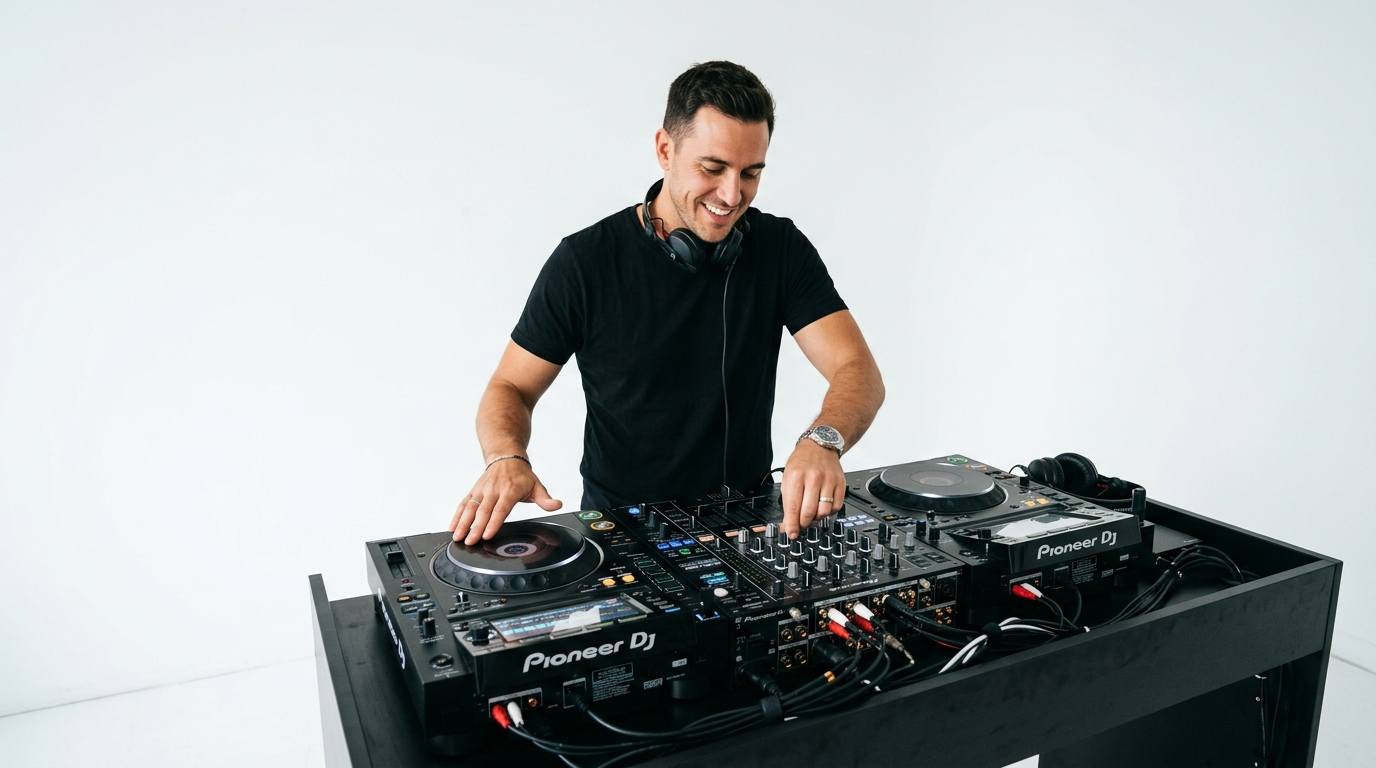
Example 1: DJ Performance (Music + Rhythm)
Prompt: A male DJ performing live on stage, wearing headphones and mixing music on a DJ controller, focused expression, subtle head movement following the beat, natural hand interaction with the turntables, soft club lighting with slight shadows, realistic facial expressions, cinematic style, smooth and rhythmic body motion, accurate lip-sync aligned with the music
Evaluation:
Using the track "Lose My Mind" by Don Toliver, the output shows strong alignment between movement and rhythm, with natural body motion that follows the music well. Lip-sync accuracy is generally solid at around 85%, with most facial movements matching the audio convincingly. Hand interactions appear stable and realistic throughout the performance. Minor visual artifacts may still occur, such as elements from the source image appearing incorrectly in-frame, but overall the result remains clean and engaging for music-driven content.
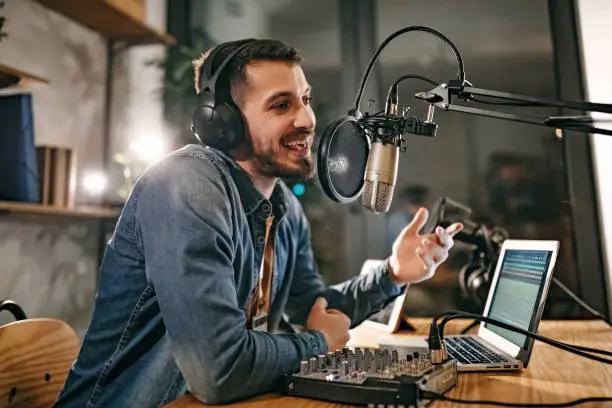
Example 2: Podcast Style (Motivational Speech)
Prompt:
A young man speaking in a podcast setup, sitting in front of a microphone, calm and confident tone, delivering a motivational message, natural facial expressions, slight head nods and subtle hand gestures, warm indoor lighting, relaxed studio environment, realistic and conversational style
Evaluation:
Using a motivational podcast-style audio, the output shows strong character consistency and stable facial animation throughout the sequence. Subtle jaw movement and eye expressions align well with the tone of the speech, making the delivery feel natural and engaging. Gestures are synchronized with the audio and remain controlled, adding to the overall realism. Minor issues such as slight blurring during hand movement near objects may occur, but overall the output remains visually stable and well-suited for conversational and narration-based content.
Conclusion
Omnihuman 1.5 demonstrates strong capability in generating realistic AI human videos, particularly through its structured use of image, audio, and prompt inputs. The examples show that the model performs well across both dynamic scenarios, such as music-driven content, and more controlled use cases like conversational or podcast-style videos.
The requirement for combined inputs allows for better control over character consistency, speech alignment, and overall realism. However, output quality still depends on how well these inputs are prepared, with minor artifacts or inconsistencies appearing in more complex situations.
Overall, the Omnihuman 1.5 API is well-suited for scalable video generation workflows, especially for applications such as content creation, marketing, and digital media. Teams that focus on clear input structure and use case alignment will be able to achieve more reliable and production-ready results.
Omnihuman 1.5 PiAPI today!