FramePack API Guide: What is FramePack AI? How to Use FramePack for AI Video Extension
As AI video generation improves, more creators are experimenting with tools that can turn prompts into short cinematic clips. However, one limitation continues to surface across most models: generating longer, consistent videos is still difficult.
This is where FramePack AI comes into play.
Instead of attempting to generate an entire video in one pass, FramePack introduces a structured approach based on AI generated frames. It allows creators to extend existing clips by using the final frame as a reference point, making it possible to maintain visual consistency across time.
In this guide, we will explore what FramePack is, how the FramePack AI video model works, and how to use FramePack in a practical workflow that combines video generation, frame extraction, and continuation.
What is FramePack?
FramePack is an AI video tool designed to extend and refine generated video sequences using a frame-based approach. Unlike traditional text-to-video models that produce a full clip from a single prompt, FramePack focuses on continuation.
The idea behind the FramePack AI video model is simple. A video is not treated as one output, but as a sequence of connected frames. By controlling how each segment evolves from the previous one, the system can produce more stable and coherent results.
This makes FramePack particularly useful for scenarios where consistency matters, such as storytelling, product demos, and long-form video generation.
For developers, the FramePack API is available at PiAPI to start integrating into your workflows.
How FramePack AI Works
To understand how to use FramePack effectively, let us go through what it features. FramePack AI features next frame prediction where it utilizes next frame prediction for I2V generations to autoregressively generate video. The consistency and efficient results come from the advanced training methods for anti-drifting and anti-forgetting that the model is built on.
Next, it is important to look at how the workflow is structured so that you will know how to use FramePack.
The process begins with generating an initial frame using a image or video generation model. For the latter, this could be a text-to-video or image-to-video generation step. Once the clip is created, the final frame is extracted and used as the starting point for continuation.
This concept is often referred to as FramePack start and end frame control. The end frame of one segment becomes the start frame of the next.
Next is where the FramePack AI prompts play an important role. Instead of describing a full scene from scratch, prompts should focus on continuation, such as extending motion, changing camera perspective, or introducing new elements gradually.
After the next segment is generated, the process can be repeated. The new final frame is extracted and used again, allowing you to extend the video step by step. This iterative approach is what makes FramePack powerful for long-form generation.
Additionally, FramePack is often used alongside image-to-video workflows, commonly referred to as FramePack I2V. In this setup, a single image is used as the starting point for generating motion. This makes it possible to animate static images.
FramePack Prompt Examples
Effective prompts are essential when working with FramePack. Because the system builds on previous frames, prompts should guide continuation rather than restart the scene.
For example, instead of describing an entirely new environment, a prompt might look like this:
A close-up shot transitions into a wider angle, revealing more of the futuristic city skyline in the background.
These types of FramePack prompt examples help maintain continuity while still introducing variation.
FramePack Video Extension Examples
To better understand how FramePack AI video workflows operate, it helps to look at practical scenarios.
In this example, we start by generating a short cinematic clip using our Veo 3 API. The base prompt used for Veo 3 is:
A lone cyberpunk samurai walking through a neon-lit street at night, rain falling, cinematic lighting, reflections on wet ground.
Veo 3 Output
The generated 8-second clip shows the samurai walking forward in a consistent direction, with neon lights reflecting across the environment.
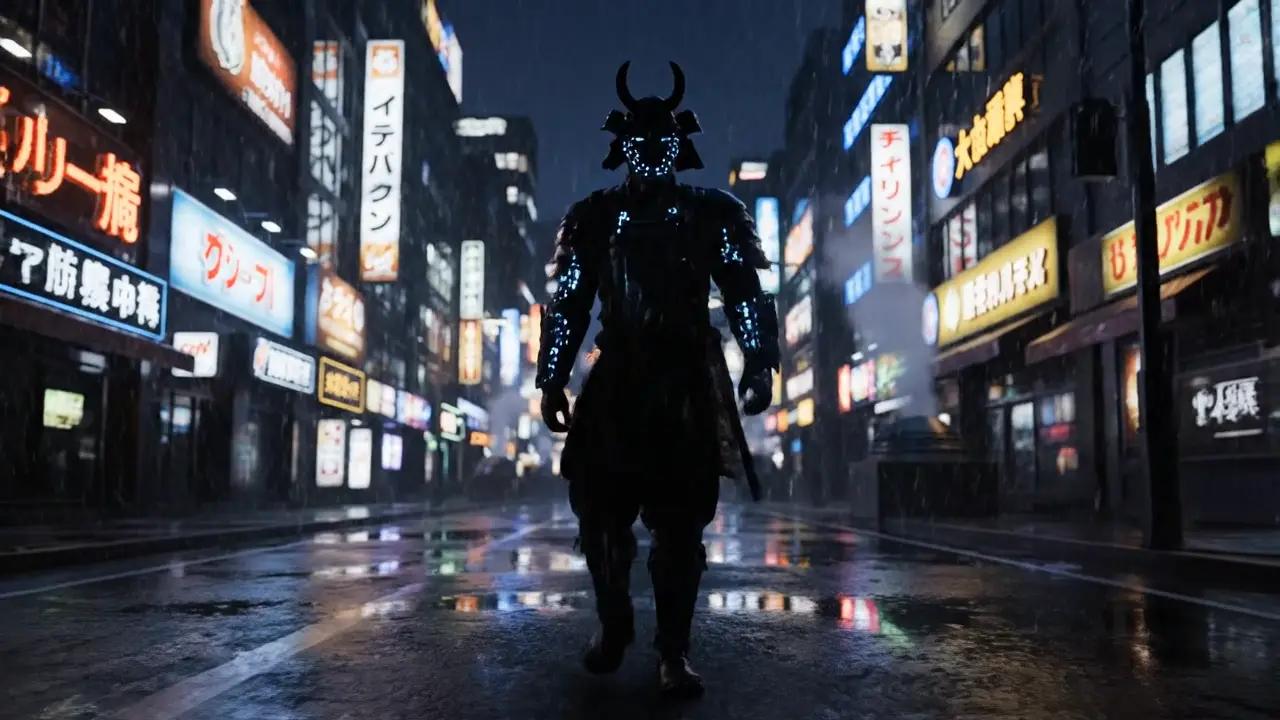
Once this base clip is generated, the next step is to extract the final frame. The extracted frame is then passed into FramePack along with a continuation prompt.
Unlike the original prompt, this prompt does not redefine the scene. Instead, it focuses on how the existing scene should evolve.
The Framepack prompt used:
The samurai continues walking forward slowly, neon signs flickering, rain intensifies slightly.
FramePack Output
After the new segment is generated, the process can be repeated. The final frame of the extended clip is extracted again and used for another continuation step. Over multiple iterations, the original 8-second clip can be extended into a much longer sequence without losing visual coherence.
Using the FramePack API
For developers, the FramePack API enables automation of the entire workflow. Instead of manually extracting frames and generating segments, each step can be handled programmatically. Because the FramePack AI API is modular, it can be integrated with other GenAI models. Check out the FramePack documentation for more technical details!
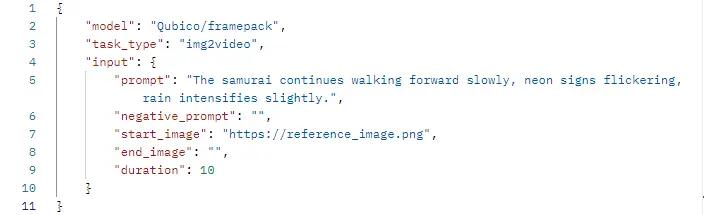
We make it simple by handling all the backend processes throughout your video generation with our FramePack API, which allows you to choose the start and end frames as well as the duration of the output of up to 30 seconds.
Conclusion
FramePack represents a more structured approach to AI video generation. Rather than relying on a single model to produce an entire sequence, it breaks the process into smaller steps based on frames.
By generating a base clip, using the final frame as an anchor, and extending the sequence iteratively, creators can produce longer and more consistent videos. This approach provides greater control over motion, composition, and continuity, making it well suited for both creative and production use cases.
As AI video tools continue to evolve, workflows like FramePack are likely to become increasingly important for building reliable and scalable video generation systems.
Start testing both models and get your FramePack AI Key via PiAPI today!
Unlock the power of 20+ AI models with PiAPI — image, video, chat, music, and more. Sign up today and start building smarter, faster and at scale.