
Two-step AI sports workflow

AI Sports Video Generator

Upload a photo, create a Korean baseball or FIFA World Cup fan-cam image, then animate the approved image into a short AI sports video.

KBO styleWorld CupReview before video

Korean Baseball

Photo to KBO fan-cam video

World Cup

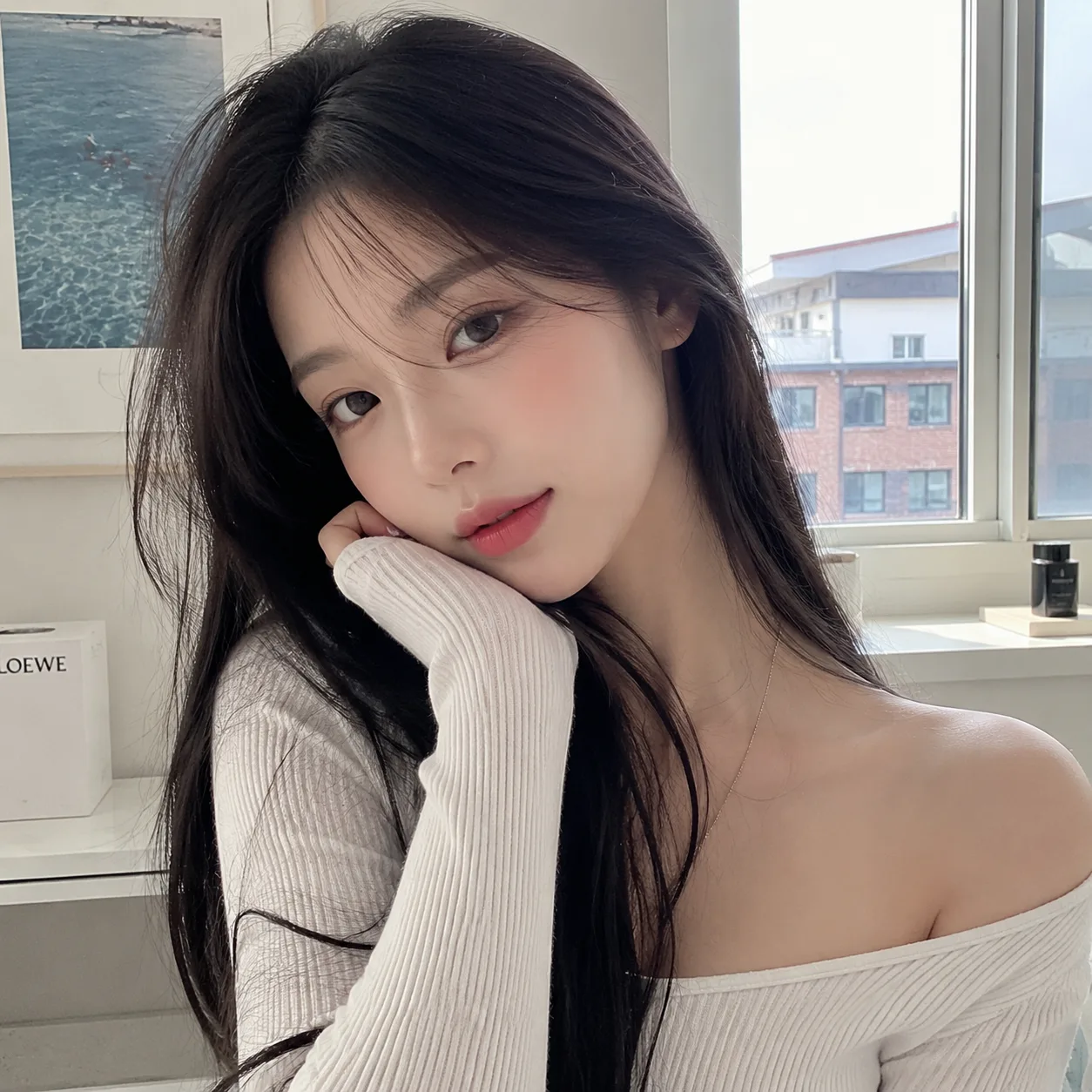
Original

Original portrait before Korean baseball AI generation

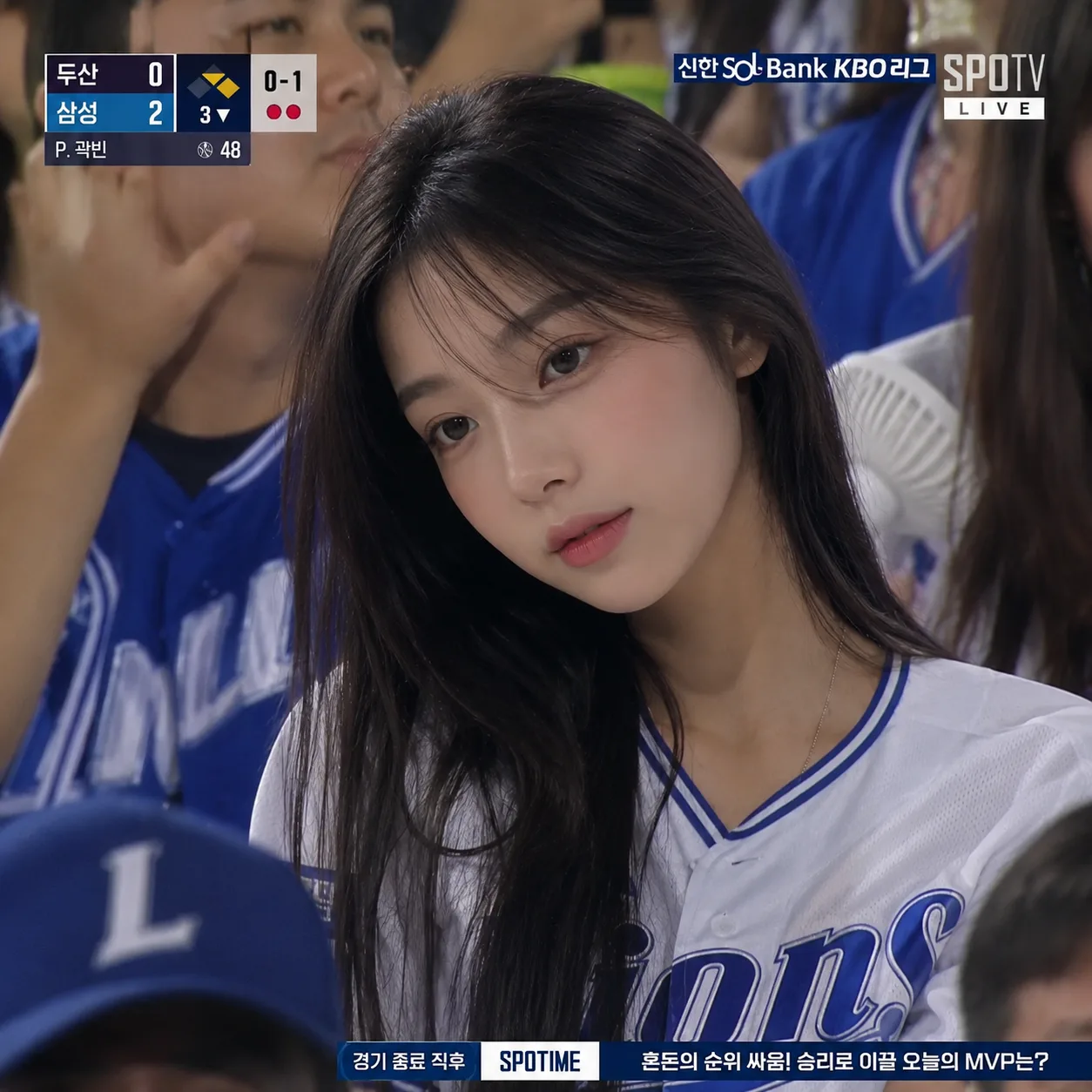
Sports image

Korean baseball AI fan-cam output image

Step 2 video animation

Animate the approved image into a short sports fan-cam video.

Video ready
2-step workflow

AI Sports Video Playground

Korean Baseball and FIFA World Cup modes support two-step image-to-video fan-cam generation.

Step 1Create sports image

Step 1

Korean Baseball Image Generator

Upload a photo, choose a KBO team style, and generate a Korean baseball fan-cam image. The prompt is preset.

Input image

📁

Upload an image

Click or drag a file (JPEG, JPG, PNG)

Upload the person photo to transform into the Korean baseball fan-cam image.

Choose a team style, or keep random for a general Korean baseball broadcast look.

Result

Idle
Preview

This shows preset sample previews. Sign in and click 'Generate image' to create your own.

Leave the team style on random if you want the prompt to choose a general Korean baseball broadcast look.

Image handoff

After Step 1, the approved sports image is passed into the video animator below.

Review before video
Step 2Animate video

Step 2

Korean Baseball Video Animator

Upload the approved Step 1 image and generate the Korean baseball fan-cam animation.

Input image

📁

Upload an image

Click or drag files (0/1)

Upload the Korean baseball image generated in Step 1.

Result

Idle
Preview

This shows preset sample previews. Sign in and click 'Generate video' to create your own.

The animation prompt is hidden and tuned to preserve the original scoreboard, text, overlays, and broadcast look.

KBO Style

Korean Baseball AI Trend Generator

Create a Korean baseball AI image with a jersey-inspired look, stadium lighting, and a portrait-ready sports composition.

AI sports video generator

An AI sports video generator turns a user photo into a sports-themed image and then animates that image into a short video. This page uses a guided image-to-image and image-to-video workflow so users can approve the still image before creating the final video.

Korean baseball AI trend

The Korean baseball AI trend is a social image and video style where a portrait is transformed into a baseball jersey look with stadium lighting, team-inspired colors, and a polished fan or player-photo feel.

Quick answer

What This AI Sports Video Generator Does

Korean Baseball and FIFA World Cup both use two-step workflows: generate the fan-cam image first, review it, then animate the approved image into a short sports video.

What is the Korean baseball AI trend?

The Korean baseball AI trend transforms a portrait into a Korean baseball broadcast-style fan-cam image, then animates that image into a short video with natural facial motion, crowd energy, and a sports TV look.

How does the two-step workflow work?

The page uses image-to-image first and image-to-video second. Users generate the sports image, review the still result, then animate only the approved image so video credits are not spent on an image they do not want.

Korean Baseball vs World Cup Mode

Choose Korean Baseball for a broadcast-style baseball fan-cam look, or World Cup for football-inspired fan visuals. Both modes turn a portrait into a sports image first, then animate the approved result into video.

Korean Baseball
Available
KBO-style fan-cam images and short AI baseball videos.
Upload a photo and choose a KBO team-inspired style or random styling.
FIFA World Cup
Available
Football-inspired fan-cam images and short AI sports videos for World Cup season.
Upload a photo and choose a country style or random national team styling.

How to Make an AI Sports Video

The page uses a controlled i2i-to-i2v sequence so the image result can be reviewed before video generation.

1

Choose a sports mode

Choose Korean Baseball or FIFA World Cup, then use the two-step image-to-video workflow.

2

Generate the sports image

Upload a clear photo and use preset image-to-image settings to create the jersey-style portrait.

3

Approve the image

Review the still image before spending time or credits on image-to-video generation.

4

Animate the video

Use the generated image as the video input and apply preset motion settings for the final AI sports video.

AI Sports Video Examples

See Korean baseball and FIFA World Cup workflows from original portrait to broadcast-style image and final fan-cam video.

Original portrait photo used as input for the Korean baseball AI trend generator

Original photo

A clear portrait works best for identity preservation.

Generated Korean baseball broadcast fan-cam image with KBO-style overlays

Sports image

The i2i step creates the baseball or football jersey-style image.

AI sports video

The i2v step animates the approved image into a short video.

AI Sports Video FAQ

An AI sports video generator turns a photo into a sports-themed image and then animates that image into a short video. This page uses a two-step workflow: image generation first, video animation second.