Guide de l'API GPT Image 1.5 : Fonctionnalités, Tarification et Exemples de Prompts
L'évolution de la génération d'images par IA s'est orientée vers des modèles non seulement visuellement impressionnants, mais aussi hautement contrôlables et prêts pour la production. L'une des dernières avancées dans ce domaine est GPT Image 1.5, le modèle avancé de génération d'images d'OpenAI disponible via l'API GPT 1.5 Image.
Dans ce guide, nous explorons le fonctionnement de GPT 1.5 AI, ses fonctionnalités clés, les considérations tarifaires et comment l'utiliser efficacement.
Qu'est-ce que GPT Image 1.5 ?
Le modèle est disponible via l'API OpenAI gpt-image-1.5, permettant aux développeurs de générer et d'éditer des images en utilisant des prompts structurés.
1. Better instruction following
2. Improved image editing capabilities
Meilleure préservation de la composition et des détails
4. Fast generation speeds
Il prend en charge les flux de travail T2I et I2I, le rendant flexible pour une large gamme de cas d'utilisation pour les développeurs et les entreprises.
Date de Sortie de GPT Image 1.5
La date de sortie de gpt-image-1.5 a été officiellement annoncée en décembre 2025 par OpenAI. Cette sortie a marqué une mise à niveau significative par rapport aux modèles d'image précédents, introduisant un réalisme amélioré, un contrôle d'édition et une efficacité accrue.
Fonctionnalités Clés de l'API GPT Image 1.5
Forte Adhérence aux Prompts
GPT Image 1.5 est optimisé pour suivre les instructions de près, permettant aux développeurs de générer des images correspondant à des mises en page, styles et contraintes spécifiques.
Génération d'Images Haute Fidélité
Le modèle produit des visuels de haute qualité avec un éclairage, une texture et une composition améliorés, le rendant adapté aux flux de travail professionnels.
Édition d'Images Avancée
GPT Image 1.5 prend en charge les flux de travail d'édition où les utilisateurs peuvent modifier des images existantes tout en préservant des éléments clés tels que la structure, l'éclairage et l'identité.
Vitesse de Génération Plus Rapide
GPT Image 1.5 offre une génération plus rapide, permettant une itération plus efficace et des flux de travail à grande échelle.
Rendu de Texte et Composition
Le modèle gère le rendu de texte dense dans les images avec plus de précision, ce qui est important pour le design, les affiches et les créatifs marketing.
Résolution d'Image
La résolution de gpt image 1.5 prend en charge des sorties de haute qualité adaptées à une utilisation en production, y compris des compositions détaillées et des visuels grand format.
Tarification de l'API GPT Image 1.5
La tarification de l'API OpenAI gpt-image-1.5 est structurée sur la base de :
1. Quality of generation
2. Volume of generation
Comment Utiliser GPT Image 1.5
Les développeurs cherchant comment utiliser GPT image 1.5 peuvent suivre un processus simple.
Étape 1 : Obtenir l'Accès à l'API
Étape 2 : Suivre la Documentation de l'API
Étape 3 : Appeler l'API
Envoyez une requête et attendez les images générées.
L'utilisation typique de l'API comprend :
1. Text-to-image generation
2. Image editing
3. Batch generation workflows
Exemples de Prompts GPT Image 1.5
Des prompts clairs améliorent significativement la qualité de sortie. Voici des exemples structurés.
Exemple 1 : Scène Cinématographique
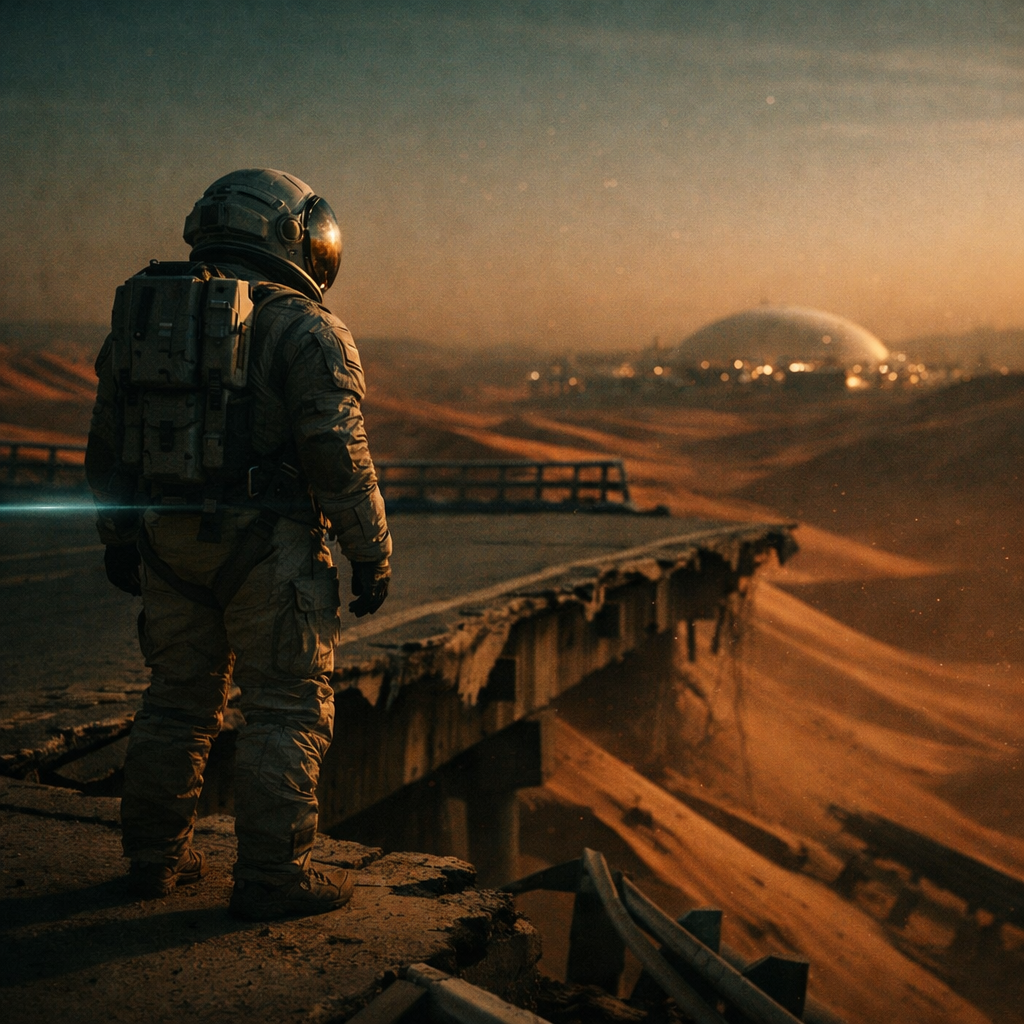
A lone astronaut stands at the edge of a collapsed highway overpass on a terraformed Mars, dusk light casting long amber shadows across red desert dunes that have swallowed the road. The visor reflects a distant colony dome glowing faintly on the horizon. Shot on anamorphic lens with subtle lens flare, shallow depth of field. Muted teal and burnt orange color grade reminiscent of Denis Villeneuve's visual style. Fine dust particles suspended in the air catch the last rays of light.
Exemple 2 : Publicité Produit
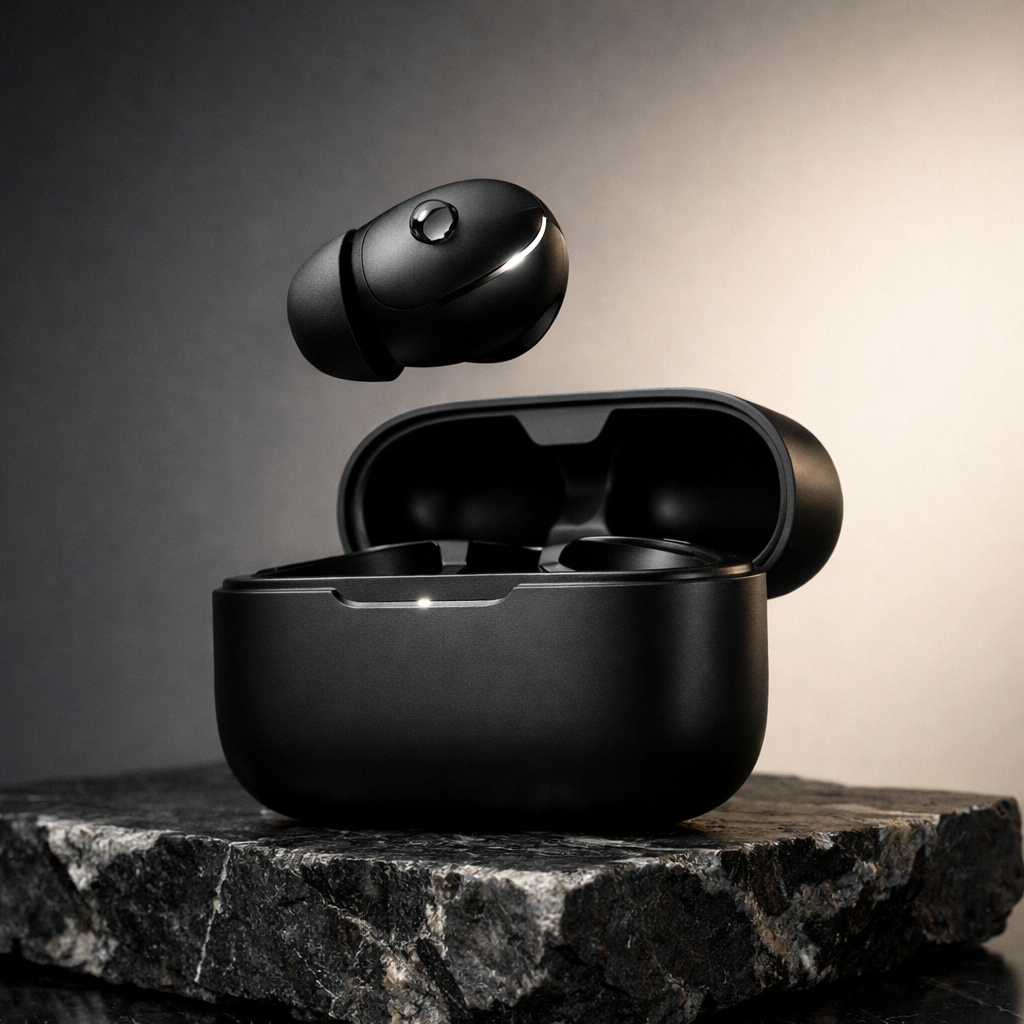
A matte black premium wireless earbud case sits slightly open on a slab of raw dark marble, one earbud hovering just above the case as if magnetically suspended. A single droplet of water rests on the earbud surface to emphasize water resistance. Soft directional studio lighting from the upper left with a clean gradient background shifting from charcoal to warm cream. The lighting produces a sharp specular highlight along the earbud's edge. Minimalist luxury product photography, razor-sharp focus.
Exemple 3 : Scène de Rendu de Texte
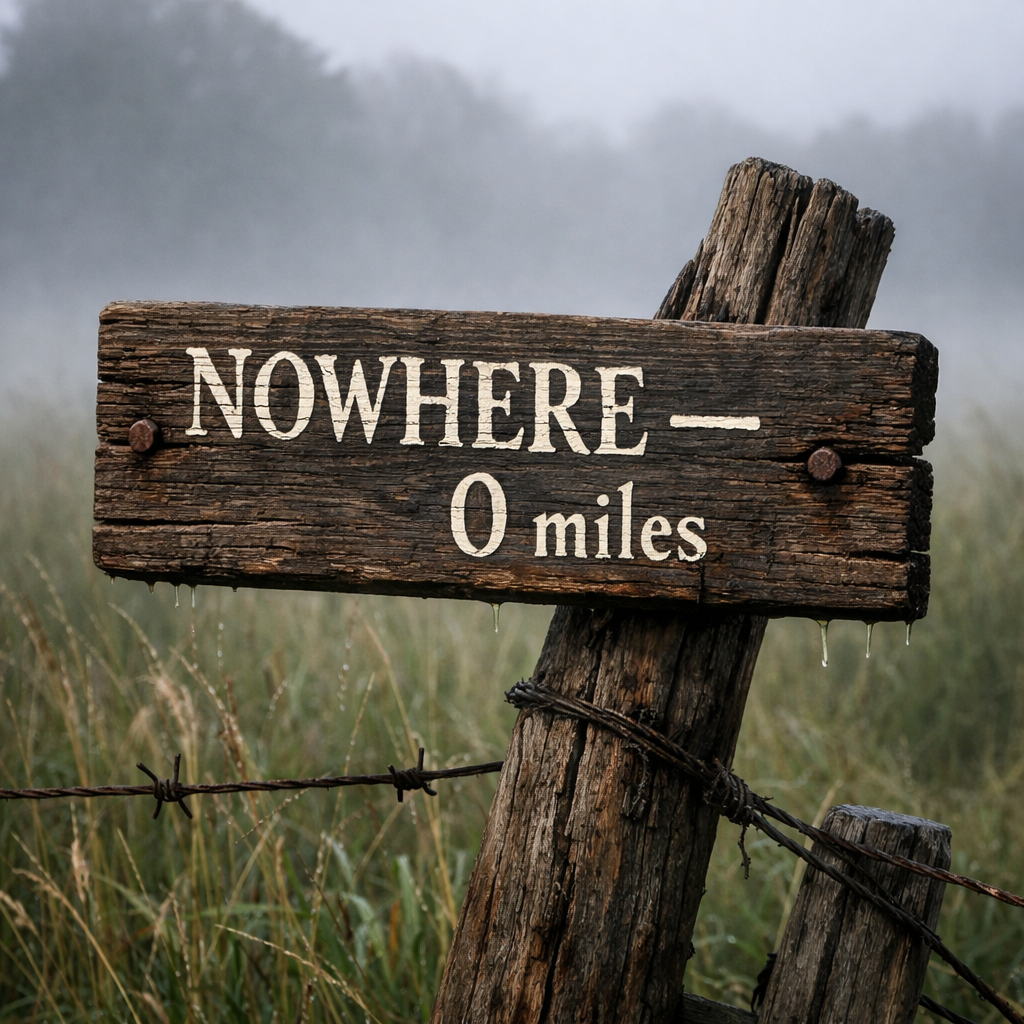
A weathered wooden sign nailed to a crooked fence post in a misty countryside field. The sign reads "NOWHERE — 0 miles" in hand-painted white serif lettering with visible brushstroke texture and slight paint drips. Morning fog rolls across tall wet grass behind the sign. The wood grain is richly detailed with cracked paint and rusty nail heads. Photorealistic, natural overcast lighting, shallow depth of field with the background softly blurred.
Cas d'Utilisation de l'API GPT Image 1.5
Marketing et Design Créatif
Générez des visuels de haute qualité pour les publicités, bannières et campagnes de produits.
E-commerce et Images de Produits
Créez des visuels de produits cohérents à travers différentes variations et environnements.
Création de Contenu
Produisez des images pour les blogs, les réseaux sociaux et les plateformes numériques.
Réflexions Finales sur GPT Image 1.5
GPT Image 1.5 représente un tournant vers des modèles de génération d'images prêts pour la production. Avec une forte adhérence aux prompts, des sorties de haute qualité et des capacités d'édition améliorées, il est bien adapté aux flux de travail créatifs et commerciaux.
Grâce à l'API GPT 1.5 image, les développeurs peuvent construire des pipelines évolutifs pour générer et éditer des images avec cohérence et contrôle.
Pour les équipes évaluant l'API gpt image 1.5, le modèle offre un équilibre entre qualité, vitesse et efficacité des coûts, en faisant un choix solide pour la génération visuelle moderne alimentée par l'IA.
GPT Image 1.5 API Key via PiAPI today!