GPT Image 2 API Guide: Features, Prompt Tips, Pricing, and Examples
AI image generation just took a serious leap forward.
This is not just about better-looking images. It is about speed, control, and accessibility. What used to take hours of design work can now be generated in seconds with the right prompt. In this guide, we break down how the GPT Image API works, its key features, prompt tips, and real examples so you can see what this new model is actually capable of.
What is GPT Image 2 ( GPT Image API )
GPT Image 2 is a commonly used term for the latest image generation capabilities from OpenAI. It is not an official name, but many users use it to describe the newer model with improved quality and better prompt understanding.
Compared to earlier versions, it produces more realistic results, follows instructions more closely, and handles a wider range of styles. This makes it useful for things like marketing visuals, product mockups, and creative content.
Key Features of GPT Image API
The GPT Image API introduces several upgrades that make image generation more powerful and practical for real-world use.
Advanced Reasoning and Multi-Image Generation
The model is able to interpret prompts more intelligently, allowing it to generate multiple distinct images from a single input. This makes it useful for exploring variations and creative directions quickly.
Greater Precision and Control
It handles highly specific instructions with strong accuracy. Fine details such as textures, small objects, and complex compositions are rendered more clearly, giving users better control over the final output.
Stronger Multilingual Understanding
The model performs better across multiple languages, especially in languages like Japanese, Korean, Chinese, Hindi, and Bengali. This makes it more accessible for global users creating prompts in their native language.
Improved Realism and Style Quality
Image outputs show noticeable improvements in visual fidelity. Whether generating realistic scenes or stylized content, the results are more polished and consistent.
Flexible Aspect Ratios
The API supports a wider range of image formats, from wide layouts such as 3:1 to vertical formats like 1:3. This makes it suitable for different use cases, including social media, banners, and mobile content.
Better Real-World Understanding
With a more up-to-date knowledge base, the model has a stronger understanding of real-world concepts and context, helping it generate more relevant and accurate visuals.
Batch Image Generation
Users can generate multiple outputs in a single request, allowing for faster iteration and comparison between different variations.
Prompt Guide for GPT Image API
Getting good results with the GPT Image API comes down to writing clear and specific prompts. A simple structure works best:
Subject: what is in the image
Style: realistic, anime, cinematic
Lighting: soft, dramatic, natural
Details: background, mood, composition
Example: A futuristic city skyline at night, cyberpunk style, neon lights, cinematic lighting, high detail
official prompt guide from OpenAI
Example 1: Product Mockup
Prompt:
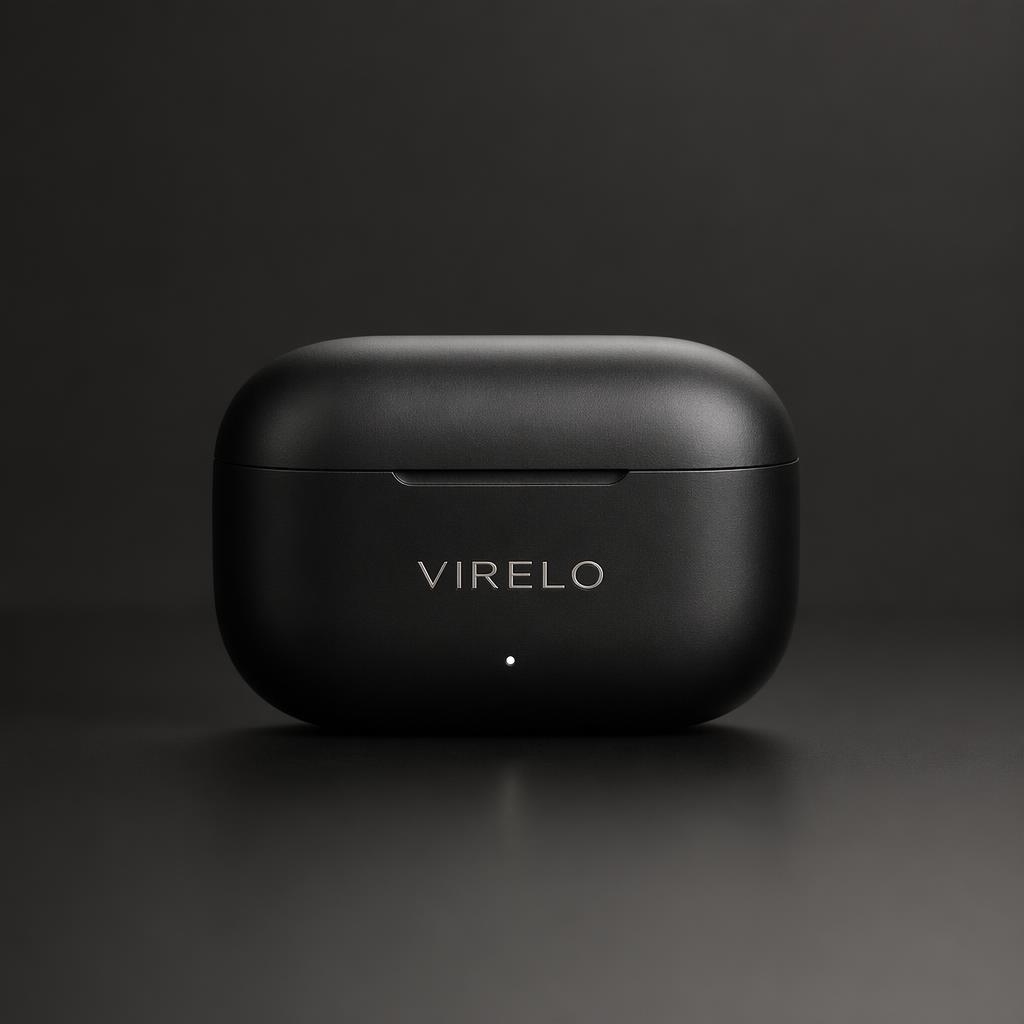
Minimalist product mockup of a black wireless earbuds case on a matte surface, soft studio lighting, subtle reflections, clean background, premium branding style
Evaluation:
The output shows strong control over composition and lighting, with a centered layout that keeps focus on the product. Soft studio lighting creates a smooth gradient across the matte surface without harsh reflections.
The material looks realistic, with a clean matte texture and subtle details like the LED indicator. Combined with minimalist branding and a dark-on-dark color palette, the overall result feels premium.
Example 2: Poster / Ad Creative
Prompt:
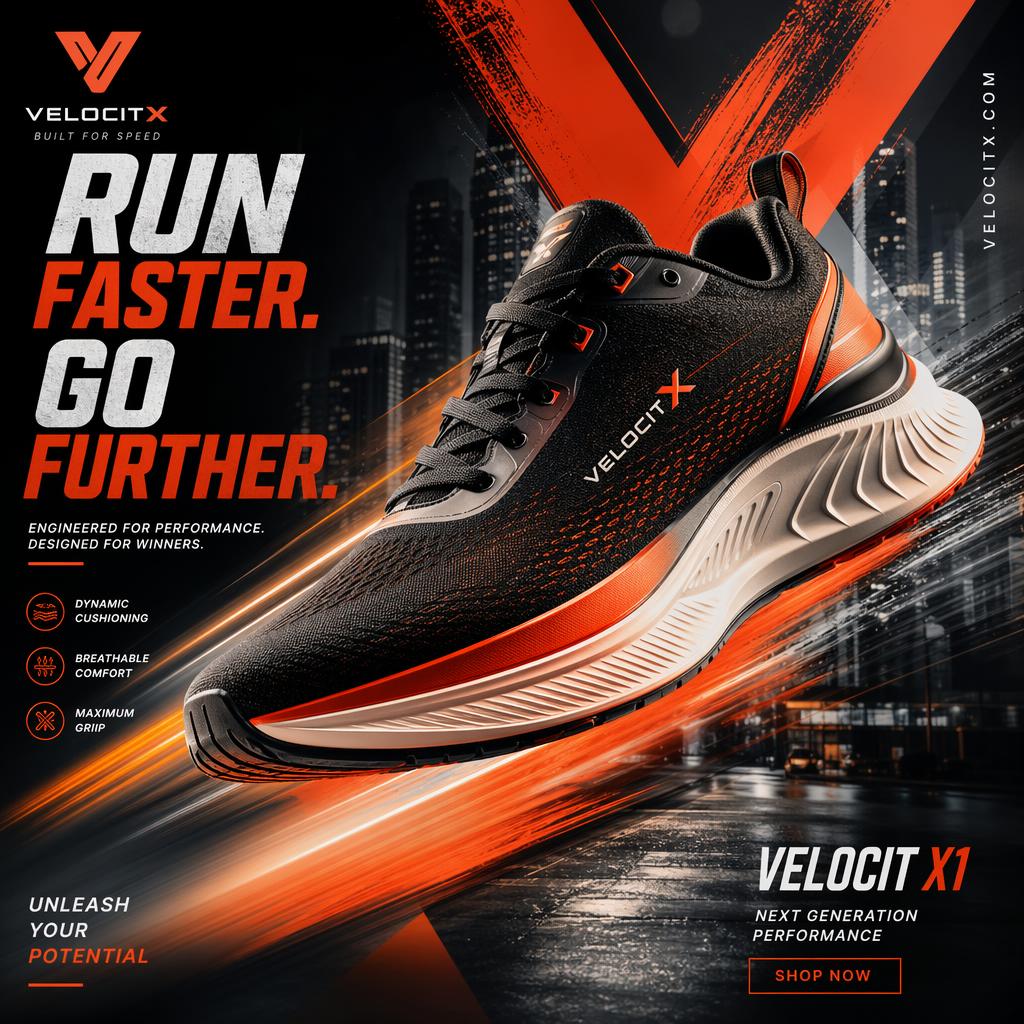
Modern promotional poster for a sports shoe brand, dynamic composition, bold typography, high contrast lighting, motion blur effect, vibrant colors, urban streetwear aesthetic, clean layout, commercial advertising style
Evaluation:
The output delivers a strong commercial look with a dynamic composition that draws attention directly to the product. Motion blur and light trails add a sense of speed, matching the overall urban streetwear theme.
Typography is bold and impactful, and the model handles text surprisingly well, which is often a weak point in image generation. The high-contrast color palette helps the product stand out, while the subtle background details add context without being distracting.
The shoe itself is rendered with good detail, including textures and lighting, making the image feel realistic and suitable for marketing use.
Example 3: Food Photography
Prompt:
A close-up of a freshly made brunch plate with avocado toast, poached eggs, and a cup of coffee, natural window lighting, shallow depth of field, soft shadows, realistic food photography style, high detail
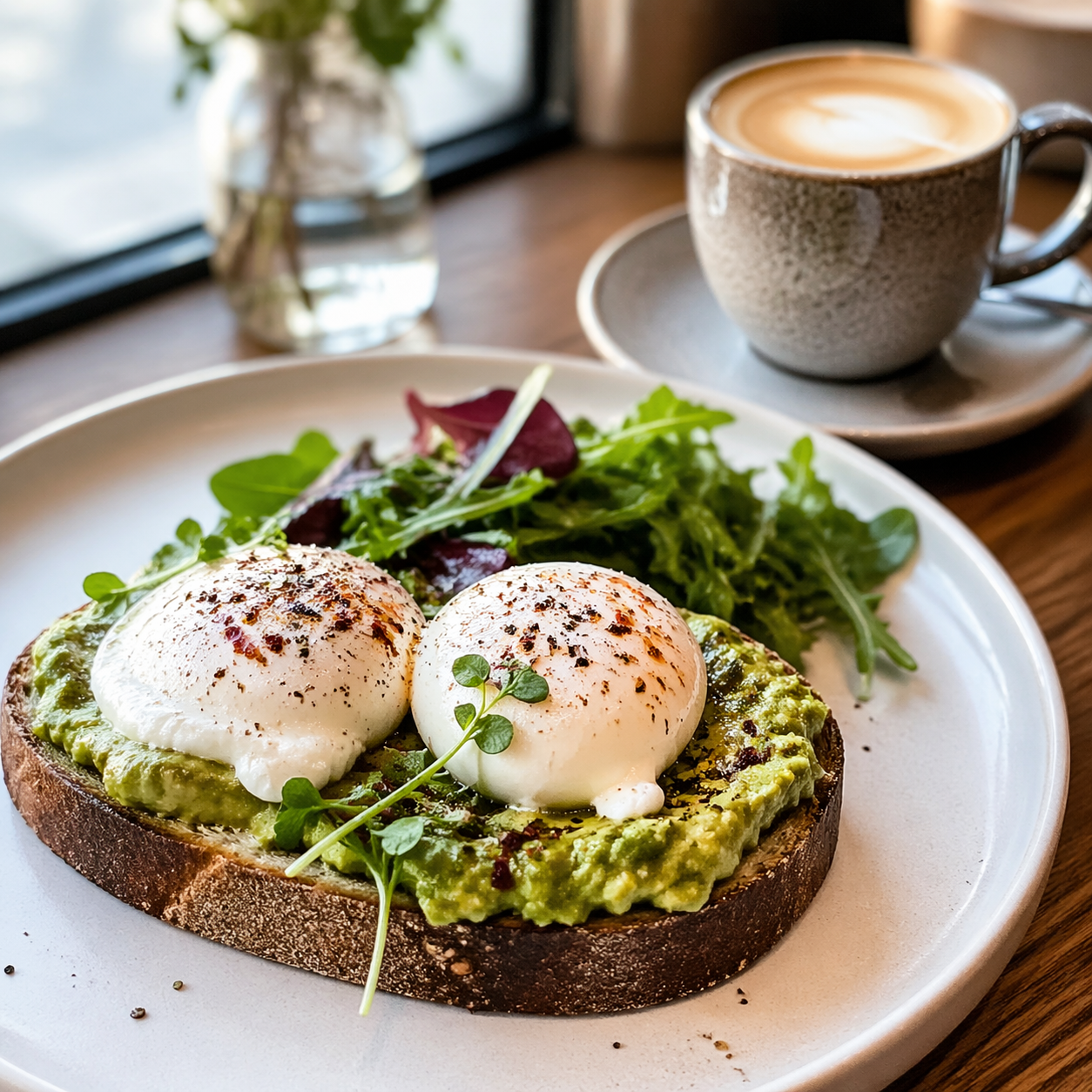
Observation:
The output shows strong realism in both lighting and texture, making it look very close to professional food photography. Natural side lighting creates soft shadows and highlights details like the moisture on the eggs, giving the image a warm and inviting feel.
Depth of field is handled well, with the main subject in sharp focus while background elements remain softly blurred. Texture details are especially convincing, from the bread crust to the avocado and egg, adding to the overall realism.
The earthy color palette reinforces a fresh and natural look, making the image suitable for menus, social media, or lifestyle content.
How to Use GPT Image API
Getting started with the GPT Image API is simple, and platforms like PiAPI make it even easier to access the latest models, including GPT Image 2.
Get Access to the API. PiAPI
Send a Prompt. Write a clear text prompt describing the image you want to generate. The more specific your prompt, the better the results.
Generate and Iterate. Generate your image, then refine your prompt or create variations to improve the output.
Pricing
Pricing for GPT Image 2 on PiAPI is usage-based.
The gpt-image-2-preview model is priced at $0.10/img per image generation at the time of writing.
Verdict
GPT Image 2 represents a clear step forward in AI image generation. The improvements in prompt understanding, visual quality, and consistency make it far more practical for real-world use compared to earlier models.
It performs well across a wide range of use cases, from product mockups and marketing creatives to realistic lifestyle visuals. The ability to generate high-quality images quickly with simple prompts makes it especially useful for developers, marketers, and content creators looking to speed up their workflow.
That said, it is still not a complete replacement for professional design tools in every scenario. Fine control and highly specific creative direction may still require manual editing or additional tools. However, for most everyday use cases, the model is more than capable.
Overall, GPT Image 2 is a strong option for anyone looking to integrate image generation into their workflow, especially when paired with an accessible API platform.