How to Make AI Ad Videos: 3 Product-and-Actor Examples
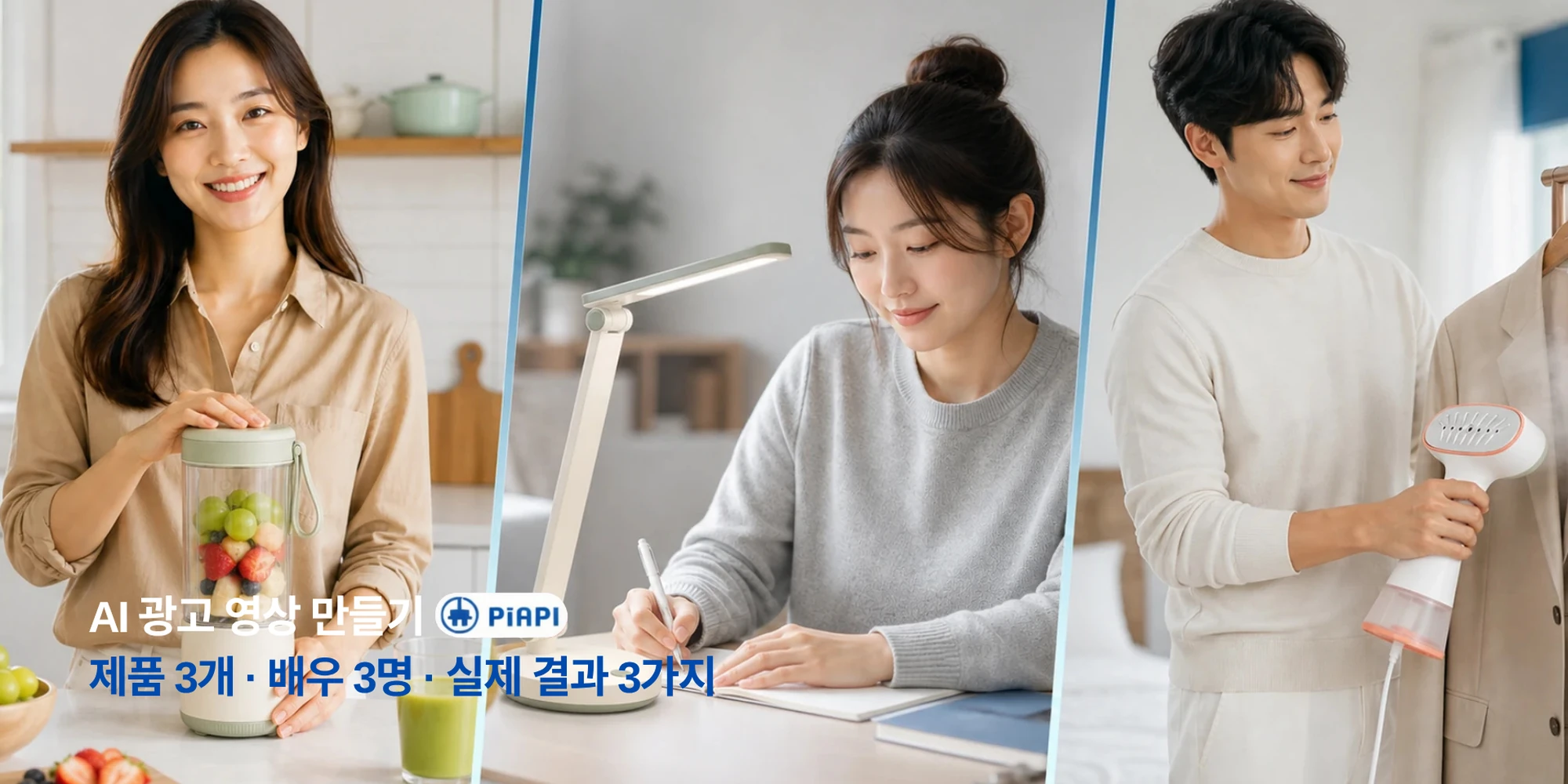
You can make an AI ad video by preparing a clear product image, writing a short script, adding an optional actor or logo, and choosing a format for the channel where the ad will run. In this guide, we use the same workflow to create three product ads: a mini blender in 9:16, a foldable desk lamp in 1:1, and a compact garment steamer in 16:9.
Definition: An AI ad video is an advertising draft generated from inputs such as a product image, script, optional actor reference or logo, and aspect ratio. Instead of only editing footage that already exists, generative AI builds new scenes and actions from the supplied assets and instructions.
Key takeaways
• A clear product image and focused script are the most important inputs.
• An actor image is optional, but it helps when a person needs to present or use the product.
• A 9:16, 1:1, or 16:9 layout changes the available space for the product, actor, and captions.
• Every generated ad still needs a human review for product accuracy, hand interactions, captions, claims, branding, and CTA placement.
Table of Contents
- What you need to make an AI ad video
- A simple product-image-to-ad workflow
- Three AI product-ad examples with Korean scripts
- How to choose an aspect ratio
- What to review before publishing
- AI ad video FAQ
What You Need to Make an AI Ad Video
Start with the product and the message, not the camera equipment. A polished video can still be ineffective when the product identity or customer benefit is unclear. These five inputs establish a practical first draft.
| Input | Preparation standard |
|---|---|
| Product image | Show the full shape, color, controls, packaging, and other details that must remain consistent. |
| Ad script | Focus on one customer problem, one product benefit, and one CTA. |
| Actor image (optional) | Choose a clear face and natural hands, with enough space in the composition for the product. |
| Logo (optional) | Use a clean transparent-background file and limit it to a controlled position such as the final CTA frame. |
| Aspect ratio and length | Choose the publishing destination first, then start with 9:16, 1:1, or 16:9. |
Avoid forcing long text or extra logos into the product image. Small lettering can blur or change during generation. When using an actor reference, an image where the person is not already holding another product is easier to combine with the new item.
A short script can follow a Hook–Benefit–CTA structure:
Hook: State the customer problem or desired outcome.
Benefit: Explain one specific way the product helps.
CTA: Suggest one clear next action.
“Adjust the lamp angle to reach the part of your desk that still looks dark” gives the model a clearer visual action than “Make life more convenient.” Do not add functions, performance figures, or benefits that the real product cannot support.
A Simple Product-Image-to-Ad Workflow
We used the following four steps for all three examples.
1. Prepare the product image and optional actor image
Choose a product image that shows its silhouette and important physical details. If the ad includes a presenter, select a person who fits the likely customer or use context. The two images do not need identical lighting, but avoid combinations with a major visual conflict, such as a bright kitchen product paired with a dark nighttime portrait.
2. Write a short script
A 10–15 second ad does not have time to explain every feature. Use the opening line to state the problem, the middle to show one use case or benefit, and the final line to suggest an action. Keep sentences short enough to read as captions.
3. Choose a format and duration for the channel
Start with 9:16 for vertical feeds, 1:1 for square feeds, and 16:9 for horizontal video or website placements. Do not rely on mechanically cropping one master video. Recheck the product position, actor framing, and caption-safe area in each format.
4. Review the product, person, copy, and CTA
Watch once for the overall advertising flow. Watch again for the product shape and color, then inspect the face, hands, use method, captions, and CTA. A believable-looking shot still needs to be replaced if it demonstrates the product incorrectly or unsafely.
For more model-specific scene and prompt guidance, see the Seedance 2.0 AI marketing video guide.
Three AI Product-Ad Examples With Korean Scripts
Each result below used one product image, one actor image, and one Korean ad script. We evaluated the completed videos for prompt adherence, visual quality, detail consistency, artifacts, and practical usability—not for campaign performance. The inputs and full outputs were reviewed side by side on July 30, 2026.
| Example | Format | Observed strength | Improvement before publishing | Practical verdict |
|---|---|---|---|---|
| Mini blender | 9:16 · 15.04 seconds | Product colors, transparent container, actor, and Korean captions remain relatively stable. | Trim toward the planned duration and recheck hand-to-container contact. | Strong |
| Foldable desk lamp | 1:1 · 10.04 seconds | Product color and the use sequence are easy to understand. | Improve joint proportions and caption size for mobile. | Strong |
| Compact garment steamer | 16:9 · 15.04 seconds | Actor, bedroom environment, and product colors remain consistent. | Replace the bedding sequence, iron-like handling, and missing captions. | Moderate |
Example 1: Mini Blender TikTok and Reels Ad
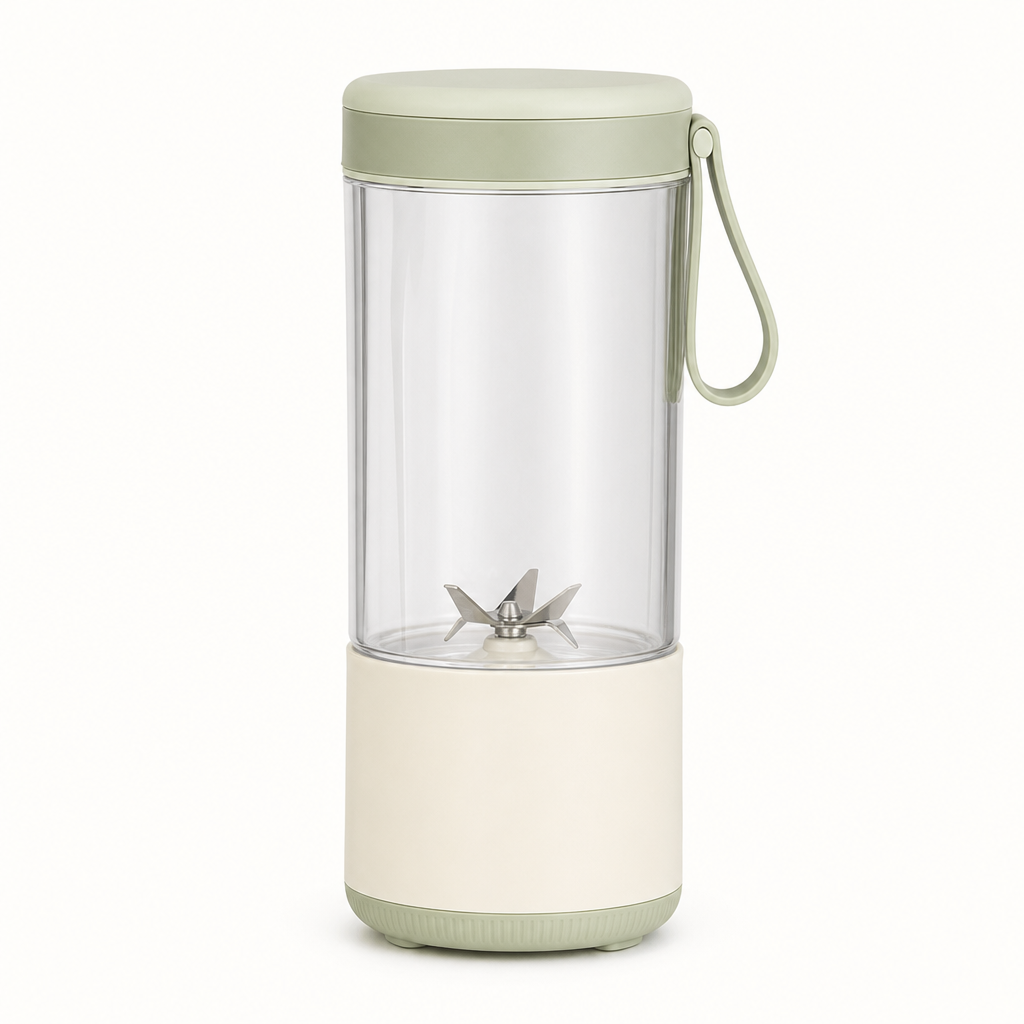

Format: 9:16 vertical, 720 × 1280, actual duration 15.04 seconds
Original Korean script
아침마다 큰 블렌더를 꺼내기 번거로우셨나요?
이 컴팩트 블렌더로 과일과 음료를 간편하게 준비해 보세요.
바쁜 아침을 더 가볍게. 오늘부터 시작해 보세요.
English meaning: Is taking out a large blender every morning inconvenient? Prepare fruit and drinks more easily with this compact blender. Make busy mornings lighter—start today.
The video follows a clear sequence from product-only shot to actor introduction, ingredient preparation, finished drink, and CTA. The ivory-and-sage colors, transparent container, and actor appearance remain relatively stable, while most Korean captions are readable.
The planned duration was 10 seconds, but the result is 15.04 seconds. Hand and product contact should also be checked when ingredients enter the container and when the actor lifts it to drink. With a simple duration edit, this is the strongest representative example.
Evaluation: Prompt adherence moderate · visual quality high · detail high · artifacts low · practical usability strong
Example 2: Foldable Desk Lamp Instagram Feed Ad
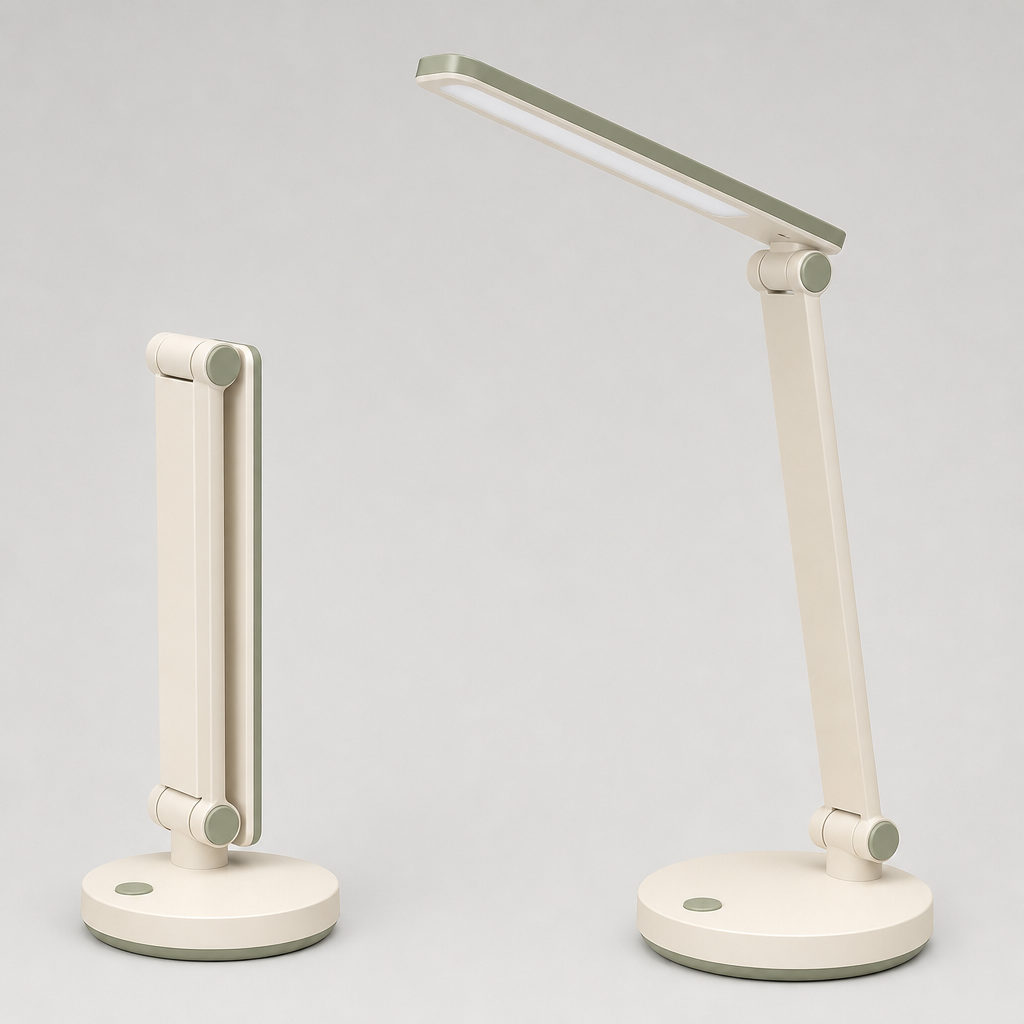

Format: 1:1 square, 720 × 720, actual duration 10.04 seconds
Original Korean script
책상 위 조명이 원하는 곳까지 닿지 않나요?
접이식 램프의 각도와 밝기를 작업에 맞게 조절해 보세요.
집중할 때는 선명하게, 쉬는 시간에는 부드럽게.
오늘의 책상을 더 편하게 만들어 보세요.
English meaning: Does your desk light fail to reach where you need it? Adjust the foldable lamp’s angle and brightness for the task. Keep it clear while focusing and softer while resting. Make today’s desk more comfortable.
The result moves from a product-only shot to the actor adjusting the lamp, pressing the control, and working at the brighter desk. The ivory-and-sage finish and circular base remain recognizable, creating an easy-to-understand square feed ad.
Some shots alter the length and proportions of the folding joints. The captions also sit low and appear small on a mobile screen. Increasing their size and keeping them inside a safer area would make the result more publishable.
Evaluation: Prompt adherence high · visual quality high · detail moderate · artifacts low · practical usability strong
Example 3: Compact Garment Steamer YouTube Ad
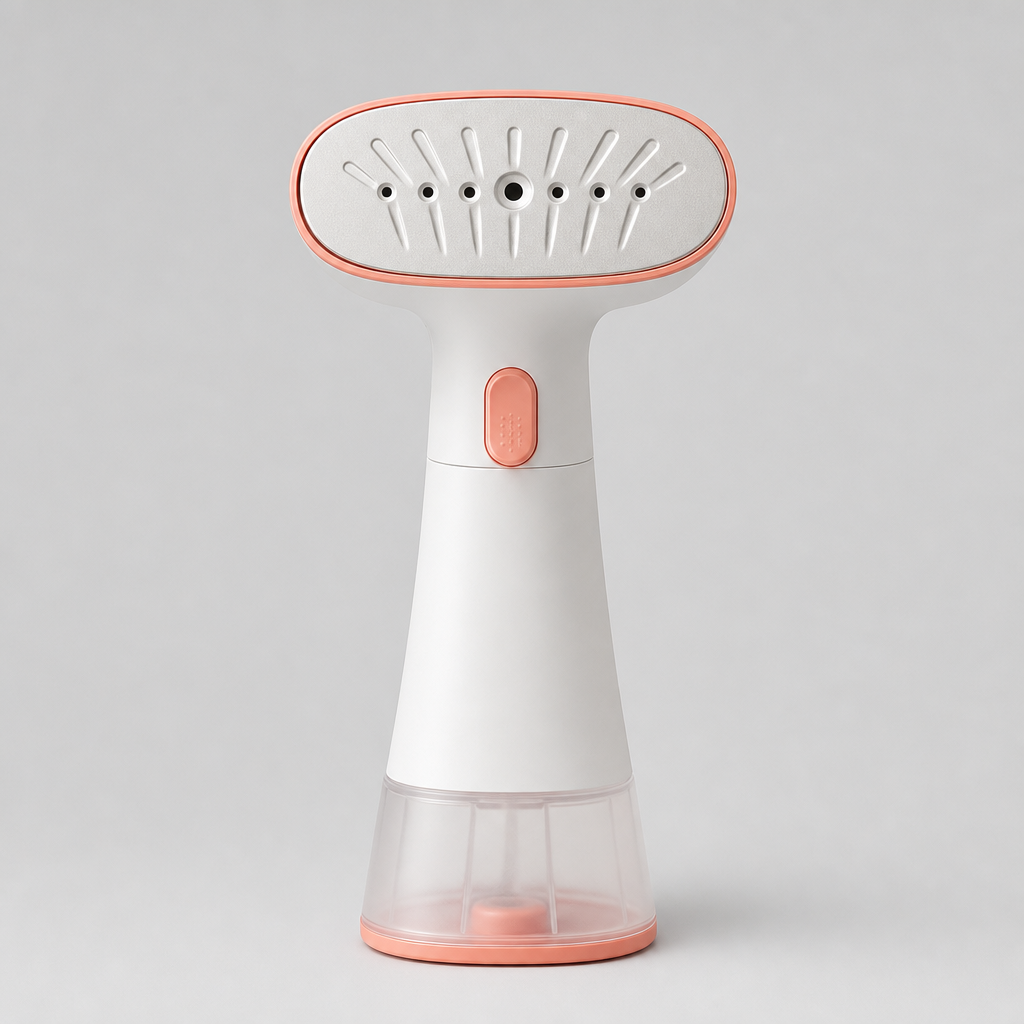
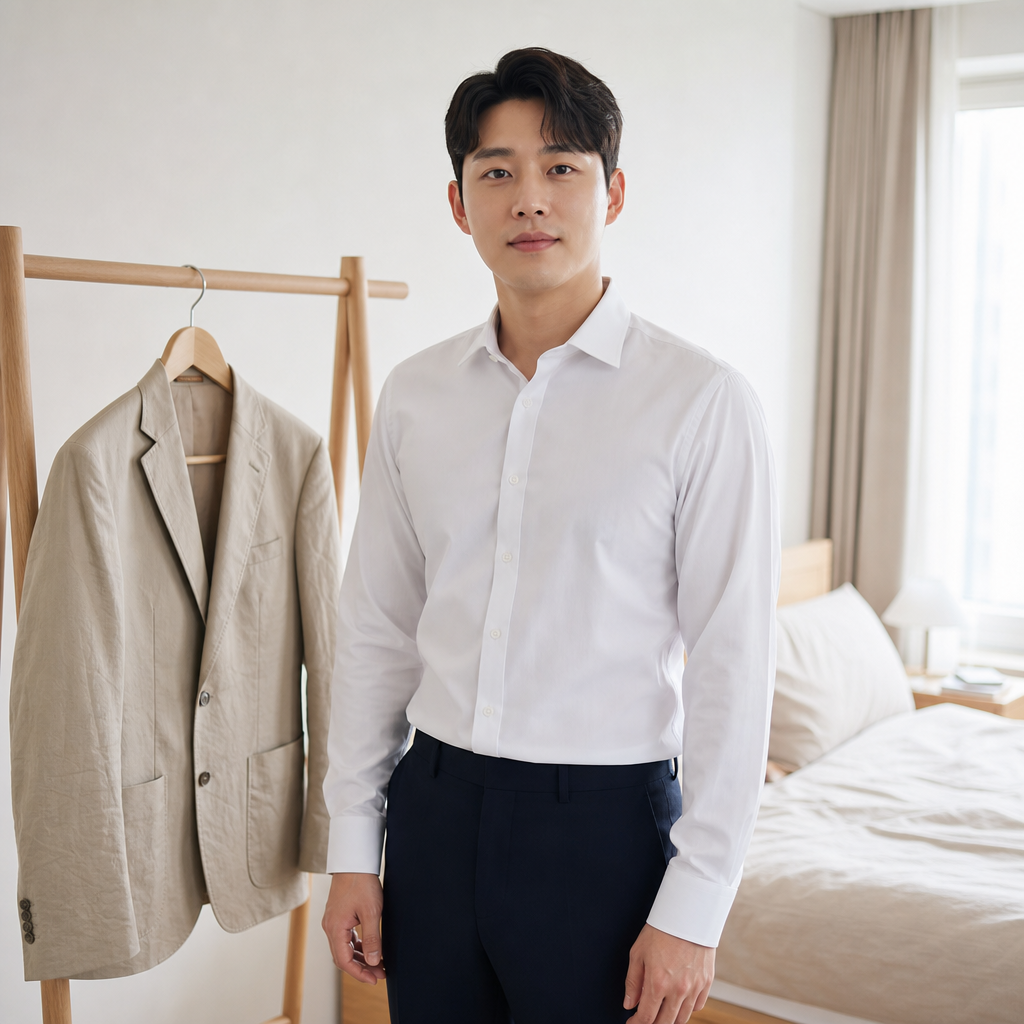
Format: 16:9 horizontal, 1280 × 720, actual duration 15.04 seconds
Original Korean script
외출 전 옷의 주름 때문에 준비가 번거로우신가요?
컴팩트한 스티머로 필요한 부분을 차분하게 정돈해 보세요.
큰 다리미판 없이 준비 공간은 더 간단하게.
오늘의 옷차림을 깔끔하게 시작하세요.
English meaning: Do clothing wrinkles make getting ready inconvenient? Neatly smooth the areas that need attention with a compact steamer. Keep the preparation space simpler without a large ironing board. Start the day with a cleaner outfit.
The actor, bright bedroom, and beige jacket connect naturally to the reference image, and the white-and-coral product colors remain mostly consistent. The ending, where the actor finishes preparing to leave, also follows the script direction.
However, the opening spends too long ironing bedding instead of the jacket, and the device behaves more like a conventional iron than an upright steamer. Steam is difficult to see and the Korean captions are missing. This result is useful as evidence for why human review matters, but it should be edited or regenerated before use as an ad.
Evaluation: Prompt adherence moderate · visual quality high · detail moderate · artifacts moderate · practical usability moderate
Try Making an AI Ad Video
AI Video Ad Generator
### Turn your product image into an ad-video draft
Upload a product image, add an optional actor or logo, enter your script, and choose an aspect ratio to create a first advertising draft.
Make an AI ad video
How to Choose an Aspect Ratio
Choose the aspect ratio based on where the video will appear. TikTok recommends vertical creative, Meta provides 9:16 guidance for Reels with key messages inside safe areas, and Google Ads supports horizontal 16:9, vertical 9:16, and square 1:1 video assets for relevant YouTube placements.
| Placement | Useful starting ratio | Example in this guide | Review priority |
|---|---|---|---|
| TikTok / Reels / Shorts | 9:16 | Mini blender | Early product visibility and caption-safe area |
| Instagram / Facebook feed | 1:1 | Foldable desk lamp | Centered product placement and mobile caption size |
| YouTube / website | 16:9 | Compact garment steamer | Problem–solution order and product visibility across the wide frame |
A supported ratio does not guarantee a good composition. Cropping 16:9 footage into 9:16 can remove the actor’s hands or the product, while reusing vertical captions in a wide frame can leave awkward space. Recheck the current specifications and advertising policies of the publishing platform.
Official references checked July 30, 2026: TikTok creative tips, Meta Reels ads guide, and Google Ads video specifications.
What to Review Before Publishing
An AI generator can create the draft, but a person must decide whether it is publishable. Review once without sound and once with sound.
- [ ] Does the product shape, color, control layout, and packaging match the real item?
- [ ] Is the product shown correctly and safely?
- [ ] Do the actor’s face, fingers, gaze, and product interactions look natural?
- [ ] Are spelling, line breaks, caption size, and safe-area placement correct?
- [ ] Can every performance statement or benefit be supported by real product information?
- [ ] Does the logo retain its color, proportions, and wording?
- [ ] Does the CTA follow naturally from the ad without covering the product?
- [ ] Does the selected duration and aspect ratio match the actual placement?
Not every problem requires discarding the full video. Caption placement and duration can often be fixed in editing, while a wrong product shape or unsafe demonstration is usually better regenerated. Separating editable problems from regeneration problems reduces unnecessary repetition.
In environments where CTAs and interface controls appear in different positions by device or format, keep the product, logo, and captions away from the frame edges. Use the platform preview and guidance such as Google Ads’ video ad safe-zone documentation.
AI Ad Video FAQ
Do I need both a product image and an actor image?
No. The product image is the main reference, but the actor is optional. Product-only showcases, packaging ads, and simple demonstrations can start without an actor. Add a person when the ad needs a presenter or a lifestyle use scene.
How long should an ad script be?
For a 10–15 second product ad, use roughly one sentence for the problem, one for the main benefit, and one for the CTA. Read the script aloud and check whether it fits the intended duration without rushing.
Which aspect ratios should I use for TikTok, Instagram, and YouTube?
Start with 9:16 for TikTok, Reels, and Shorts; 1:1 for square feed ads; and 16:9 for standard YouTube or website placements. Always confirm the latest specification and caption-safe area for the campaign type.
Do AI-generated product ads need human review?
Yes. AI can change product colors or parts, create awkward hand interactions, or demonstrate a use that was never requested. Captions and product claims are not automatically accurate. A product owner should review the facts, visuals, branding, CTA, and publishing format.
Can I use the same workflow for my product?
Yes. Start with one clear product image and a short Hook–Benefit–CTA script. Add an actor or logo only when needed, choose the ratio for the placement, and review the generated result. Change the input and regenerate when the product form or use sequence is materially wrong.
Make Your First AI Product Ad
The workflow comes down to four steps: prepare the product image, write the script, select the aspect ratio, and review the generated result. The three examples used the same process but produced different levels of readiness. The blender and desk-lamp ads could be used after small edits, while the garment-steamer output revealed a use sequence that should be regenerated.
These examples are not fixed templates. They show how to decide what must remain accurate in your own product and what needs to be inspected after generation. When you are ready, create an ad from your product image with the PiAPI AI Advertisement Video Generator.