Kling AI Avatar: Full Guide with Examples (Standard vs Pro Quality)
Whether you're experimenting with a talking avatar setup or looking to create production-ready AI videos, this guide will give you a clear understanding of how to use Kling AI avatar effectively.
What is Kling AI Avatar
The Kling AI avatar is a talking avatar model developed by Kling AI that generates realistic human videos from text or audio. Instead of recording a real person, users can create a digital avatar that speaks naturally with synchronized lip movements and consistent facial identity.
The model is designed specifically for talking avatar use cases, focusing on facial realism, lip sync accuracy, and stable motion. This makes it suitable for content like marketing videos, AI presenters, and social media clips where clear delivery and natural expression matter.
Key Features of Kling AI Avatar
The Kling AI avatar model focuses on delivering realistic and controllable talking avatars through a combination of multimodal inputs, high-quality video output, and strong lip sync performance.
Multimodal Input Support Kling avatar supports text, image, and audio inputs, allowing flexible control over avatar appearance, voice, and behavior. This makes it easier to align identity, speech timing, and overall delivery within a single generation workflow.
High-Quality Video Output The model can generate videos up to 1080p at 48 FPS, producing smooth motion and clear visuals. It also supports longer video durations, making it suitable for explainers, presentations, and continuous talking sequences.
Advanced Lip Sync and Motion Control One of the standout features is its lip sync accuracy, especially across fast dialogue and multilingual speech. Facial movements are generally well-aligned with audio, with more natural expression seen in higher quality modes.
Multilingual Speech Support Kling avatar supports multiple languages including English, Chinese, Japanese, and Korean. This allows creators to generate talking avatar content for different regions without changing the core workflow.
Stable Identity and Long-Form Consistency The model maintains character consistency across frames, which is important for longer videos. Compared to typical avatar models, identity drift and facial distortion are better controlled.
Kling AI Avatar Pricing
Kling AI Avatar follows a pay-as-you-go pricing model, where usage is billed based on the duration of generated video.
Standard vs Pro Pricing Comparison
1. Standard Quality (STD) $0.052 per second Suitable for basic avatar generation with consistent identity and acceptable motion quality.
2. Pro Quality (PRO) $0.104 per second Offers enhanced realism, smoother facial animation, and more accurate lip sync, making it better suited for production use.
Key Differences in Pricing
The Pro quality option is approximately 2x the cost of Standard. This price increase reflects improvements in motion smoothness, facial detail, and overall output stability.
For quick testing or bulk generation, Standard is more cost-efficient. However, for content that requires higher realism and stronger viewer engagement, Pro quality justifies the higher cost.
What You Need to Generate a Kling AI Avatar
To generate a Kling AI avatar, you typically need three main inputs: an image, audio, and an optional prompt.
Image (Required) The image defines the avatar's identity. This is usually a clear photo of a person, ideally front-facing with good lighting. Higher quality images generally produce more stable and realistic results.
Audio (Required) The audio drives the speech and timing of the avatar. The model uses it to generate lip sync and facial movement, so clarity and pacing are important. Clean audio without background noise will result in better output.
Prompt (Optional) A prompt can be used to guide the avatar's behavior, tone, or setting. For example, you can specify whether the avatar should sound casual, professional, or expressive. While optional, prompts help improve control over the final output.
official Kling AI Avatar user guide
Example 1
Input Photo

Input Audio
Pro Output
Std Output
Evaluation:
For this example, the biggest difference between Standard and Pro quality is body movement and overall delivery. The Pro output feels noticeably more dynamic, with natural upper-body motion and hand gestures that match the speech. This makes the avatar look more conversational and engaging. In comparison, the Standard output is much more static, with the hands remaining fixed and the posture feeling stiff, which gives the video a more robotic and less relaxed presentation.
Lip sync is reasonably solid in both versions, but the Pro output feels more cohesive because the facial animation is supported by body language. In the Standard version, the mouth movement aligns fairly well with the audio, but the lack of accompanying gestures makes the performance feel more isolated and less natural. As a result, Pro creates a stronger sense of realism even when the core speech animation is similar.
One limitation shared by both outputs is text rendering. Any on-screen subtitles or text elements appear distorted and unreadable, which remains a common weakness in AI video generation. Overall, the Pro version is a clear step up for conversational, full-torso avatar videos, while Standard is more suitable for simpler talking-head use cases where motion realism is less important.
Example 2
Input Photo

Audio Input
Pro Output
Std Output
Evaluation:
For this example, the main difference lies in body language and delivery. The Pro output feels more natural and engaging, with hand gestures and upper-body movement that match the speech. In contrast, the Standard output is very stiff, with arms fixed at the sides, which creates a disconnect with the more energetic tone of the dialogue.
Head movement further highlights this gap. In the Pro version, head and posture shifts align smoothly with gestures, making the delivery feel cohesive. In the Standard version, head movement exists but feels isolated due to the lack of body motion, resulting in a more robotic appearance.
Both outputs maintain strong visual consistency, with stable backgrounds and no major artifacts. Overall, the key difference is animation: Pro delivers expressive, full-body movement, while Standard is largely limited to facial and head animation.
Example 3
Input Photo
Input Audio
Pro Output
Std Output
Evaluation:
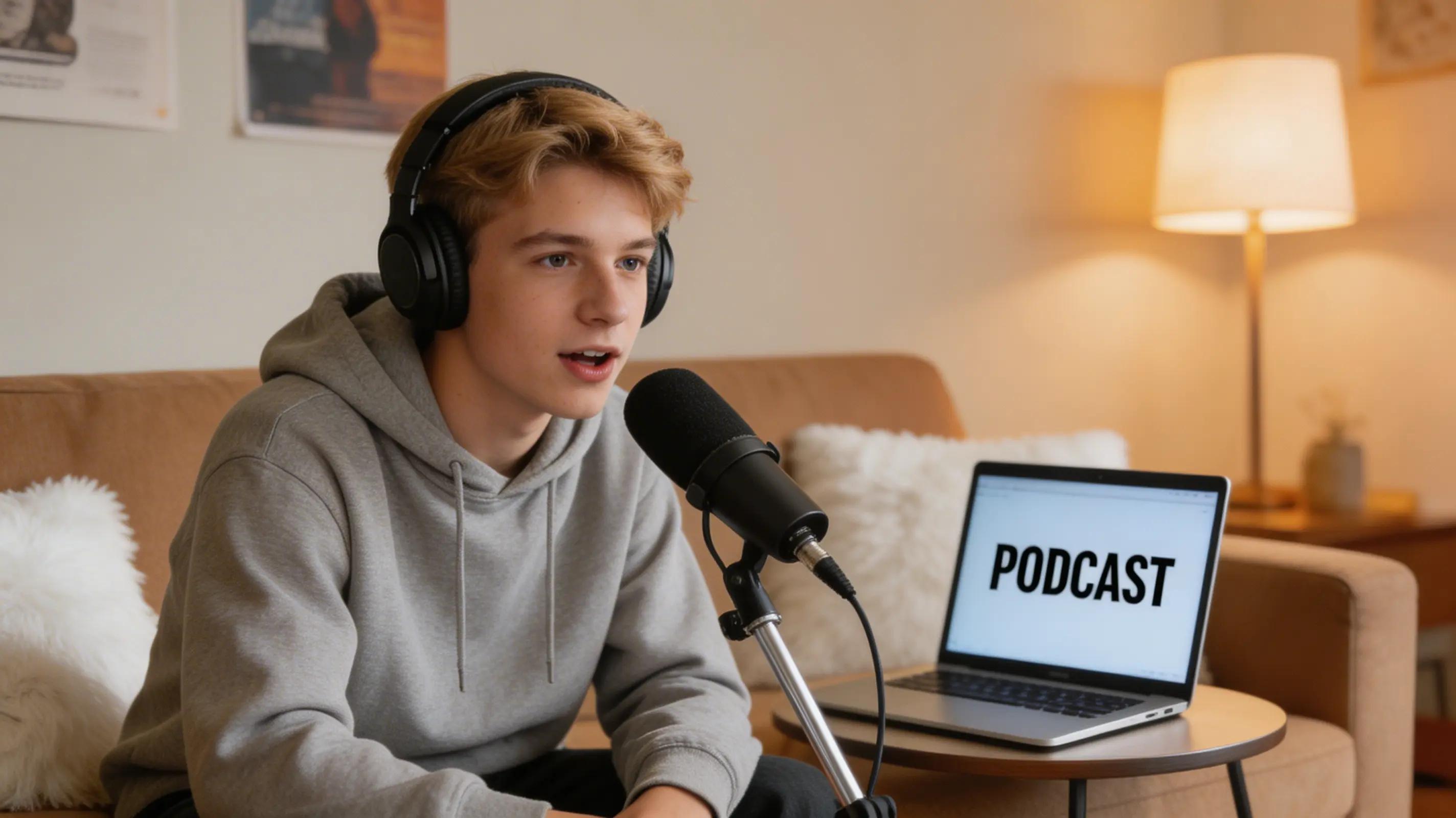
For this example, the gap between Standard and Pro is clear in body movement. The Pro output feels natural and conversational, with the avatar leaning forward and using hand gestures. The Standard output remains stiff, with minimal torso movement, making it less suitable for a podcast-style setting.
Facial expression also differs. While lip sync is accurate in both, the Pro version shows more natural expressions and subtle eye movement, while the Standard version appears flatter and less engaging.
Both outputs are visually stable, with clean backgrounds and no noticeable artifacts. Overall, Pro is better for expressive, personality-driven content, while Standard is more suited for simple talking-head use.
Conclusion
The Kling AI avatar model is a solid choice for generating talking avatar videos, with Standard quality providing stable results, accurate lip sync, and consistent output for most use cases. However, its main limitation is the lack of expressive body movement, which can make delivery feel more rigid.
While Pro quality is designed to improve realism with more dynamic motion and gestures, it may not always be reliably available. For now, Standard remains the more practical option, while Pro represents the next step toward more lifelike avatar performance.