Seedance 2.5 for AI Short Films: A 30-Second Storytelling Workflow
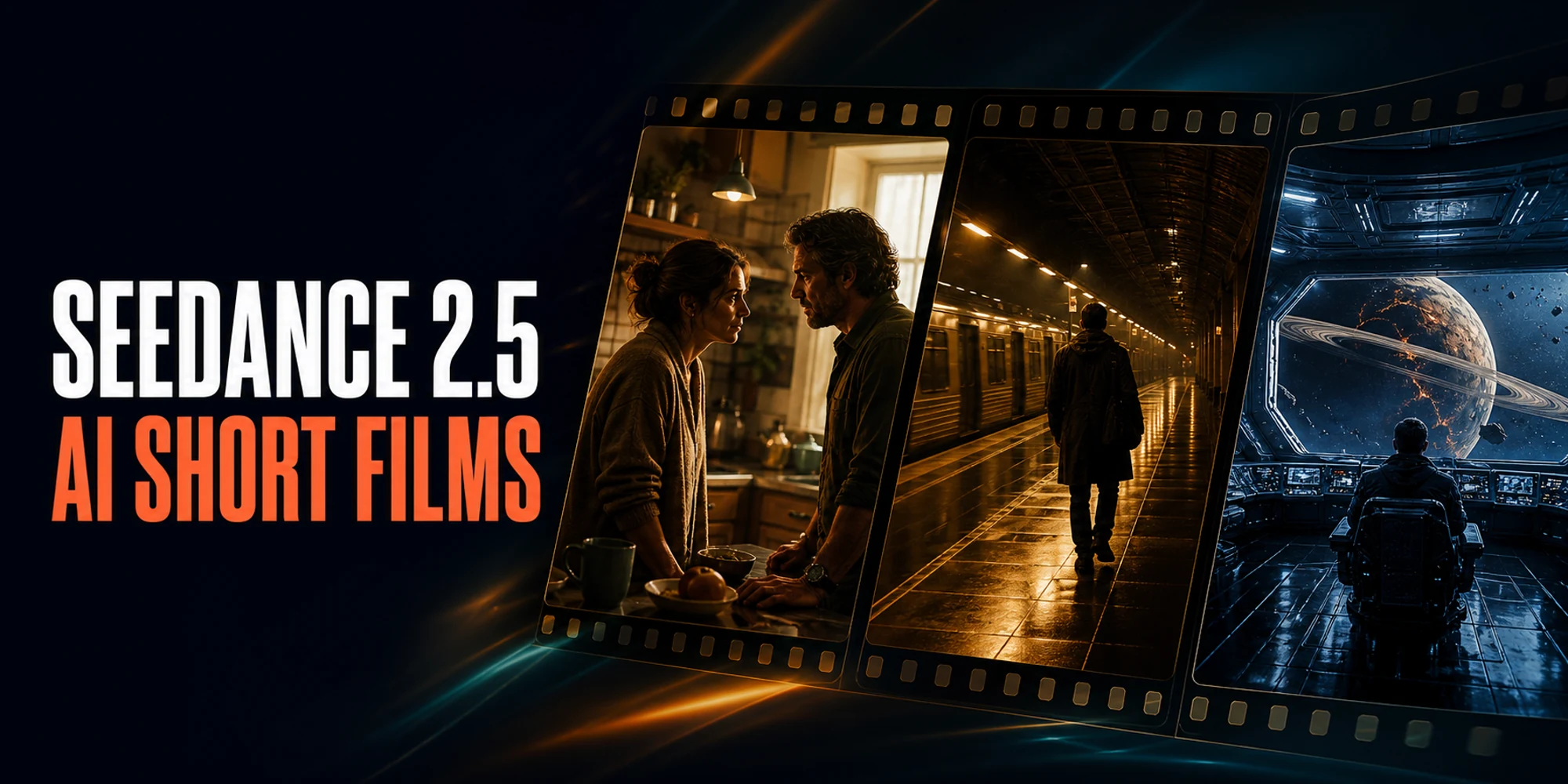
Can a single AI-generated video feel like a scene from a film, with characters who speak, react, and reach a real ending in 30 seconds?
We tried three approaches with Seedance 2.5 through PiAPI: a family drama made from text alone, a thriller guided by character and location images, and a science-fiction scene shaped with images and sound. Each one has five spoken lines and a complete story turn.
The result: Seedance 2.5 can carry a compact dramatic scene when the idea is simple and the direction is precise. The best results came from treating the prompt like a miniature screenplay rather than a list of visual effects.
The simplest workflow is to choose one emotional turn, write five short lines, divide the scene into four timed beats, and give every reference image one clear job.
Watch Three Seedance 2.5 Short Films
These are the original 30-second outputs. They have not been rebuilt from selected shots, so you can judge the dialogue, pacing, character consistency, and endings as they came back from the model.
Example 1: The Watch — Text-Only Emotional Drama
Two siblings meet in their late father's workshop. Eli has kept a stopped pocket watch because winding it feels like accepting that his father is gone. Mara sees the same action differently: starting the watch means their own lives can continue.
The script
Mara: "You kept Dad's watch."
Eli: "I kept the hour he left."
Mara: "Then let it move."
Eli: "If I wind it, he's really gone."
Mara: "No. It means we're still here."
The warm workshop, rain-blue window, two adults, and pocket watch stay coherent throughout the scene. All five lines are clear, the characters remain easy to distinguish, and the lip sync works well. The blocking becomes quiet after the opening, while the final winding action is more subtle than requested. Even so, it plays as a complete emotional moment and would need only a modest trim.
Creative lesson: text alone can establish mood and performance, but the story should revolve around one readable object and one emotional decision.
Example 2: Last Platform — Image-Controlled Thriller
Detective Noa Vale and courier Samir Hale enter a station that closed ten years ago. The lights come on. An announcement promises a final train. Then something approaches from the darkness.
The script
Noa: "This station closed ten years ago."
Samir: "Then who keeps turning on the lights?"
Station announcement: "Last train arriving."
Noa: "There are no tracks."
Samir: "Noa... look behind you."
The character references do useful work here. Noa keeps her navy coat and flashlight; Samir keeps his olive jacket and messenger bag. Wet tiles, amber lights, and the empty tunnel give the scene a consistent visual identity. The dialogue and lip sync are clear, and the slow move toward a tense two-shot creates a strong ending.
One requested beat does not land literally: Noa says there are no tracks, but rails remain visible. That mismatch is a good reminder that a spoken line does not guarantee the matching visual detail.
Creative lesson: references improve identity and production design, but important reveals still need to be visually simple and easy for the model to show.
Example 3: Tomorrow Is Approaching — Multimodal Sci-Fi
Pilot Aya Venn and engineer Ren Kade stare through an observation window at a fractured blue anomaly. Their navigation system is not showing where Earth went. It is showing something that has not happened yet.
The script
Aya: "Navigation says Earth is gone."
Ren: "Navigation is reading tomorrow."
Ship voice: "Correction. Tomorrow is approaching."
Aya: "Can we turn away?"
Ren: "We already did. That's why it found us."
This was the most controlled of the three scenes. Aya and Ren remain recognizable in their white-orange and silver costumes, while the circular observation deck and damaged planet hold together from beginning to end. All five lines are understandable, lip sync is good, and the warning pulse with reactor hum is clearly audible without overpowering the voices.
The threat brightens more than it advances, so the final image is calmer than the script suggests. It still works as an original movie-style scene and has the strongest sense of a preplanned world.
Creative lesson: a small, purposeful reference pack can make an ambitious setting feel designed rather than improvised.
What the Three Films Taught Us
The input method changed how much control we had, but more control did not remove the need for a simple story.
| Approach | What it did well | What still needed judgment |
|---|---|---|
| Text only | Mood, dialogue, and a prop-led emotional scene | Blocking and the final hand action |
| Character and location images | Faces, wardrobe, props, and atmosphere | Literal delivery of the missing-tracks reveal |
| Images plus sound | World-building, visual continuity, and sonic tone | Strength of the final camera and threat movement |
Human playback found all five lines clear in every film. Characters stayed distinguishable, lip sync was good, and none of the three had an audio problem. That makes each output usable, but not perfect. The important distinction is whether an edit can improve the pacing or whether the central story beat would need a new generation.
Start With One Story Turn
Thirty seconds is enough for a scene, but not for a complicated plot. Give the audience one question and one change in meaning.
In The Watch, grief becomes permission to continue. In Last Platform, confidence becomes fear. In Tomorrow Is Approaching, a navigation error becomes a glimpse of the future.
A useful four-beat structure is:
| Time | Story job | What to show |
|---|---|---|
| 0–7s | Set up | One place, the characters, and a readable problem |
| 7–15s | Change | A reply that makes the opening mean something new |
| 15–22s | Escalate | One discovery, announcement, or irreversible action |
| 22–30s | Resolve | A final line followed by an image that can breathe |
Five short lines were enough for all three films. Leaving gaps between them gave the characters time to look, move, and react. If every second is filled with dialogue, the scene may feel like a rushed voice demo instead of a film.
Choose How Much Control the Scene Needs
You do not need references for every idea. A contained drama can work from text when the exact faces and room design are not essential. Add references when identity, wardrobe, props, or the world must carry across the full shot.
For the thriller, we used one image for each character and one for the empty station. The thriller pack contained Detective Noa Vale in a navy raincoat with a brass flashlight, Samir Hale in an olive jacket with a canvas bag, and an abandoned tiled platform.
The science-fiction pack followed the same pattern: Pilot Aya Venn, Engineer Ren Kade, and the observation deck. One original sound reference supplied the warning pulse and reactor hum. Each asset had one job, which made the prompt easier to understand and the result easier to evaluate.
For more short-form input patterns, see these Seedance 2.5 prompt and reference examples. Use the current Seedance 2.5 API documentation for today's request limits and pricing.
Write the Prompt Like a Director
A production prompt should tell the model what changes and what must stay stable. Use this order:
- Name the characters and repeat their defining visual details.
- Keep the action in one location with one lighting setup.
- Describe a few motivated camera moves, not a long shot list.
- Write the dialogue in exact order with speaker names.
- Block unwanted extras, subtitles, logos, identity swaps, and costume changes.
Here is the core of the thriller prompt:
Create one continuous 30-second cinematic thriller scene using the supplied references.
@image1 defines Detective Noa Vale; preserve her face, short black hair, navy raincoat,
and brass flashlight. @image2 defines Samir Hale; preserve his face, olive jacket,
canvas messenger bag, and build. @image3 defines the abandoned platform.

Start behind them, track alongside as Noa raises the flashlight, then move into a tense
two-shot. Maintain faces, clothes, props, spatial positions, and screen direction.

Spoken dialogue, in this exact order with no narrator and no extra words:
Noa: "This station closed ten years ago."
Samir: "Then who keeps turning on the lights?"
Station announcement: "Last train arriving."
Noa: "There are no tracks."
Samir: "Noa... look behind you."

No music, subtitles, captions, logos, extra passengers, face swaps, outfit changes,
duplicate characters, random text, or visible train impact.
The continuity instructions are as important as the action. When a character's coat, prop, or position matters to the story, say so directly.
Review the Result Like an Editor
Watch the original from beginning to end before deciding what to regenerate. Listen for every line, check who appears to be speaking, and look for face, wardrobe, prop, and location changes.
Ordinary edits can trim dead frames, balance dialogue and ambience, or hold the final image a little longer. Regenerate when the central action is missing, a character changes identity, the dialogue becomes unusable, or the ending tells a different story.
For a longer AI short film, make several scenes with the same cleared reference pack. Use the last composition of one scene to plan the opening of the next, and keep screen direction and lighting consistent.
Technical Notes: Reproduce the Workflow Through PiAPI
PiAPI uses an asynchronous task workflow: create the task, save its task ID, poll until it finishes, and download the output promptly.
{
  "model": "seedance",
  "task_type": "seedance-2.5-less-restriction",
  "input": {
    "prompt": "YOUR RECORDED PRODUCTION PROMPT",
    "duration": 30,
    "resolution": "720p",
    "aspect_ratio": "16:9",
    "auto_upload_assets": true,
    "image_urls": [
      "https://example.com/character-a.png",
      "https://example.com/character-b.png",
      "https://example.com/location.png"
    ]
  }
}
As verified on August 12, 2026, PiAPI accepted whole-number Seedance 2.5 durations from 4 to 30 seconds at 480p or 720p, and rejected 1080p. Rechecked on August 19, 2026: 1080p is now supported and priced at $0.80 per second; 4K is still rejected. The current contract supports up to nine image, three video, and three audio references, subject to its combination rules. Check the live request schema before integrating.
Our three returned files were 30.08 seconds, 1280×720, H.264 at 24 fps, with stereo AAC audio. The successful videos used seedance-2.5-less-restriction and cost $11.55 each at the observed $0.385 per-second rate. Including six generated reference images and one hosted warning-sound task, the confirmed test total was $34.90, or about $11.63 per usable scene. Check current PiAPI pricing before budgeting a production.
Two earlier standard-task attempts were rejected before generation and consumed no points after restoration. One original text prompt triggered a generic copyright classifier; one fictional portrait was classified as a possible real person. We kept those failures in the task record and used one controlled rerun for each. The less-restriction route does not remove the need for cleared assets or safety review. The Seedance private-asset workflow explains the broader asset process, though its older task examples do not replace the current 2.5 contract.
All characters, locations, dialogue, and sound references in this test were original. We used no celebrity likenesses, franchises, logos, licensed footage, samples, or copyrighted dialogue. Task IDs, normalized inputs, charges, media probes, playback notes, and hashes were preserved separately from temporary output URLs.
Seedance 2.5 Short-Film FAQ
Can PiAPI generate a 30-second Seedance 2.5 video?
Yes. The current PiAPI contract accepts whole-number durations from 4 through 30 seconds. Each of our three returned files probed at 30.08 seconds.
Does Seedance 2.5 support speech in a short film?
The generated files include audio, and dialogue can be written in the prompt. Listen to every original to verify the wording, speaker assignment, voice consistency, and lip sync; an audio track alone does not prove those details are correct.
How do you improve character consistency?
Use one clean reference per character, give each person distinctive hair, clothing, and props, repeat those details in the prompt, and keep the scene in one location. Reuse the same cleared reference pack across connected scenes.
How many references should a scene use?
Use the fewest that have a clear purpose. Our referenced scenes used two character images and one environment image. The API may accept more, but the maximum is not automatically the best creative choice.
Is editing still necessary?
Usually. Trimming, sound balancing, and pacing are normal editorial work. Regenerate when a central story beat, identity, action, or spoken line is missing.
What should I do if a reference is rejected?
Check whether it was a moderation rejection or a failed generation, then review the error, consumed points, and refund state. Use only cleared assets and follow the current less-restriction or asset-upload guidance. Do not repeatedly resubmit disallowed material.
Is this a Seedance 2.5 benchmark?
No. It is a documented three-scene production test. It shows what happened with text-only, image-referenced, and image-plus-audio workflows, not a universal success rate or comparison with other models.
Make Your First 30-Second Scene
Begin with one room, two characters, five short lines, and one change in meaning. Decide what must remain visually consistent, then generate your Seedance 2.5 short-film scene and judge the original before expanding the story.
If your next project is commercial rather than narrative, use the Seedance 2.5 product-ad workflow for product references, vertical prompts, and cost-per-usable-clip planning.
Evidence note: generation records, visual reviews, media probes, hashes, charges, and human playback were completed on August 12, 2026. Playback confirmed clear dialogue, distinguishable characters, good lip sync, and no audio problems in all three originals; the science-fiction scene also retained its warning pulse and reactor hum.