LinkedIn AI Headshot: How to Create a Professional Profile Photo with AI
PiAPI PiAPI
A LinkedIn AI headshot is a professional profile photo generated from a clear portrait using AI. It can help you create a polished LinkedIn photo without booking a studio shoot.
A good LinkedIn photo should make you look recognizable, professional, and current. But booking a studio shoot can feel like too much work if you only need a clean profile picture, resume photo, or team bio image.
Instead of scheduling an in-person photoshoot, you can start from a clear portrait and use an AI headshot generator to create a LinkedIn-ready image with a better outfit, cleaner background, and stronger profile crop.
In this guide, you will learn what photo to upload, which styles work best, and how to try the workflow directly with PiAPI's AI Headshot Generator.
A LinkedIn AI headshot is a professional profile photo generated from a clear portrait using AI. The workflow can update your outfit, clean up the background, and create a polished image for LinkedIn, resumes, team pages, or executive bios.
For LinkedIn, the goal is not to look like a different person. The goal is to look like a polished version of yourself: clear face, realistic expression, appropriate outfit, and a background that does not distract.
LinkedIn's profile photo guidelines say your photo should reflect your likeness, even when using an illustration or artistic rendering. That matters for AI headshots too: the final result should still look like you.
A LinkedIn AI headshot is useful when your current LinkedIn photo is outdated, too casual, poorly lit, or no longer fits your role.
The main advantage is speed. A traditional photoshoot can require scheduling, travel, studio time, editing, and delivery. A LinkedIn AI headshot workflow is simpler: upload a suitable portrait, choose a professional style, and generate options you can review immediately.
You still need judgment, though. Choose a realistic image that fits your industry and looks appropriate for LinkedIn.
The best photo for a LinkedIn AI headshot is a clear, recent portrait with your full face visible, natural lighting, and minimal obstruction.
You do not need a perfect studio photo as the input. You just need enough facial detail for the AI to work with.
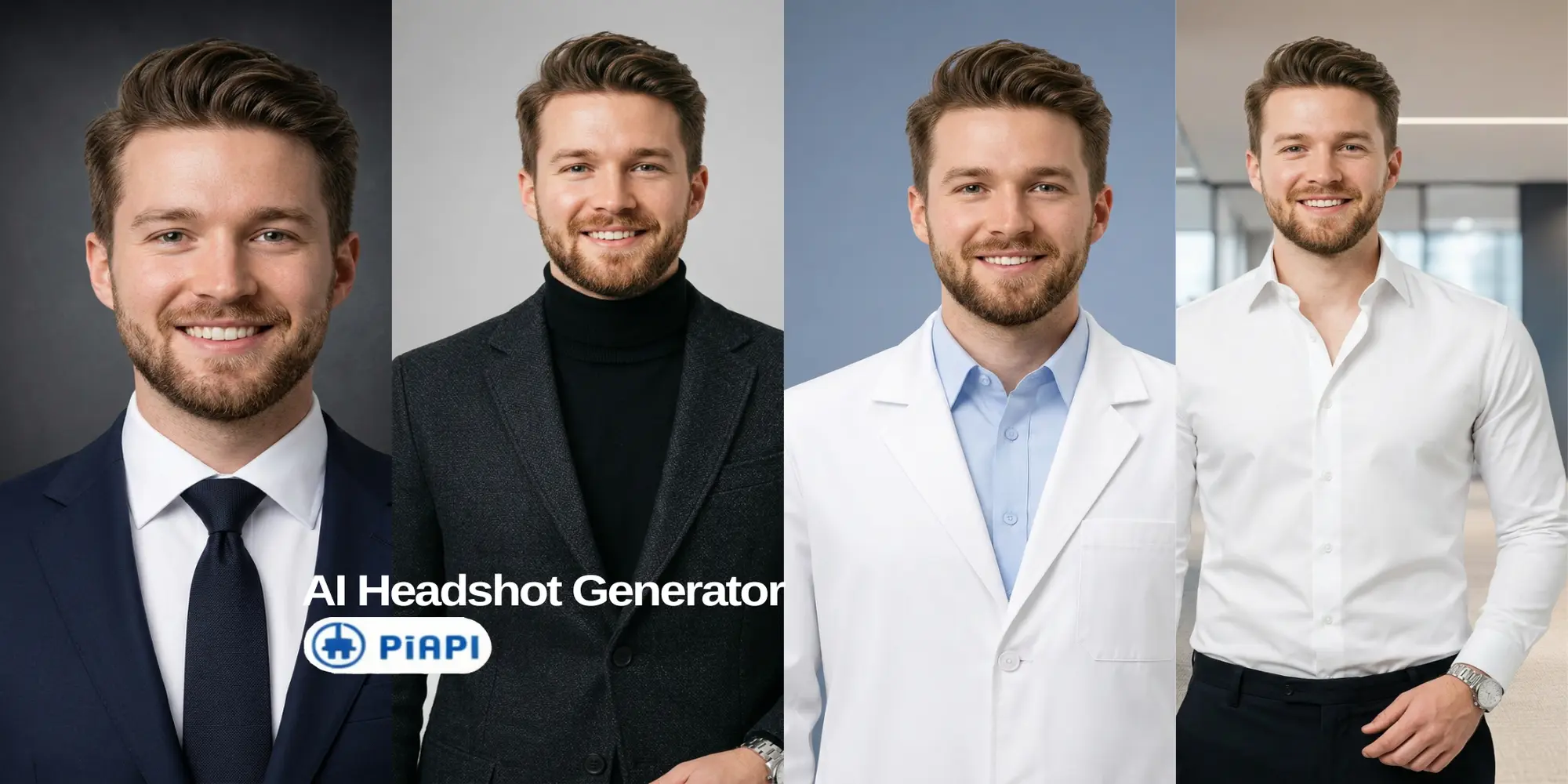
Your outfit should match your role, industry, and personal brand. A lawyer, startup founder, designer, and doctor may each need a different style.
The best background for a LinkedIn headshot is clean, simple, and not distracting.
These examples use the same source portrait direction and show how outfit and background choices can change the professional signal of a virtual headshot.
A LinkedIn headshot generator is usually enough for a clean LinkedIn profile picture. An AI photoshoot may be better if you want many styles for different platforms. A traditional photoshoot still makes sense when you need custom lighting or campaign-level brand photography.
The best LinkedIn AI headshot should look professional and still believable.
A LinkedIn AI headshot is one of the simplest ways to refresh your LinkedIn profile without booking a studio photoshoot. Start with a clear portrait, choose an outfit that matches your professional role, pick a simple background, and review the result for realism before uploading it.
Start testing PiAPI's AI Headshot Generator and create a LinkedIn AI headshot today!
Unlock the power of 20+ AI models with PiAPI - image, video, chat, music, and more. Sign up today and start building smarter, faster, and at scale.