Why Your AI Kiss Generator Video Fails and How to Fix It
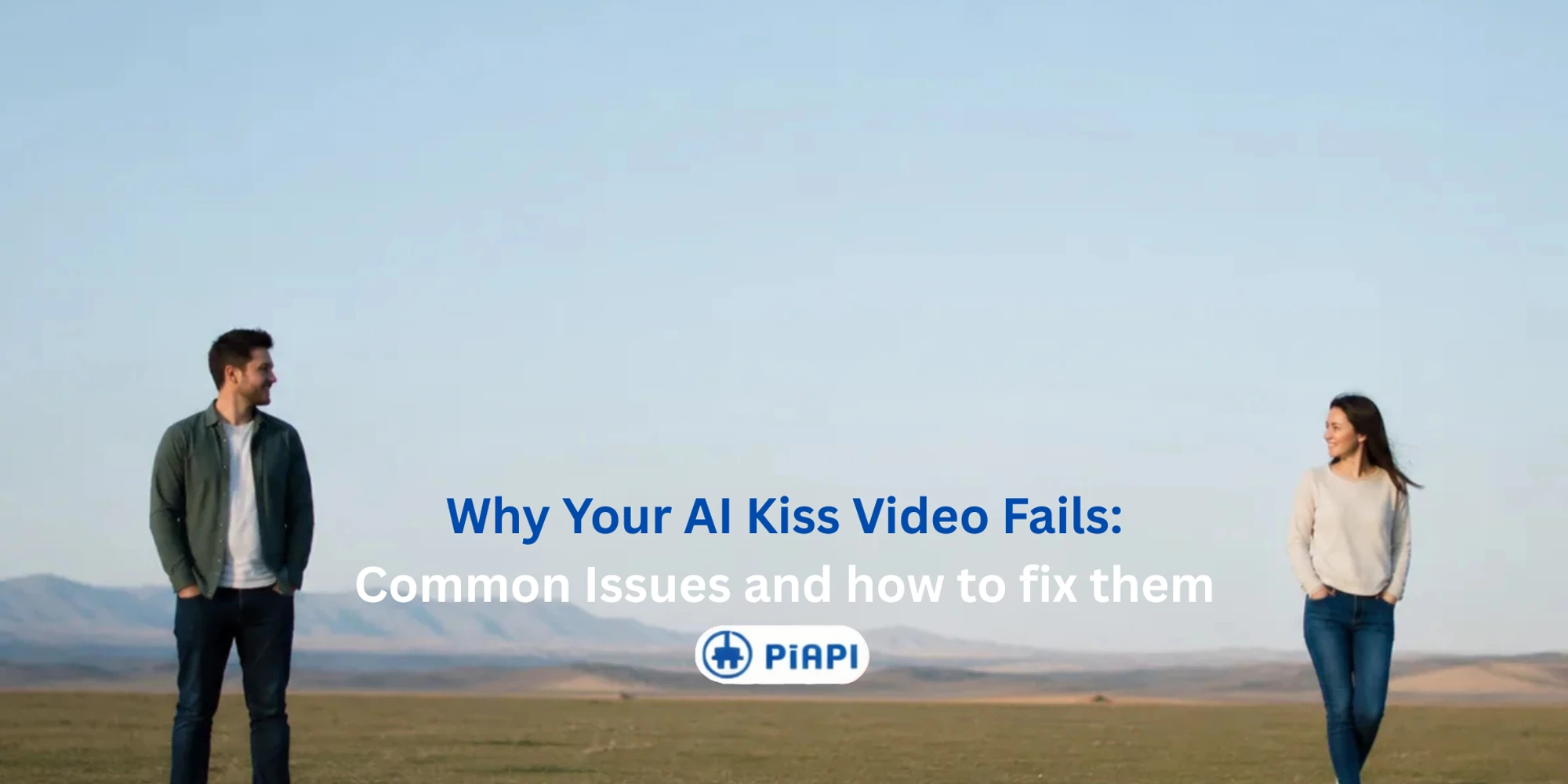
If your AI kiss generator video failed, looked blurry, or produced distorted faces, the problem is usually the input image. Most AI kiss video generator tools depend heavily on face visibility, subject placement, lighting, image sharpness, and whether the image clearly shows two people or characters.
The Kling AI Kiss generator on PiAPI uses an effect-based workflow. That means the main control is not a custom prompt. The most important thing you can control is the image you upload.
This guide explains why AI kiss videos fail, how to fix common input problems, and what kind of photo works best before you try again.
What Is an AI Kiss Generator?
An AI kiss generator is a video effect tool that turns an uploaded image of two people or characters into a short kissing video. Instead of relying mainly on text prompts, tools like Kling AI Kiss depend heavily on the clarity, framing, and face visibility of the input image.
The most reliable way to improve an AI kiss generator result is to fix the source image first. A clear two-person image gives the model more stable facial details, cleaner subject placement, and a better starting point for natural motion.
Quick Answer: Why AI Kiss Generator Videos Fail
AI kiss generator videos usually fail when the input image does not give the model enough clear visual information. Common causes include blurry faces, blocked mouths or eyes, extreme side profiles, low resolution, dark lighting, too many people in the frame, or two subjects positioned too far apart.
To fix a failed AI kiss video, start by replacing the input image. Use a sharper two-person photo with visible faces, natural lighting, minimal occlusion, and enough room around both subjects for the kiss motion to look natural.
Key Takeaways
- AI kiss videos usually fail because the uploaded image is unclear, crowded, poorly lit, or missing two visible faces.
- If an AI kiss video looks weird, check face angle, face coverage, subject distance, and image resolution first.
- Kling AI Kiss is an effect-based workflow, so better input images matter more than prompt editing.
- The best photo for an AI kiss generator shows two clear subjects, visible facial features, balanced lighting, and simple framing.
- Always use images you have the right to use, especially for romantic or intimate AI video effects.
Common AI Kiss Video Problems and Fixes
The fastest way to improve a failed AI kiss video is to diagnose the input image before generating again. Use this table as a practical checklist.
| Problem | Why it happens | How to fix it |
|---|---|---|
| AI kiss video looks blurry | The source image is low resolution, compressed, or out of focus | Use a sharper image where both faces are clear |
| AI kiss video looks weird | Face angle, pose, or spacing makes the kiss motion difficult | Use a photo where both subjects face the camera or turn slightly toward each other |
| Faces look distorted | Mouth, eyes, or face shape is blocked by hair, hands, masks, sunglasses, or heavy shadows | Choose an image with unobstructed facial features |
| Wrong person moves | The image includes more than two people or unclear main subjects | Crop the image to only the two intended subjects |
| Kiss motion feels unnatural | Subjects are too far apart or the image has awkward body positioning | Use a closer two-person composition with enough visible upper body context |
| AI kiss generator not working | The upload may not contain a usable two-subject image for the effect | Try a clearer JPEG, JPG, or PNG image with two visible faces |
| Kling kiss generator failed | The effect may not detect the intended pair clearly | Simplify the image and avoid group photos, heavy filters, or extreme side profiles |
If your goal is to use a free AI kissing video generator or test an AI kiss free workflow, these fixes still matter. Free demos and paid tools both need a clear reference image to produce stable video output.
The Best Photo for an AI Kiss Generator
The best photo for an AI kiss generator is a clean two-subject image where the model can easily understand who should be animated. The image does not need to be perfect, but it should avoid ambiguity.
| Input factor | Better for AI kiss generation | More likely to fail |
|---|---|---|
| Subjects | Exactly two clear people or characters | Group photos or unclear main subjects |
| Faces | Both faces visible with readable features | Hidden faces, masks, sunglasses, or heavy hair coverage |
| Framing | Medium-close composition with both subjects nearby | Wide shots where subjects are far apart |
| Image quality | Sharp original image with balanced lighting | Blur, compression, dark lighting, or strong filters |
For AI kiss video tools, the input image is the main instruction. If the image clearly shows the intended pair, the model has less ambiguity to solve during generation.
Use Two Clear Main Subjects
Choose an image with exactly two main people or characters. If there are three or more people in the frame, the model may animate the wrong subjects or create unstable motion.
For Kling AI kissing video generation, a two-person crop is usually better than a wide group photo. The simpler the subject layout, the easier it is for the effect to understand the scene.
Keep Both Faces Visible
Both faces should be visible enough for the model to understand face shape, direction, and expression. Avoid photos where one subject is hidden behind hair, turned fully away, or cropped out of the frame.
Slight angles can work, but extreme side profiles are more likely to produce a distorted AI kiss video.
Avoid Blocked Facial Features
Mouths, eyes, and lower face shape matter for kiss motion. Sunglasses, masks, hands, heavy hair coverage, and strong shadows can all make the result less stable.
If your AI kiss video looks weird, check whether the original image hides important facial details.
Use Balanced Lighting
Dark photos, harsh shadows, and overexposed faces can reduce output quality. Natural light or soft indoor lighting usually gives the AI kiss video generator a clearer image to work with.
Avoid strong filters that change skin tone, blur facial edges, or create artificial contrast around the face.
Choose Medium-Close Framing
The two subjects should be close enough for the kiss effect to work naturally, but not so close that faces are cropped. A medium-close portrait often works better than a full-body image taken from far away.
If the subjects are very far apart, the generated motion may look exaggerated or unnatural.
Use a Sharp, High-Quality Image
Low-resolution images can make the AI kiss video blurry. Use the clearest version of the image available, ideally without heavy compression or screenshot artifacts.
If you only have a small image, try using a sharper original file before running the generation again.
Why Kling AI Kiss May Not Work With Some Images
Kling AI Kiss is different from a general text-to-video tool. It is designed around a preset kiss effect, so the workflow is simpler: upload an image, run the effect, and preview the generated video.
Because the effect is preset, custom prompt changes are not the main fix when Kling AI Kiss is not working. The better fix is usually to improve the uploaded image.
For example, if the uploaded photo has one clear face and one hidden face, the model may not understand the intended interaction. If the image has a crowd, the model may not know which two subjects should move. If the photo is dark or blurry, the generated kiss video may look distorted.
Before retrying, ask one simple question: would a person looking at this image immediately know which two subjects should be animated? If the answer is no, the image probably needs to be cropped, brightened, or replaced.
Bad Input Examples: What To Avoid
The examples below show common input image patterns that can make an AI kiss video fail. These synthetic images are included to explain the problem clearly without using real people's photos.
Blurry two-person image
Problem: The image is too soft, compressed, or out of focus.
Why it fails: When the face edges are unclear, the AI kiss video generator has less detail to preserve during motion. This can make the final AI kiss video blurry, unstable, or less realistic.
Fix: Use the sharpest original image available. Avoid screenshots, heavily compressed images, and photos where the faces are already blurred before generation.
One clear face, one hidden face
Problem: One subject is visible, but the other subject's face is covered, cropped, turned away, or hidden in shadow.
Why it fails: Kling AI Kiss needs two readable subjects. If one face is unclear, the model may distort the hidden face, animate only one subject, or produce a failed kiss motion.
Fix: Choose a photo where both faces are visible enough to identify. Slight angles are fine, but avoid images where one person is mostly hidden.
Faces too far apart
Problem: The two subjects are far apart in the frame.
Why it fails: If the subjects are too far apart, the model has to create a large, unnatural movement to connect them. The generated kiss motion may look stretched, awkward, or unrealistic.
Fix: Use a medium-close image where both subjects are already near each other. Leave enough room around the faces, but avoid wide shots where the people are separated by a large gap.
Too many people in the image
Problem: The image includes three or more people, or the intended pair is not obvious.
Why it fails: The AI may not know which two people should be animated. This can cause the wrong subjects to move or create confusing motion in the final video.
Fix: Crop the image to the two intended subjects before using the AI kiss generator. A simple two-person image is much more reliable than a group photo.
Good Input Example: What To Aim For
A good input image for Kling AI Kiss should show two clear subjects, visible faces, balanced lighting, and a simple composition. The subjects should be close enough for the kiss motion to feel natural, but not so close that the faces are cropped.
Use this as the target pattern before generating:
- Two main subjects only
- Both faces visible
- Sharp image quality
- Balanced lighting
- Minimal face occlusion
- Medium-close framing
- Simple background
For the first version, input-image examples alone are enough to teach users what to fix before trying again. If we later generate Kling AI Kiss output clips, they can be added after each input example as short before-and-after comparisons.
If you want to compare successful outputs before changing your image, see these AI kissing video examples from different photo types .
AI Kiss Generator Checklist Before You Generate
Before using an AI kiss video generator, check the image against this list:
- Does the image show exactly two main subjects?
- Are both faces visible?
- Are the eyes, mouth, and face shape unobstructed?
- Is the image sharp enough?
- Is the lighting balanced?
- Are the subjects close enough for a kiss motion to look natural?
- Is the background simple enough?
- Have you avoided heavy filters, screenshots, and strong blur?
- Do you have permission or rights to use the image?
If the answer is no to several items, fix the image first. A better input image is usually more effective than generating the same weak image again.
How to Fix AI Kiss Video Results Step by Step
If your AI kiss video failed, use this retry process.
- Identify the visible problem in the output.
- Compare the output problem with the original input image.
- Crop the image to the two intended subjects.
- Replace blurry or low-resolution images with sharper originals.
- Avoid covered faces, sunglasses, masks, and strong shadows.
- Use a medium-close image where both people are clearly visible.
- Generate again with the improved image.
This workflow is useful whether you are testing a free kiss AI tool, a free AI kissing video generator, or the Kling AI Kiss generator on PiAPI.
How To Try Again With Kling AI Kiss
Once your input image is cleaner, try the workflow again on the Kling AI Kiss generator .
If you need the full beginner workflow, read the AI kiss generator guide . It explains how the Kling kiss generator works, what the upload flow looks like, and how the generated video is created.
For developers or product teams exploring broader automation, Kling AI Kiss is part of the wider Kling effects and video generation ecosystem. You can also review the Kling Effects API and Kling API pricing and features for related API workflows.
Safety and Consent Reminder
AI kiss videos can imply romantic or intimate actions that did not happen in real life. Only upload images you have the right to use, and avoid creating romantic videos of real people without consent.
For public, commercial, or social media use, be especially careful with identity, privacy, and disclosure. A technically successful AI kiss video can still be inappropriate if the people in the image did not agree to that use.
FAQ
Why is my AI kiss video blurry?
An AI kiss video is often blurry because the input image is low resolution, compressed, or out of focus. Use a sharper photo where both faces are clear before generating again.
Why does my AI kiss video look weird or distorted?
AI kiss videos can look distorted when faces are blocked, turned too far sideways, poorly lit, or too close to the edge of the image. Use a cleaner two-person image with visible facial features and balanced lighting.
Why is my AI kiss generator not working?
An AI kiss generator may not work if the uploaded image does not contain two clear subjects or if the file is too unclear for the effect. Try a JPEG, JPG, or PNG image with two visible faces and a simple composition.
What is the best photo for an AI kiss generator?
The best photo for an AI kiss generator shows two clear subjects, visible faces, natural lighting, medium-close framing, and minimal background clutter. Avoid group photos, dark scenes, heavy filters, and covered faces.
Can I fix a failed Kling AI Kiss video?
Yes. In most cases, the best fix is to improve the input image and generate again. Crop to the intended two subjects, use a sharper image, avoid occlusion, and make sure both faces are visible.
Does Kling AI Kiss use custom prompts?
Kling AI Kiss is an effect-based workflow, so users mainly control the uploaded image rather than writing custom prompts. For this reason, input image quality is the most important factor for better results.
Conclusion
When an AI kiss generator fails, the first thing to inspect is the image. Blurry faces, hidden features, crowded scenes, extreme face angles, and poor lighting are the most common reasons an AI kiss video looks wrong.
Start testing Kling Kiss API and get your API access via PiAPI today!
Unlock the power of 20+ AI models with PiAPI — image, video, chat, music, and more. Sign up today and start building smarter, faster and at scale.