How to Create a Professional Resume Photo With AI
Before preparing a resume photo, check whether employers in your target market expect one. In the United States and United Kingdom, applicants are generally advised to leave photos off a standard resume or CV unless the employer or role specifically requests one. In other markets and application formats, a professional photo may be common or built into the form. The job listing and application instructions should always take priority.
If a photo is appropriate, the goal is simple: use a clear, current image that still looks naturally like you. An AI resume photo can change the clothing or background of an ordinary portrait while keeping the applicant recognizable. The final result still needs a human review for identity, professional context, and file requirements.
Quick answer: A good resume photo follows the destination's instructions, shows the real applicant clearly, and uses clothing, lighting, and a background that fit the role without distracting from the application. With AI, compare the result with the source before using it.
Key Takeaways
- Confirm that a photo is requested or appropriate in the target market.
- Follow the employer or platform requirements for crop, dimensions, format, and file size.
- Start with a clear, near-front-facing source photo in even light.
- Choose clothing and a background that fit the role rather than the most formal preset.
- Compare facial features, hair, clothing joins, and background edges with the source.
- Use a separate, compliant photo for passports and other official identity documents.
Table of Contents
- Should You Put a Photo on Your Resume?
- What Makes a Good Resume Photo?
- Outfit, Background, Expression, and Framing
- How to Choose a Source Photo for AI
- How to Create a Resume Photo With AI
- Professional Headshot Styles by Role
- AI Output Quality Checklist
- AI Generation vs Editing vs a Photo Studio
- Before Using Your AI Resume Photo
- Resume Photo FAQ
Should You Put a Photo on Your Resume?
There is no universal rule. Start with the country, employer, industry, and application form.
The U.S. Equal Employment Opportunity Commission advises employers not to ask for an applicant photograph before a job offer. UK CV guidance from Birmingham City Council similarly says not to include a photo when applying for a job in the UK. By contrast, the official Europass CV builder supports adding a professional photograph, reflecting a different application context.
Use this practical order:
| Priority | What to Check | Decision |
|---|---|---|
| 1 | Job listing and employer instructions | Follow any explicit request or restriction |
| 2 | Application form | Use the photo field only if it is part of the process |
| 3 | Local and industry convention | Check reliable guidance for the market and role |
| 4 | Personal preference | Add a photo only when it supports, rather than distracts from, the application |
If the employer does not ask for a photo and the local convention is to omit one, focus on the resume content. You can still use a professional headshot on LinkedIn, a portfolio, a speaker profile, or a company team page. Our LinkedIn AI headshot guide covers that use case separately.
What Makes a Good Resume Photo?
A good resume photo is current, recognizable, and technically suitable for the application. The face should be easy to see, the expression should feel natural, and the framing should leave enough space for the platform's crop.
Professional does not always mean a dark suit and a serious expression. A clean shirt, blazer, smart-casual outfit, or role-specific uniform can all work when they reflect how someone would realistically appear in that field. The test is whether the image feels credible for the role and whether the same person would be immediately recognizable in an interview.
If the application specifies an aspect ratio, pixel size, file format, or maximum file size, follow that instruction. Avoid treating a size found in a general guide as a worldwide standard. Always preview the uploaded image because application systems may crop the head or shoulders automatically.
Outfit, Background, Expression, and Framing
The strongest resume photos are visually simple. The face remains the main point of attention, while the other choices quietly support the applicant's professional context.
| Element | A Reliable Starting Point | What to Avoid |
|---|---|---|
| Outfit | Clean, role-appropriate clothing in a solid or restrained color | Large logos, distracting patterns, or clothing that implies a qualification you do not hold |
| Background | White, light gray, muted solid color, or a softly blurred professional setting | Busy rooms, strong color casts, or objects intersecting the head |
| Expression | Relaxed eyes and a neutral or slight natural smile | An exaggerated smile, tense expression, or obvious beauty filter |
| Framing | Near-front-facing, head and shoulders visible, some space around the hair | Extreme selfie angle, tight crop, or shoulders cut unevenly |
| Lighting | Soft and even across the face | Strong overhead shadow, backlighting, or mixed color temperatures |
Match the Outfit to the Role
Look at the organization's public team photos and the level of formality in the role. Corporate, legal, finance, and executive applications may call for a structured jacket or suit. Technology, consulting, startup, and creative roles may suit a clean shirt or smart-casual blazer. Medical or research clothing should appear only when it accurately reflects the person's real work or qualification.
Choose a Background and Lighting
When no background is specified, white, light gray, and other quiet solid colors are dependable. A softly blurred office or outdoor background can work for a portfolio or profile, but a simple background is usually easier to crop into an application form.
Use soft window light or even indoor lighting. Make sure one side of the face is not much darker than the other and that the background does not make the hair disappear.
Review the Expression and Framing
Keep the camera close to eye level and look toward the lens. A slight natural smile usually feels approachable without turning the image into a casual social photo. Leave the full hair outline and both shoulders visible so the final crop can be adjusted without cutting into the face.
How to Choose a Source Photo for AI
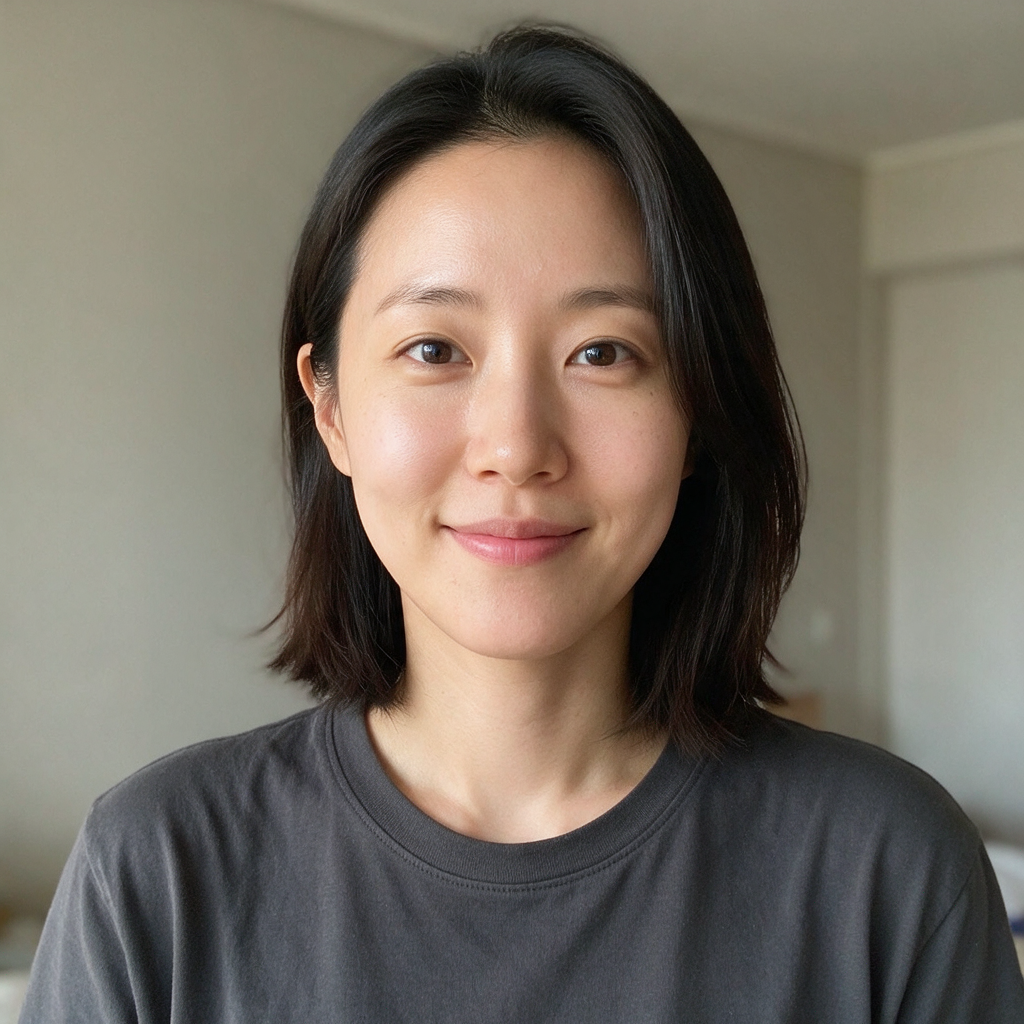
The source image sets the ceiling for an AI resume headshot. AI can change an outfit or background, but it cannot reliably recover identity details that are hidden, blurred, filtered, or heavily distorted.
Choose a source photo with:
- one person in the frame;
- a sharp, near-front-facing face;
- the camera close to eye level;
- even light and natural skin texture;
- visible hairline, ears where possible, and both shoulders;
- no strong beauty filter, sunglasses, mask, or object covering the face;
- enough resolution to inspect the eyes, hair, and facial outline.
Avoid group crops, screenshots, motion blur, extreme wide-angle selfies, and images where the face occupies only a small part of the frame.
How to Create a Resume Photo With AI
The PiAPI AI Headshot Generator uses a portrait as the identity reference, then applies a selected outfit and background. The workflow is useful when you already have a clear photo but want to compare a few professional looks without arranging a new shoot.
Step 1: Confirm the Destination
Check that a photo is appropriate, then record the required crop, aspect ratio, file type, and file-size limit.
Step 2: Prepare the Source
Choose a clear portrait using the checklist above. Crop only enough to remove distractions; keep the hair and shoulders available for the generator.
Step 3: Choose an Outfit and Background
Select the combination closest to the real role and working environment. A restrained option is usually safer than a dramatic transformation.
Step 4: Generate More Than One Option
Create a small set with different professional combinations. Review the first outputs before changing more settings so you can identify whether the source or the style choice is causing a problem.
Step 5: Compare and Export
Place the result beside the source at the same size. Check identity, hair, clothing joins, background edges, and the application preview. Export only the result that still looks like the same person.
Create a professional resume photo from your portrait
Upload a clear photo, compare outfit and background presets, and review the result before downloading.
Professional Headshot Styles by Role
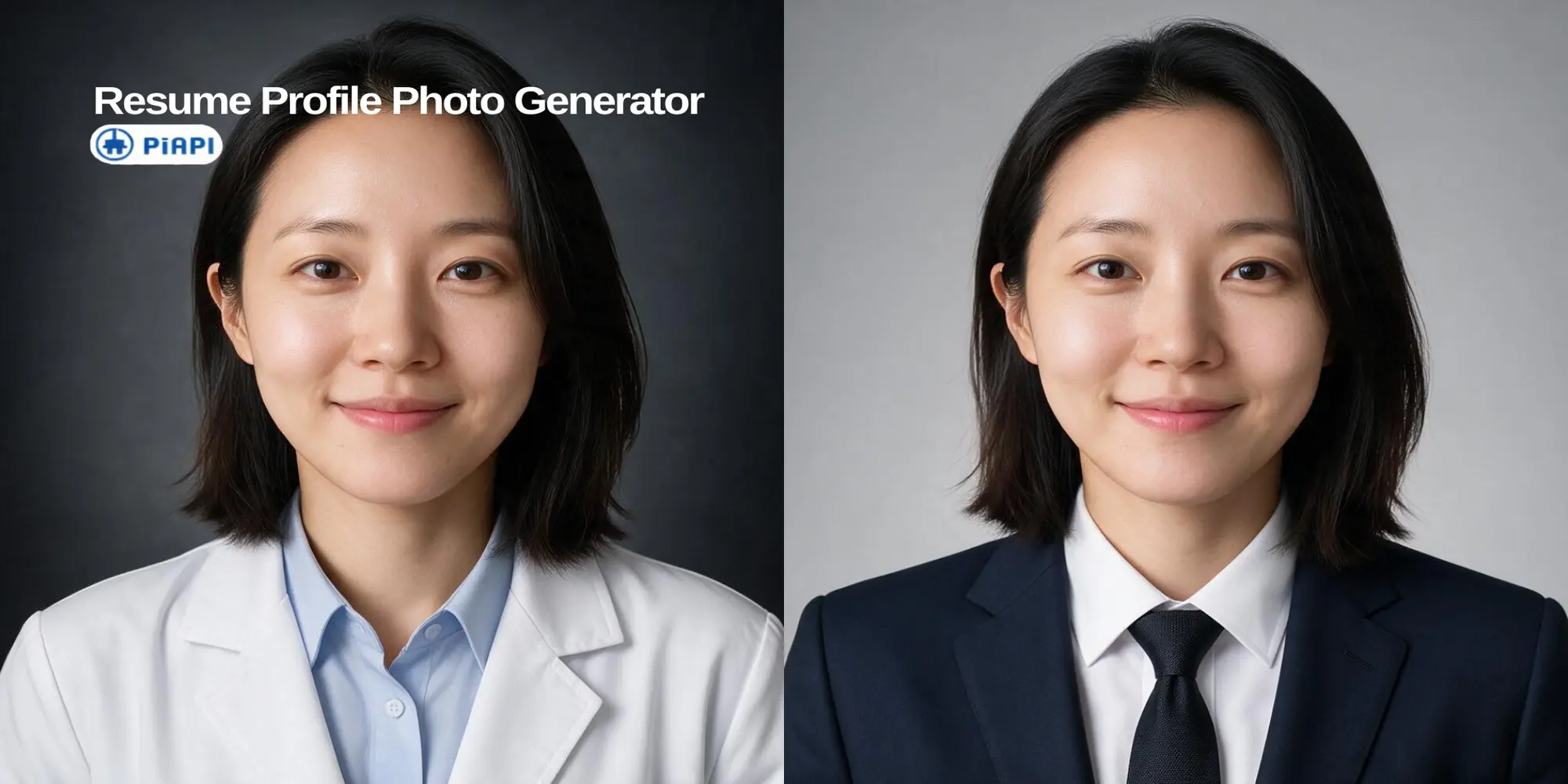
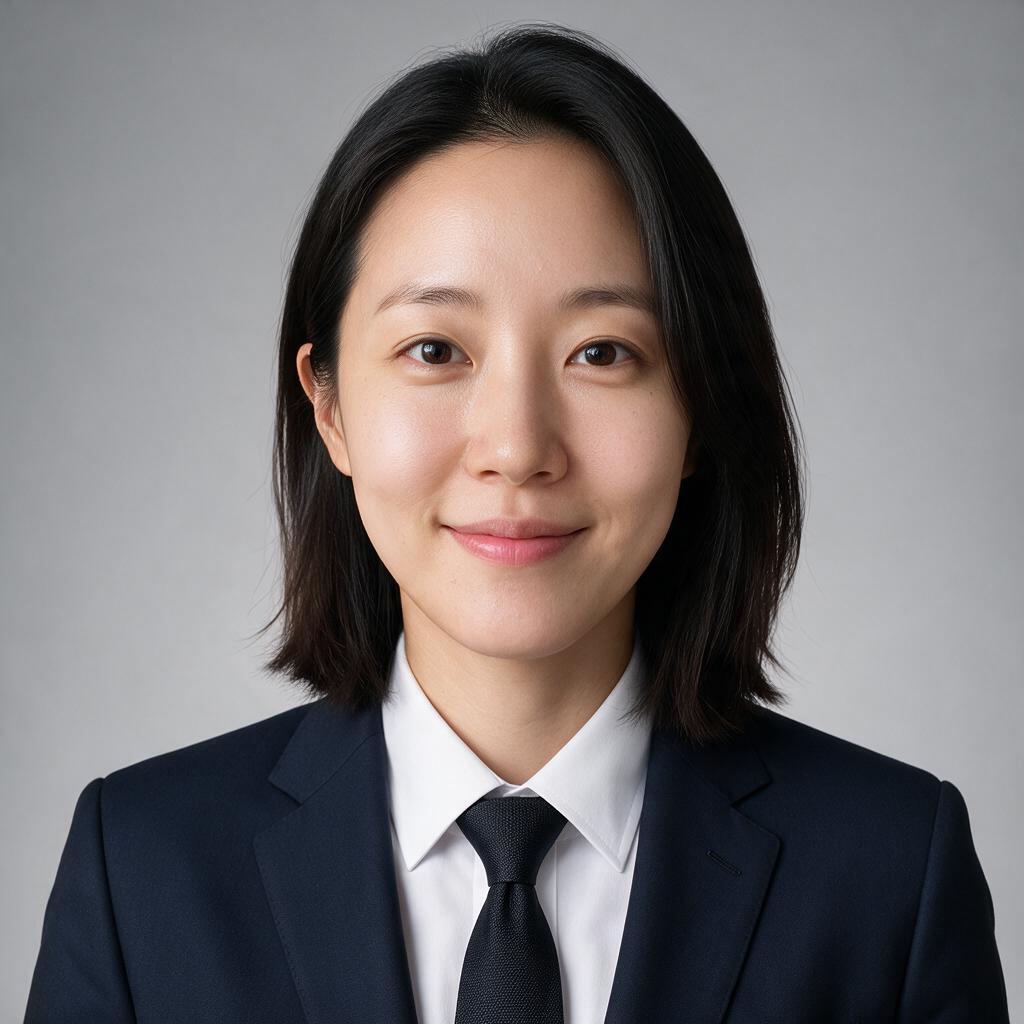
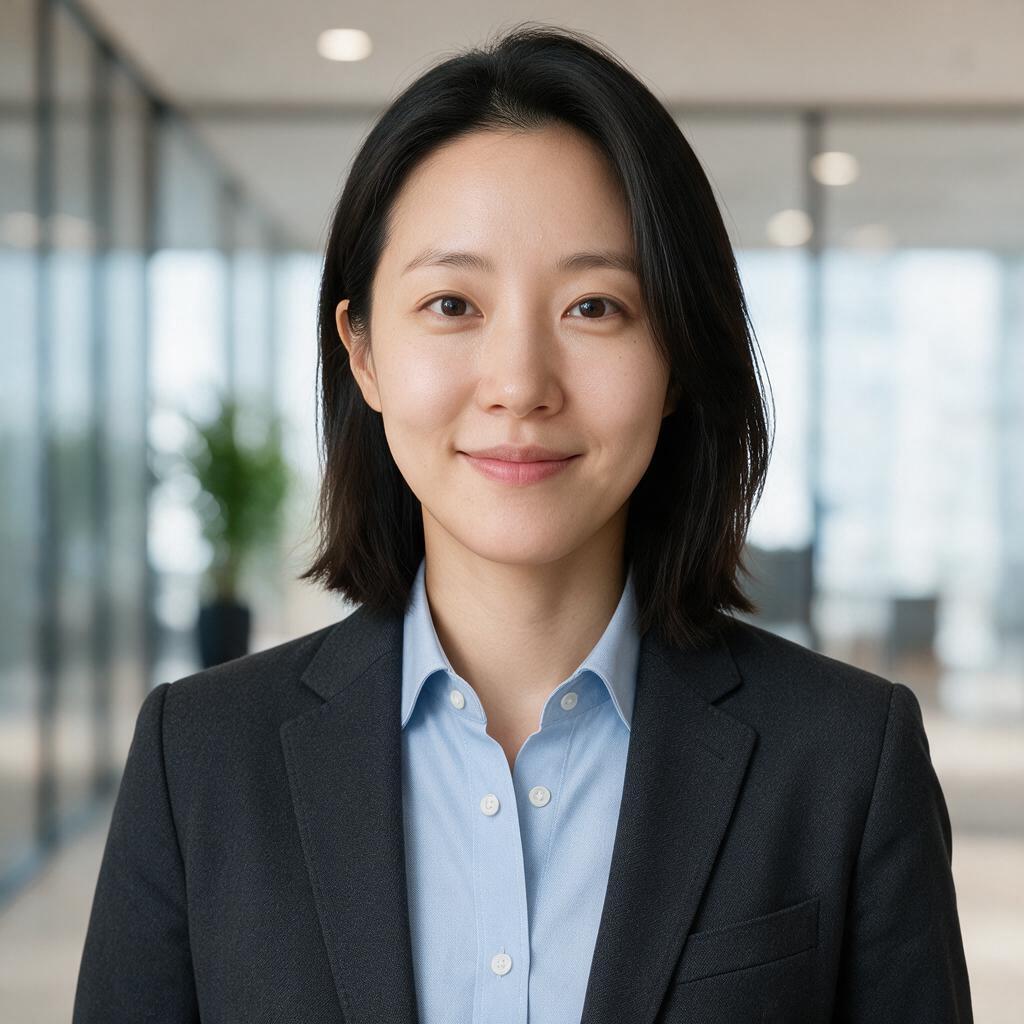
We tested four outfit and background combinations with one synthetically generated source portrait. Each image shown is the first output from its run, with no extra skin retouching or color correction. The examples are not a promise that every input will produce the same result; they are a practical way to compare role fit and identity preservation.
Corporate / Formal
Startup / Smart Casual
Creative Professional
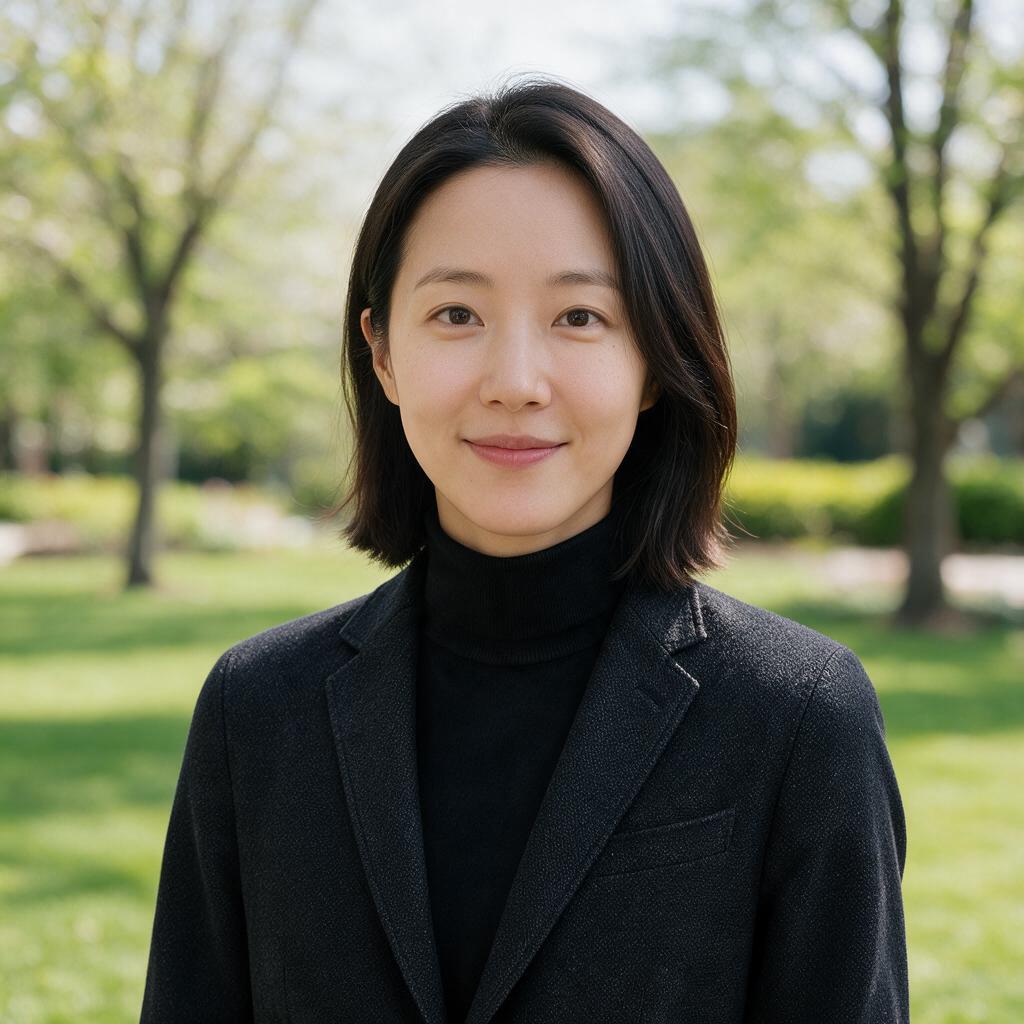
Medical / Research

Across the four first outputs, the formal and medical styles stayed closer to the source face, while the creative example showed a more noticeable change in facial outline and framing. The key lesson is to judge both visual polish and resemblance; the most attractive image is not automatically the most accurate one.
AI Output Quality Checklist
An AI portrait can look convincing as a thumbnail while showing problems at full size. Compare the source, generated result, and final application preview in that order.
| Review Area | What to Inspect | Pass Condition |
|---|---|---|
| Identity | Face shape, eyes, nose, mouth, apparent age, skin tone, glasses | A colleague or interviewer would immediately recognize the same person |
| Hair and skin | Hairline, flyaways, ears, skin texture | No smearing, plastic texture, or unnatural edges |
| Clothing | Collar, buttons, tie, lapels, jewelry | Joins and symmetry look physically plausible |
| Background | Hair and shoulder edges, shadows, light direction | No halo, cutout edge, or conflicting light |
| Export | Crop, dimensions, format, file size | Matches the destination's requirements and preview |
If the face shape, apparent age, skin tone, or expression changes materially, choose another output. A professional resume photo should improve presentation without inventing a different identity.
AI Generation vs Editing vs a Photo Studio
Choose the method based on what is wrong with the source image.
If the face and lighting are already good and only the crop or background needs tidying, ordinary editing is the simplest option. If you want to compare several outfits or backdrops from a clear portrait, AI generation can be efficient. If you need help with pose, lighting, and expression from the start, a professional studio offers the most control during capture.
| Method | Best For | Main Advantage | What to Check |
|---|---|---|---|
| AI generation | Comparing professional outfits and backgrounds from a clear portrait | Fast visual options without a new shoot | Identity changes and generated clothing artifacts |
| Standard editing | Cropping, sizing, exposure, or background cleanup on a good photo | Preserves the original face most directly | Excessive smoothing or poor background removal |
| Photo studio | Applicants who need capture, pose, lighting, and live direction | Quality can be controlled from the camera onward | Cost, scheduling, and delivery terms |
Before Using Your AI Resume Photo
Keep the final review practical:
- Does it look like you? The face, age, skin tone, hair, and expression should remain recognizable.
- Is it honest for the role? Clothing should fit the professional context without implying a uniform, qualification, or position you do not hold.
- Does it meet the instructions? Follow the employer's rules, including any restriction on AI-created or edited images.
Do not reuse an AI-composited resume photo for a passport or official identity document. For example, the U.S. State Department's digital passport photo guidance says not to use AI-created or edited photos. Always follow the latest rules from the authority issuing the document.
Resume Photo FAQ
Should I Include a Photo on My Resume?
It depends on the market and application. In the United States and United Kingdom, standard guidance is generally to omit a resume or CV photo unless it is specifically requested. Other markets and formats may commonly include one. Follow the employer, application form, and reliable local guidance.
What Size Should a Resume Photo Be?
Use the dimensions, aspect ratio, file format, and maximum size specified by the employer or platform. If no dimensions are given, fit the image to the supplied photo field and inspect the upload preview instead of assuming one universal standard.
Does the Background Have to Be White?
Not unless the application says so. White, light gray, and muted solid colors are safe starting points because they are easy to crop and keep attention on the face. A softly blurred professional setting may work for profiles and portfolios.
What Should I Wear in a Resume Photo?
Choose clean clothing that matches the role and the organization's level of formality. A suit can fit corporate or executive roles, while a shirt or smart-casual blazer may feel more credible for technology, consulting, startup, and creative work.
Can I Use a Selfie as the AI Source?
Yes, if it is sharp, near-front-facing, evenly lit, and taken close to eye level. Avoid an extreme wide-angle selfie, a strong filter, or a crop that hides the hair and shoulders.
Can I Use an AI-Generated Resume Photo?
Consider it only when the employer permits it and the result still represents your real appearance. Review identity, clothing, background, crop, and file requirements before submitting.
What if the AI Output Does Not Look Like Me?
Do not use that output. Compare the source and result at the same size, then choose a closer variation or switch to ordinary editing of a good original photo.
Can I Use an AI Photo for a Passport or Official ID?
Do not assume that you can. Official documents have separate capture and editing rules. Prepare a compliant photo according to the current instructions from the issuing authority.
Is AI Better Than a Photo Studio?
Neither is always better. AI is convenient when you have a clear portrait and want to compare professional styles. A studio is more suitable when you need help with lighting, pose, and expression during the shoot. Standard editing is enough when the original photo is already strong.
Conclusion
A strong resume photo starts with the application context, not with a preset. Confirm that a photo belongs in the application, follow the upload requirements, and choose a source image that shows your real face clearly. Clothing, background, and formality should support the role without making the applicant look like someone else.
AI can help you compare professional looks from an ordinary portrait, but the final decision remains yours. Review the generated image beside the source, inspect it at full size, and use only a result that is recognizable, honest, and technically suitable. When you are ready, create a professional resume photo with the PiAPI AI Headshot Generator.
References
- U.S. Equal Employment Opportunity Commission: Prohibited Employment Policies/Practices — applicant photograph guidance, accessed 2026-07-28
- Birmingham City Council: CV writing — UK CV photo guidance, accessed 2026-07-28
- Europass: Create your Europass CV — professional photograph support in the Europass workflow, accessed 2026-07-28
- U.S. Department of State: Uploading a Digital Photo — official passport photo editing guidance, accessed 2026-07-28
- PiAPI AI Headshot Generator — upload, outfit, background, generation, and review workflow, checked 2026-07-28