Creating Educational & Infographic Visuals with Z-Image Turbo API: A Lightweight AI Image Generation Guide with Examples
PiAPI makes it simple!
Educational visuals don’t need to be complex or resource-heavy to be effective. In many cases, clarity, structure, and speed matter far more than cinematic detail. That’s exactly where Z-Image shines. As a lightweight image generation model, Z-Image is designed to help educators, developers, and content creators quickly generate clear, practical visuals for learning and communication.
In this guide, we’ll explore what Z-Image is, its key strengths, and how it can be used to create educational content and poster-style graphics - along with a few example prompts to get you started.
What is Z-Image AI?
Z-Image is a lightweight 6-billion-parameter foundation model designed around speed, efficiency, and practical visual outputs. Within the Z-Image AI family, Z-Image Turbo is the released and production-ready variant.
Unlike large, compute-intensive models that prioritize visual complexity, Z Image AI is built to produce clean, and purpose-driven visuals.
As a result, Z-Image Turbo is especially well suited for educational and informational visuals.
To make these capabilities accessible in real-world applications, Z Image is available through our Z-Image Turbo API, allowing developers and platforms to integrate fast, lightweight image generation directly into their products.
All you need to get started is your Z-Image API key and start expressing your ideas!
Key Features of Z-Image
What Makes Z-Image particularly useful for educational and poster content?
Lightweight and Fast
Z-Image requires fewer resources and generates images as quickly as a second, making it cost-effective and easy to scale.
World Knowledge
With strong semantic understanding, Z-Image excels in image generation involving famous landmarks, well-known characters, and specific real-world objects, helping ensure visuals remain accurate.
Strong Text-to-Visual alignment
The model handles diagrams, labels, and explanatory layouts well - ideal for expressing concepts and ideas.
Bilingual Text Rendering and Composition
Z-Image demonstrates strong text rendering and layout capabilities, particularly for poster-style visuals. It supports clear and readable text in both English and Chinese.
These key features of Z-Image make the model a reliable choice for educational and informational visuals through purpose-driven image generation.
Use Cases: Z-Image Turbo API Use Cases for Educational and Infographic Content
Below are common use cases where its lightweight architecture and strong text-to-image alignment are especially valuable.
Educational Diagrams & Learning Materials
Z-Image AI is well suited for generating structured diagrams across subjects such as science, geography, and mathematics. The model’s emphasis on clarity and accurate text-to-image alignment makes these visuals suitable for slides, worksheets, and online learning platforms, where information needs to be communicated precisely.
Informational Posters & Public Communication
For informational posters, the focus is on readability and layout consistency rather than visual complexity. Z Image AI can generate poster-style visuals that present messages clearly, making it suitable for notices, awareness materials, and instructional content intended for broad audiences.
Corporate Training & Internal Documentation
In corporate environments, Z Image API can support internal knowledge sharing by generating visuals for onboarding materials, training decks, and documentation. Its lightweight design allows teams to produce multiple diagrams or explainer visuals efficiently across internal systems and platforms.
Product Documentation & Explainer Content
Z-Image Turbo API integrates naturally into product and developer documentation workflows, where visuals are used to reinforce written explanations. It is particularly useful for generating diagrams and explanatory graphics that help users understand features, processes, or system behaviour without overwhelming them visually.
When to Use Z-Image Turbo vs Other Image Generation Models
Z-Image Turbo is best suited for educational, informational, and poster-style visuals where clarity, structure, and readable text matter most. For highly stylized artwork, cinematic imagery, or photorealistic scenes, larger general-purpose image models may be more appropriate. In practice, Z-Image Turbo complements these models by handling structured visual communication efficiently and at scale.
Z-Image Turbo Prompt Examples and Best Practices
Below are text-to-image examples that demonstrate how Z Image Turbo API can be used across educational and informational scenarios. These prompts are designed to produce clear, structured and readable visuals.
Example 1: Educational Poster
In this first example, we’ll craft a prompt for a clean, educational ready diagram.
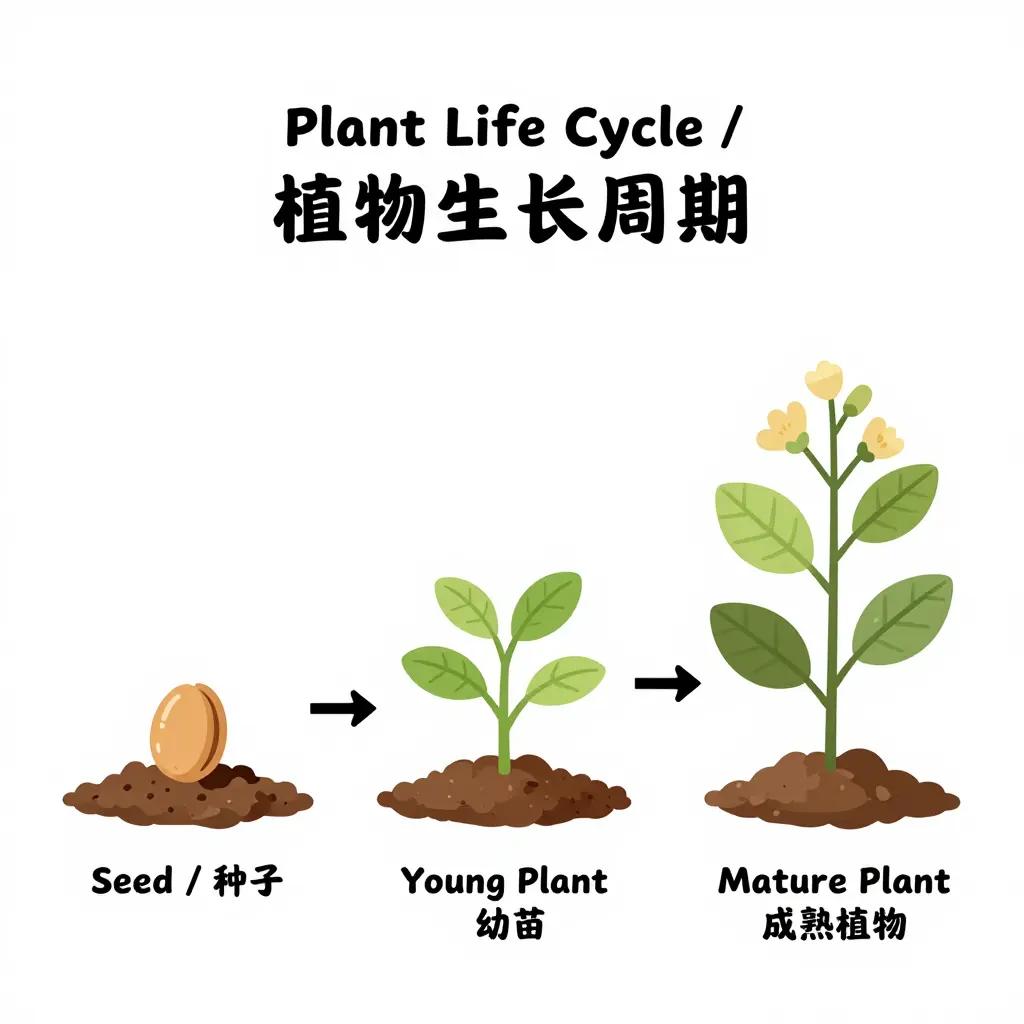
We prompted the model to generate a simple plant life cycle diagram with clear stages and bilingual labels. This reflects how educational teams create structured visuals for lessons and worksheets, where clarity and progression are key.
Example 2: Informational Poster
This example demonstrates how Z Image Turbo API can be used to generate a public-facing informational poster, where layout clarity and message hierarchy are essential.
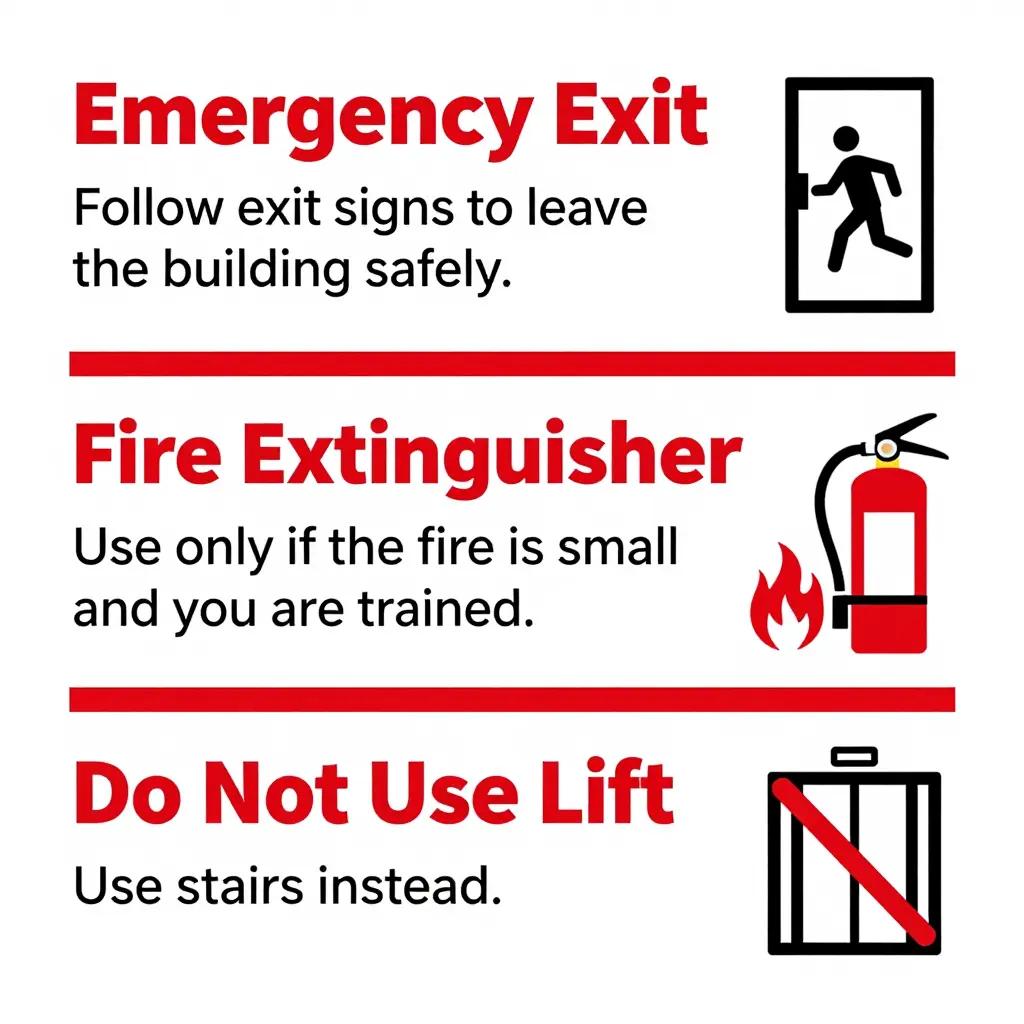
Here, we ask for a fire safety poster with high-contrast sections, clear icons, and concise instructions. This mirrors real-world public information design, where messages need to be understood quickly at a glance.
Example 3: Corporate Training Visual
Here, the prompt targets internal training and onboarding materials, where visuals support structured explanations and need to remain consistent across documents.
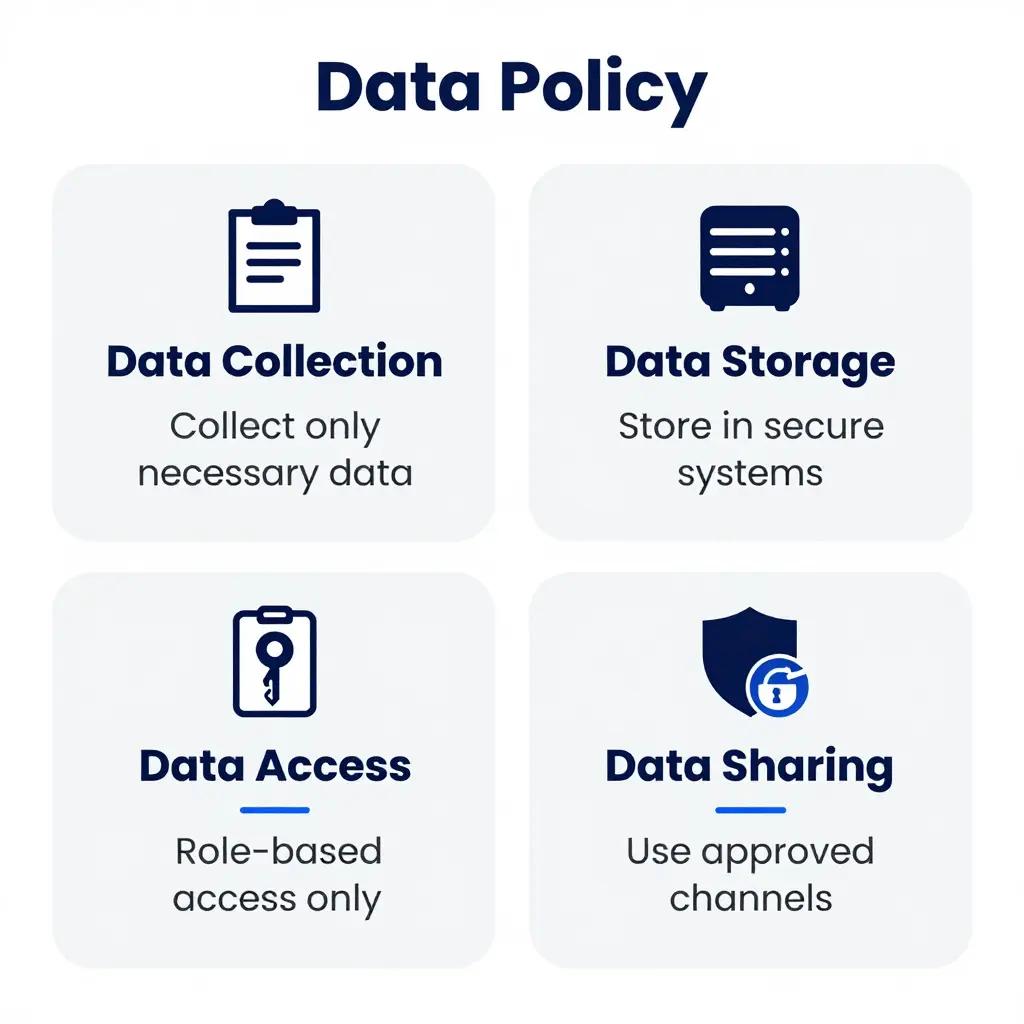
In this case, the prompt focuses on a grid-based data privacy training visual. This aligns with how organizations present compliance information internally in a clear, scannable format for onboarding and training.
Example 4: Product Documentation & Explainer
In this final example, the prompt is designed for product documentation, where visuals are used to reinforce written explanations without adding unnecessary complexity.
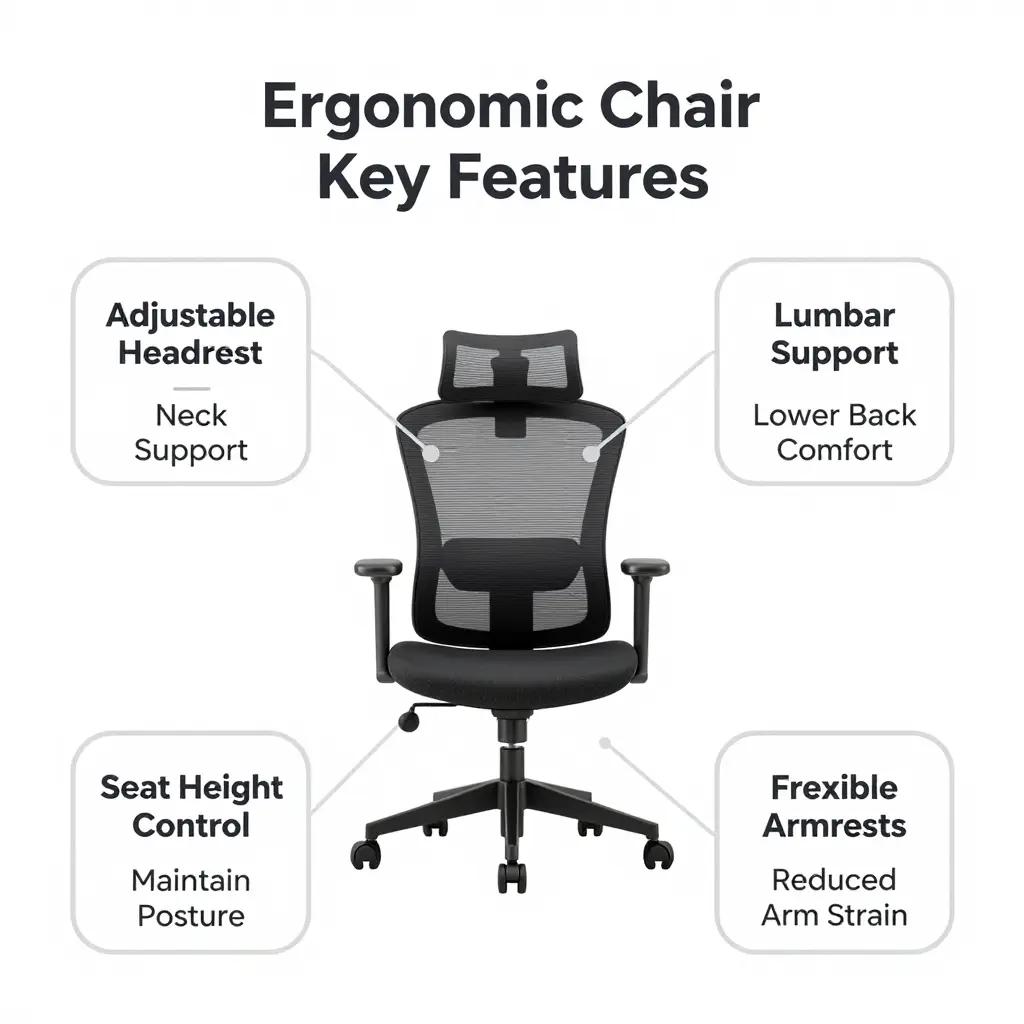
For this example, we generate a product explainer highlighting key ergonomic chair features using labeled callouts. This matches how product teams design documentation visuals that support manuals.
Using Z-Image API with PiAPI
Implementing from our Z-Image API docs is seamless and straightforward. In your backend, you choose the Qubico/z-image model, pass the prompt string, and optionally specify other parameters. At PiAPI, we offer the customisability of the negative prompt, flow shift, size of output, batch size and seed parameters.
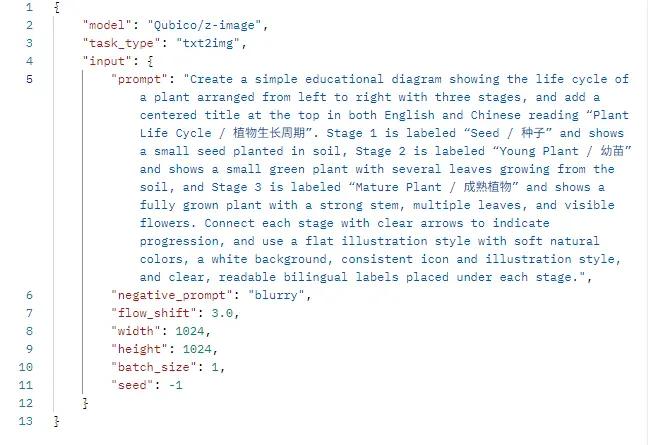
Alternatively, head over to our on-page playground to experiment with the model and put your ideas into action.
Conclusion
Z-Image Turbo shows that high-quality educational and informational visuals don’t have to be complex or resource-heavy. With its emphasis on clear layouts, accurate labelling, and consistent composition, it’s well suited for diagrams, posters, training materials, and product explainers that need to be generated at scale. Through the Z Image API, teams can integrate image generation directly into their content pipelines, automate visual creation, and maintain consistency across materials.
Unlock the power of 20+ AI models with PiAPI - image, video, chat, music, and more. Sign up today and start building smarter, faster and at scale.