New Working Dance Presets for PiAPI's Kling 2.6 Dance Generator
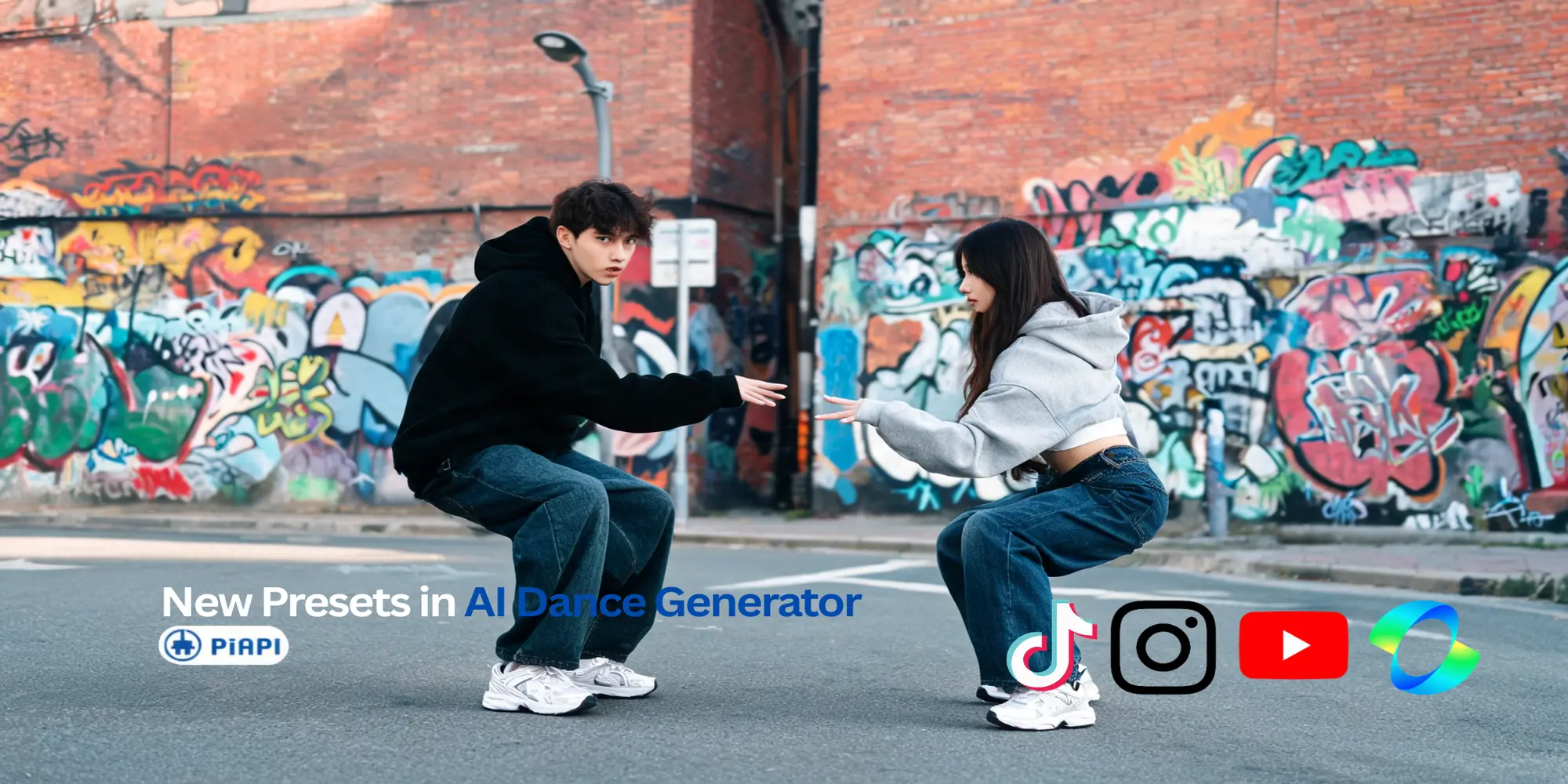
PiAPI's Kling 2.6 Dance Generator now includes a new set of working dance presets. The update brings preset dance references back into the playground, while keeping the custom reference video option available for users who want to guide motion with their own clip.
This blog is a short product update and workflow guide. If you want to create a dance video now, the main playground is still the best place to start: try the Kling 2.6 Dance Generator.
Quick answer: PiAPI's Kling 2.6 Dance Generator now supports new working dance presets. You can choose a preset from the dropdown for a ready-made motion reference, or select custom reference video to upload your own dance clip.
Definition: A dance preset is a ready-made motion option that guides how an uploaded image should move. In PiAPI's Kling 2.6 Dance Generator, presets help users create image-to-dance videos without preparing a separate reference video first.
Update summary: The dance preset feature was temporarily removed while the earlier preset flow was unreliable. The updated playground restores presets with a new working set and keeps custom reference video upload available for users who want a specific dance motion.
Try the Updated Kling 2.6 Dance Generator
The simplest workflow is:
- Open the Kling 2.6 Dance Generator.
- Upload the image you want to animate.
- Choose a dance preset, or keep custom reference video selected.
- Generate the dance video.
- Try another preset or reference if you want a different vibe.
This blog should make it easy to jump into the playground. A compact demo or CTA near the top gives readers a quick path to try the update while keeping the full experience on the main dance generator page.
Dance Presets Are Back
Dance presets were temporarily removed from the playground because the previous preset flow was not reliable enough for a smooth user experience. Rather than leaving users with options that could fail or create confusion, the page stayed focused on custom reference video uploads while the preset workflow was being reworked.
The new update restores presets with a fresh working set of dance references. Users can now choose from preset motion styles directly in the playground, or keep the default custom reference video mode when they want to upload their own motion clip.
The goal is simple: make the dance generator easier to test, easier to understand, and more useful for casual image-to-dance experiments.
What Changed in the Playground
The updated playground now includes a dance preset dropdown. By default, the page opens in custom reference video mode, so users can still upload their own dance reference video just like before.
When a preset is selected, the playground uses that preset to guide the dance motion. Users do not need to upload or prepare a separate reference video unless they want a specific custom movement.
In practical terms, users now have two clear paths:
- Choose a preset when they want a ready-made dance motion.
- Choose custom reference video when they want to upload their own dance clip.
| Option | Best For | What You Need |
|---|---|---|
| Dance preset | Quick experiments, social clips, avatar tests, and trying different motion styles | An image to animate |
| Custom reference video | Specific choreography, a particular rhythm, or a dance clip you already own | An image and a reference video |
Why Presets Matter
AI dance generation often depends on the quality and clarity of the reference motion. A custom reference video gives users the most control, but it also adds setup work: they need to find or create a suitable clip, upload it, and make sure the motion is easy for the model to follow.
Dance presets reduce that friction. They give users a starting point without requiring them to prepare a motion clip first. This is especially useful for quick tests, demos, playground exploration, and early creative experiments.
Presets are also helpful when you want to compare how different images respond to the same motion. For example, you can upload different character images and reuse the same preset to see how identity, outfit, pose, and body framing affect the final video.
Practical takeaway: Use presets when you want to start quickly. Use custom reference video when you already know the exact dance movement you want.
If there is a dance preset you would like to see added to the generator, you can contact the PiAPI team at support@piapi.ai. Preset suggestions help us understand which dance styles users want to try next.
Example Preset 1: Scuba Dance
Example structure:
- Input: [PLACEHOLDER: describe image type, such as full-body character, mascot, portrait, or stylized avatar]
- Preset: Scuba Dance
- Best for: [PLACEHOLDER: e.g. playful social clips, character demos, fun avatar motion]
- Result notes: [PLACEHOLDER: mention motion clarity, body framing, identity consistency, and any limitation]
Example Preset 2: Phonk Dance
Example structure:
- Input: [PLACEHOLDER: describe image type]
- Preset: Phonk Dance
- Best for: [PLACEHOLDER: e.g. energetic motion, trend-style edits, bolder character animation]
- Result notes: [PLACEHOLDER: describe what users should expect]
When to Use a Dance Preset
Use a dance preset when you want to move quickly. Presets are a good fit when you are testing the playground for the first time, trying a fun image, or seeing which dance style gives the best result.
They are also useful when you do not have a reference video ready. Instead of searching for a clip first, you can pick a preset, generate a result, and decide whether the image works well for dance animation.
For best results, start with an image where the subject is easy to read. Full-body or mostly full-body images usually give the model more motion information to work with than tight face crops or heavily obscured poses.
Good preset inputs usually have:
- One clear main subject
- A visible body or mostly visible body
- Good lighting
- Minimal background clutter
- A pose that is easy to understand
When to Upload a Custom Reference Video
Use custom reference video mode when you already have a dance clip you want the image to follow. This is the better choice when a preset is not quite the right move, rhythm, or mood.
Custom reference videos also give you more control over rhythm, pose changes, and movement style. If you already have a clean motion clip that you are allowed to use, uploading it can be the most direct way to guide the output.
In short, presets are best for convenience and exploration. Custom references are best for control.
Simple rule: If you want to try a dance quickly, choose a preset. If you want the output to follow a specific clip, use custom reference video.
Why This Update Makes the Tool Easier to Enjoy
The dance generator is meant to feel easy and playful. You should not need to hunt for a reference video just to see what your image looks like in motion.
With presets back in the playground, you can upload a photo, pick a dance style, and experiment quickly. If the first result is not the right mood, try another preset. If you already have a specific dance in mind, switch back to custom reference video and upload your own clip.
That makes the tool better for casual experiments, funny character animations, social posts, avatar tests, and quick "what would this image look like dancing?" moments. The main Kling 2.6 Dance Generator page remains the best place to try it.
FAQ
Can I still upload my own dance reference video?
Yes. The updated playground keeps custom reference video mode. By default, the page opens on custom reference video, so users can upload their own motion clip if they do not want to use a preset.
What is the difference between a dance preset and a custom reference video?
A dance preset is a built-in motion option you can select from the playground. A custom reference video is a clip you upload yourself when you want the generated dance to follow a specific movement.
Why were dance presets removed before?
The previous preset flow was temporarily removed because it was not working reliably enough for the page experience. The new update brings presets back with a working set of dance references.
Do presets replace custom reference videos?
No. Presets and custom reference videos are two different paths. Presets are useful for quick starts and repeatable testing. Custom reference videos are better when you need a specific choreography or owned motion reference.
Where can I try the new dance presets?
You can try them in PiAPI's Kling 2.6 Dance Generator. Upload an image, choose a preset from the dropdown, and generate your dance video.
Editorial Notes Before Implementation
- Keep this article as supporting content for
/kling-2-6/dance-generator. - Internal linking direction: link only to
/kling-2-6/dance-generatorunless implementation reveals a strong reason to add another target. - Avoid optimizing the H1 for the broad head term
AI dance generator; that should remain the main page's target. - Add one or two tested preset examples before publishing.
- Use these local example files when building the final page:
- Scuba example:
C:\Users\lixin\Downloads\scuba dance.mp4 - Phonk example:
C:\Users\lixin\Downloads\phonk output.mp4
- Scuba example:
- Use a lightweight CTA/demo block instead of embedding the full playground.
- Do not expose or name source reference videos from third-party creators.