KBO-style fan-cam video
PiAPI fan-cam series / 02
Korean Baseball AI Video Generator
Your seat in the spotlight
Turn a portrait into a Korean baseball-inspired stadium fan-cam, then animate the approved image into a short AI baseball video.
KBO-inspired stylePhoto to fan-cam to video
Team styles guide colours and atmosphere only. PiAPI is not affiliated with KBO, its clubs, broadcasters, or official kit providers.
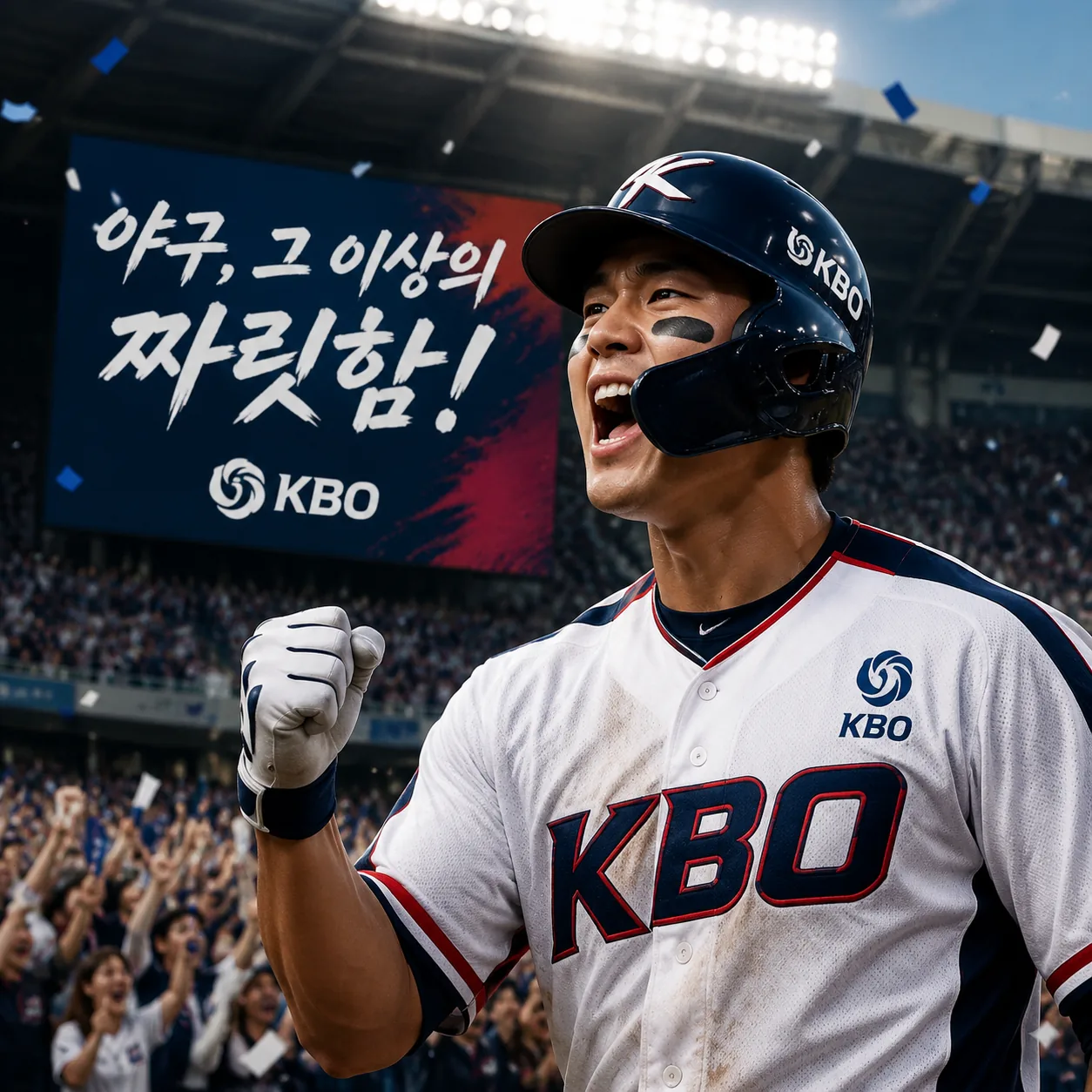
Fan-cam / preview
Your game-day moment, reimagined.
Short fan video
Two-step generator
Build your baseball fan-cam in two steps
Create the image first, make sure it feels right, then animate only the version you want to keep.
Step 1 — Fan-cam image
Korean Baseball Image Generator
Upload a photo, choose a KBO team-inspired style, and generate a Korean baseball fan-cam image. The prompt is preset.
Input image
📁
Upload an image
Click or drag a file (JPEG, JPG, PNG)
Upload the person photo to transform into the Korean baseball fan-cam image.
Choose a team style, or keep random for a general Korean baseball broadcast look.
Result
Idle
This shows preset sample previews. Sign in and click 'Generate image' to create your own.
Leave the team style on random if you want a general Korean baseball broadcast look.
Approve your Step 1 image, then use it as the starting frame for Step 2.
Step 2 — Fan-cam video
Korean Baseball Video Animator
Upload the approved Step 1 image and generate a Korean baseball fan-cam animation. The motion prompt is preset.
Input image
📁
Upload an image
Click or drag files (0/1)
Upload the Korean baseball image generated in Step 1.
Choose how the fan reacts when they notice the camera.
Result
IdleThis shows preset sample previews. Sign in and click 'Generate video' to create your own.
The animation prompt is tuned to preserve the original scoreboard, text, overlays, and broadcast look.
Korean baseball style controls
Set the game-day atmosphere
The generator is designed around a believable fan-cam frame: recognisable portrait, stadium energy, and a team-inspired colour direction.
Team-inspired colours and Korean baseball fan styling
Night-game stadium lighting and live broadcast energy
Portrait-first framing for a recognisable result
Step 2 controls
Choose the reaction, keep the moment believable
Choose a KBO fan-cam reaction to shape the short video without changing the image you approved.
01Friendly wave
02Thumbs up and laugh
03Finger heart
04Nod and smile
05Blows a kiss
06Celebration
07Scoreboard point
08Surprised reaction
09Playful wink
Korean baseball AI video examples
KBO-style fan moments, made with PiAPI
See finished Korean baseball-inspired fan-cam videos in different team-style directions and match-day reactions.
KBO-style fan-cam video
Nod and smile
KBO-style fan-cam video
Thumbs up and laugh
How it works
AI Baseball Video Generation: Make a Korean Baseball Video
01
Upload a clear portrait
A visible face and simple lighting produce the most reliable fan-cam image.
02
Choose a style direction
Use a Korean baseball-inspired team colour and stadium mood as creative direction.
03
Review the still
Regenerate until the fan-cam image is the one you want to animate.
04
Create the video
Pick a natural reaction and turn the approved frame into a short baseball video.
Korean Baseball AI Video Generator FAQ
What is a Korean Baseball AI video generator?
It turns a portrait into a Korean baseball-inspired fan-cam image, then animates that approved image into a short AI baseball video.
How do I make an AI baseball video from a photo?
Upload a clear portrait, choose a Korean baseball-inspired style direction, generate the fan-cam image, and approve it before creating the video. This Korean baseball AI tutorial workflow gives you control over the frame that will be animated.
Can I choose a Korean baseball team style?
You will be able to select a team-inspired colour and styling direction. It guides the creative result but does not promise official uniforms, logos, or team assets.
What is a Korean baseball AI template?
A Korean baseball AI template is a preset that guides the stadium, fan-cam, colour, and jersey mood so you can create a consistent baseball-style result from your photo.
What photo works best for a Korean baseball fan-cam video?
Use a clear, well-lit portrait with one visible face and minimal blur. A face that is not blocked by sunglasses, hands, or heavy shadows gives the image and video stages a stronger reference.
Why do I generate the image before the video?
Reviewing the image first lets you refine the fan-cam styling before using video credits. It also helps preserve the face, outfit direction, stadium setting, and broadcast-style frame you want in the final animation.
What reactions can I use in the AI baseball video?
Choose from a friendly wave, thumbs up and laugh, finger heart, nod and smile, blown kiss, celebration, scoreboard point, surprised reaction, or playful wink. These KBO fan-cam presets are designed to keep the motion short and natural.
Where can I find an AI baseball trend tutorial?
For an AI baseball trend tutorial or AI baseball video tutorial, use this generator to make the image and video, then follow the Korean baseball trend guide for prompts, photo tips, and troubleshooting.
What is the Korean baseball AI trend?
The Korean baseball AI trend turns a portrait into a stadium fan-cam moment with team-inspired colours, broadcast-style framing, and a short reaction video.
Do couple photos work?
A Korean baseball AI couple image may work with a clear two-person photo, but the most reliable results come from a clear single-person portrait. Couple support will be recommended only after it passes image and video quality testing.
Does this create official KBO uniforms, logos, or broadcast footage?
No. The generator uses Korean baseball-inspired colours, stadium atmosphere, and fan-cam styling as creative direction. PiAPI does not claim affiliation with KBO, its clubs, broadcasters, or official kit providers.
Explore more
AI Sports Video Generator
Explore Korean Baseball and FIFA World Cup workflows in the parent hub.
Explore the hubKorean Baseball AI Trend Tutorial
Read the guide for prompts, photo tips, and the Korean baseball AI trend.
Read the tutorialFIFA World Cup AI Video Generator
Create a football-inspired fan-cam with the sibling generator.
Create a fan video