Seedance API के साथ Seedance Private Assets कैसे इस्तेमाल करें
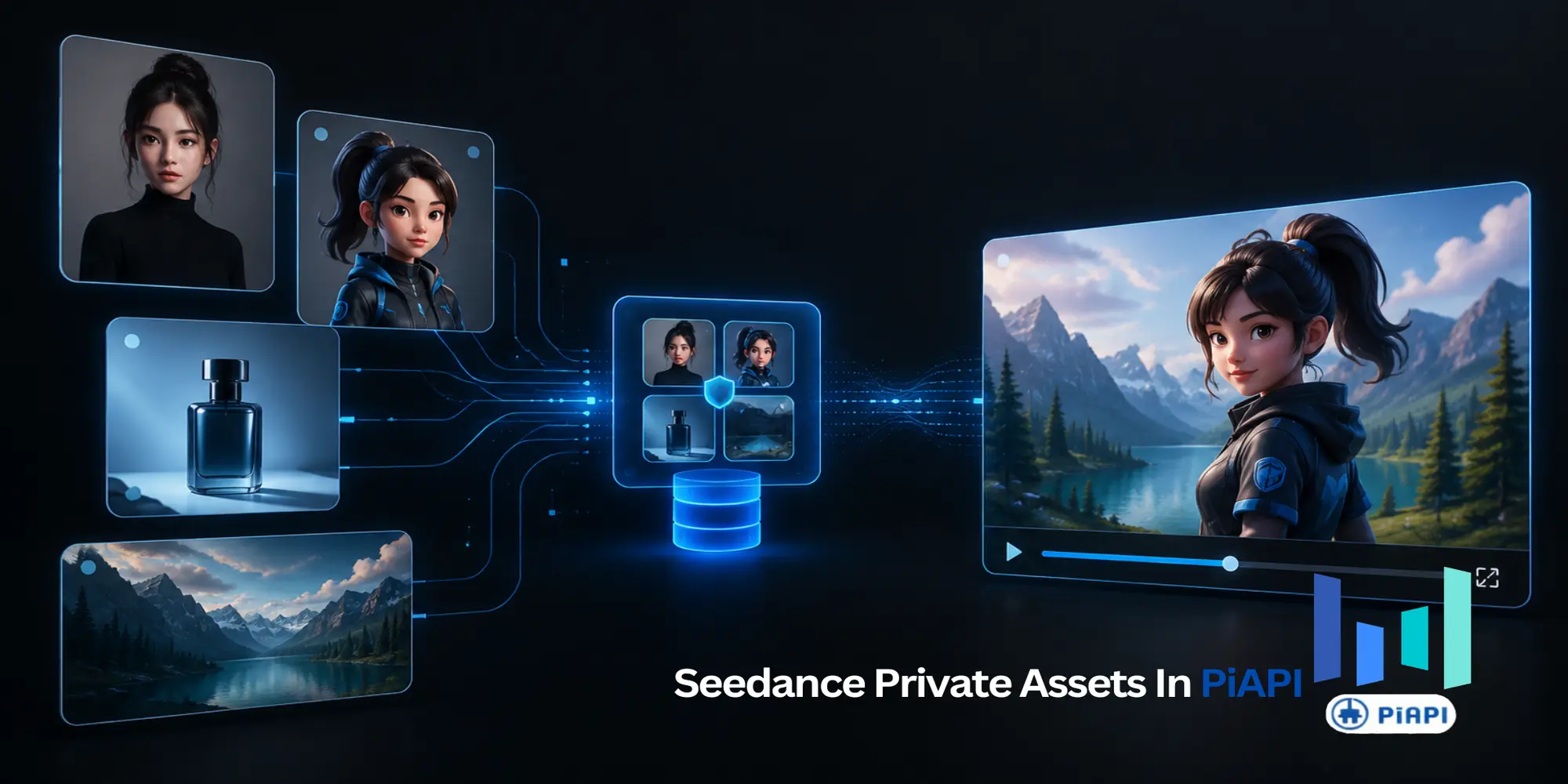
Seedance Private Assets API lets developers upload a face, character, product, scene, video, or audio reference once, wait for Active, and reuse it in future Seedance video tasks with asset://<asset_id>.
Use this workflow when you need consistent AI video characters, recurring product references, or reusable brand assets across multiple Seedance API generations. This guide shows the asset upload flow, Active status check, supported task types, and cURL examples for using private assets in production.
Key Takeaways
- Use Seedance private assets when a face, character, product, or other subject needs to appear across multiple future video generations.
- Use raw URLs for one-time scenery, backgrounds, props, or reference images that do not need long-term consistency.
- Use
auto_upload_assets: truewhen a one-off user-provided reference should be temporarily ingested for a single task. - Private assets must reach
Activebefore you reference them in a Seedance task. asset://references work withseedance-2-less-restrictionandseedance-2-fast-less-restriction, not the strict Seedance task types.
Quick Answer
Seedance private assets are best for reusable references in the Seedance API. Upload the reference once, wait for Active, then call it in future video tasks with asset://<asset_id>. Use them for recurring faces, characters, products, scenes, video clips, or audio references.
What Are Seedance Private Assets?
Seedance private assets are reusable files that your application uploads to PiAPI before video generation. After upload, PiAPI returns an asset_id. Once the asset becomes Active, your Seedance API requests can reference it with this format. For endpoint details, quotas, and lifecycle rules, use the Private Asset Library docs.
asset://<asset_id>Instead of passing the same face photo, character image, product shot, video clip, or audio reference again and again, you upload it once and reuse the private asset ID across multiple tasks.
This is especially useful for backend applications that need a stable library of reusable references. For example, an AI video app might store a main character, recurring spokesperson, product catalog item, or brand mascot as a managed asset. Future Seedance video generations can then reference the same asset without re-uploading and re-processing it on every request.
The important mental model is simple:
A private asset is a reusable reference for Seedance video generation.
It is not a separate image editor. It is not a Playground-only mode. It is mainly an API workflow for developers building repeatable video generation systems.
Definition: Seedance Private Asset Library is PiAPI's managed asset workflow for Seedance. It lets developers upload reusable reference files, verify that each asset is Active, and reference those files in later Seedance video tasks with asset://<asset_id>.
What Problem Do Private Assets Solve?
AI video generation often struggles when a user wants the same subject to appear across multiple prompts, scenes, or creative variations. A raw image URL can help for one task, but it is not ideal when the same subject needs to be reused many times.
Seedance private assets solve this workflow problem by giving developers a reusable reference layer.
For a broader model overview before going deeper into private assets, start with the Seedance 2.0 API guide.
Common use cases include:
- keeping the same person or character consistent across several generated videos;
- building avatar, creator, or influencer-style video products;
- reusing a product reference across ad creative variations, such as the Seedance AI marketing video workflow;
- keeping a stable cast for short films or story-driven scenes;
- combining a reusable person or product with changing backgrounds;
- reducing repeated upload and ingestion work in backend systems.
For example, if a user uploads a photo of themselves and wants to generate many videos with that person in different scenes, the face or person reference can become a managed private asset. Each new scene can still be passed as a normal image URL if it is only used once.
What Private Assets Are Not
This part matters because the feature can sound like image editing at first.
Seedance Private Asset Library should not be described as classic face swap, inpainting, or exact photo compositing. If you upload a photo of a person and a scenic background, the Seedance task uses those inputs as generation references. It does not guarantee that the person will be inserted into the background with pixel-level control.
A better description is:
Seedance private assets enable reference-guided video generation with reusable subjects.
So yes, you can upload a face or person reference and use it in later Seedance video tasks. But the expected result is generated video guided by that reference, not a precise edit of an existing photo.
This distinction helps set the right expectation for developers and end users. If your product needs exact image replacement, masking, or face-swap behavior, a dedicated image editing or face swap API may be a better fit. If your product needs reusable people, characters, products, or scenes in generated videos, private assets are the right Seedance workflow to evaluate.
Private Assets vs Raw URLs vs Auto-Upload Mode
Seedance private assets are one part of a larger reference workflow. In practice, most applications will use a mix of managed private assets, raw URLs, and auto-uploaded ephemeral assets.
| Pattern | Best for | Example input | When to use |
|---|---|---|---|
| Managed private asset | Reusable people, characters, products, or recurring subjects | asset://asset-123 | Use when the same reference will appear in multiple future tasks. |
| Raw URL | One-time scenery, background, prop, or ambient reference | https://your-cdn.com/scene.jpg | Use when the reference only matters for the current task and does not need asset lifecycle management. |
| Auto-uploaded ephemeral asset | One-off user references that should be temporarily ingested | Raw URL plus auto_upload_assets: true | Use when the reference is a one-time subject or character and you want PiAPI to handle temporary ingestion. |
| Managed cast + raw scenery | Stable person or product with changing backgrounds | asset://person, https://.../scene.jpg | Use when the subject is recurring but the background is not. |
| Managed cast + ephemeral guest | Stable main character with one-time guest reference | asset://main, raw URL, auto_upload_assets: true | Use when one reference is permanent and another should be temporary. |
The simplest rule:
If a reference will be reused across future tasks, make it a private asset. If it is only needed once, keep it as a raw URL or use auto-upload mode.
When Should You Use Each Input Method?
Use this decision rule when designing a Seedance API workflow:
| If your reference is... | Use this method | Why |
|---|---|---|
| A recurring person, character, product, scene, video, or audio file | Private asset | It can be reused with asset://<asset_id> across future tasks. |
| A one-time background, prop, or scene image | Raw URL | It avoids unnecessary asset management. |
| A temporary user upload for one task | Auto-upload mode | PiAPI can ingest it briefly without making it a long-term managed asset. |
| A reusable person plus a changing background | Private asset + raw URL | Keep the person stable while changing the scene per task. |
How the Seedance Private Asset Workflow Works
The private asset flow has five parts:
- Upload the reusable reference.
- Wait for the asset status to become
Active. - Submit a Seedance task with
asset://<asset_id>inimage_urls,video_urls, oraudio_urls. - Refer to the inputs in the prompt as
Image 1,Image 2,Video 1, orAudio 1. - Poll the Seedance task until the output video is complete.
The prompt reference order matters. If your image_urls array has a private asset first and a scenic background second, then Image 1 means the private asset and Image 2 means the background URL.
For example:
{
  "image_urls": [
    "asset://asset-20260607154123-aaaa1",
    "https://your-cdn.com/scenic-background.jpg"
  ]
}
In the prompt, you can write:
Image 1 is the person reference. Image 2 is the scenic background.That makes the request easier for Seedance to interpret and easier for developers to debug.
Example: Use a Person Asset with a Scenic Background
A common question is:
Can I upload a photo of myself, use a scenic photo, and ask Seedance to add me into the scene?
The practical answer is yes, with the right expectation. You can upload the person photo as a private asset, pass the scenic photo as a raw URL, and prompt Seedance to generate a video using both references.
Direct answer: Yes, you can upload a photo of a person as a Seedance private asset and combine it with a scenic image URL in a Seedance task. The private asset acts as the person reference, while the scenic URL acts as the scene reference. The result is generated video, not exact photo compositing.
In that setup:
Image 1is the uploaded person or face reference.Image 2is the scenic image URL.- The prompt describes how the person should appear in the scene.
- The result is reference-guided video generation, not exact photo compositing.
This is the pattern:
{
  "image_urls": [
    "asset://asset-person-reference",
    "https://your-cdn.com/scenic-background.jpg"
  ],
  "prompt": "Image 1 is the person reference. Image 2 is the scenic background. Generate a cinematic 5-second video of the person from Image 1 standing naturally in the location from Image 2."
}
For many AI video products, this is the right workflow. The person can be reused across future tasks, while the scene can change each time.
API Example: Upload and Use a Seedance Private Asset
The following examples show the basic cURL flow. Replace URLs, asset IDs, and API keys with your own values.
Step 1: Upload a Private Asset
Use this request to upload a reusable image reference, such as a face, person, character, product, or scene.
The source URL must be publicly reachable while PiAPI fetches and ingests the file. Keeping it reachable for at least 24 hours is the safest default.
curl --request POST "https://api.piapi.ai/api/v1/asset/upload" \
  --header "X-API-Key: $PIAPI_API_KEY" \
  --header "Content-Type: application/json" \
  --data '{
    "url": "https://your-cdn.com/person-reference.jpg",
    "asset_type": "Image",
    "name": "main-character"
  }'
The response returns an asset_id and an initial status such as Processing.
{
  "asset_id": "asset-20260607154123-aaaa1",
  "status": "Processing",
  "upload_at": "2026-06-07T15:41:23Z",
  "expires_at": "2026-06-22T15:41:23Z"
}
Step 2: Check Asset Status
Before using the asset in a Seedance task, poll until the asset becomes Active.
curl --request GET "https://api.piapi.ai/api/v1/asset/list?status=active,processing,failed" \
  --header "X-API-Key: $PIAPI_API_KEY"
If the asset is still Processing, wait and check again. If the asset is Failed, inspect the error message and upload a corrected file.
Step 3: Submit a Seedance Task with asset://
Once the asset is Active, reference it in the Seedance task with asset://<asset_id>.
curl --request POST "https://api.piapi.ai/api/v1/task" \
  --header "X-API-Key: $PIAPI_API_KEY" \
  --header "Content-Type: application/json" \
  --data '{
    "model": "seedance",
    "task_type": "seedance-2-less-restriction",
    "input": {
      "prompt": "Image 1 is the person reference. Image 2 is the scenic background. Generate a cinematic 5-second video of the person from Image 1 standing naturally in the location from Image 2.",
      "image_urls": [
        "asset://asset-20260607154123-aaaa1",
        "https://your-cdn.com/scenic-background.jpg"
      ],
      "aspect_ratio": "16:9",
      "duration": 5,
      "resolution": "720p"
    }
  }'
This example uses seedance-2-less-restriction, which supports asset:// references. You can also use seedance-2-fast-less-restriction for the fast variant. Strict task types such as seedance-2 and seedance-2-fast do not support private asset references. See the Seedance less-restriction mode and Seedance 2.0 API docs for the full task reference.
After submission, poll the task endpoint until the status becomes completed. When the task completes, download or store the output video promptly because generated video URLs are temporary.
Auto-Upload Mode for One-Off References
Private assets are best for reusable references. If a reference is only needed for one task, use auto-upload mode instead.
With auto_upload_assets: true, PiAPI can temporarily ingest non-asset:// URLs in the request, use them for the task, and clean them up after the retention window.
curl --request POST "https://api.piapi.ai/api/v1/task" \
  --header "X-API-Key: $PIAPI_API_KEY" \
  --header "Content-Type: application/json" \
  --data '{
    "model": "seedance",
    "task_type": "seedance-2-less-restriction",
    "input": {
      "prompt": "Image 1 is a one-time character reference. Generate a 5-second cinematic video with consistent appearance.",
      "image_urls": [
        "https://your-cdn.com/one-time-character.jpg"
      ],
      "auto_upload_assets": true,
      "asset_retention_hours": 3,
      "aspect_ratio": "16:9",
      "duration": 5,
      "resolution": "720p"
    }
  }'
This is useful for on-demand user uploads, one-off guest characters, A/B variants, or references that should not be stored as part of a long-term asset library.
Auto-upload mode also requires a less-restriction task type. asset_retention_hours defaults to 3 and can be set within the supported retention window when you need short follow-up reuse.
Best Practices for Better Results
Use private assets for references that matter across multiple future tasks. A face, main character, product, or recurring brand subject is usually a good private asset candidate.
Keep one-time backgrounds as raw URLs. If a scenic image only appears in one task, it usually does not need to become a managed private asset.
Use clear prompt labels. Instead of saying "put this person in that image," write prompts that refer to Image 1, Image 2, Video 1, or Audio 1 based on the order of the input arrays.
Wait for Active before generation. New uploads begin in Processing, and tasks should not reference the asset until it is ready.
Use the supported less-restriction task types. For private assets, use seedance-2-less-restriction or seedance-2-fast-less-restriction.
Plan your asset lifecycle. Private assets have plan-based quotas and TTL behavior, so applications should list, refresh, and delete assets intentionally.
Use consented or owned references. If your app allows face, person, or character uploads, make sure users have the right to use those inputs and understand how long assets may be retained.
Common Mistakes
Mistake 1: Using a Strict Task Type
This will not work with private asset references:
{
  "model": "seedance",
  "task_type": "seedance-2",
  "input": {
    "image_urls": [
      "asset://asset-20260607154123-aaaa1"
    ]
  }
}
Use seedance-2-less-restriction or seedance-2-fast-less-restriction instead.
Mistake 2: Referencing the Asset Too Early
Do not upload an asset and immediately submit a Seedance task before checking status.
Use this flow:
Upload asset -> poll asset status -> wait for Active -> submit Seedance taskMistake 3: Uploading Every Background as a Managed Asset
Not every image should become a private asset. If a background, prop, or ambient image is only used once, pass it as a raw URL. Save private asset slots for references that need consistency across tasks.
Mistake 4: Treating Private Assets as Exact Image Editing
Private assets guide video generation. They do not guarantee pixel-perfect insertion of a person into a photo. Set the product expectation around reusable references and character consistency, not exact editing.
Mistake 5: Letting the Source URL Disappear Too Soon
PiAPI needs to fetch and ingest the uploaded URL asynchronously. If the URL expires, requires authentication, or becomes unreachable too soon, the asset may fail. Use a stable public URL during ingestion.
FAQ
Seedance private asset क्या है?
Seedance private asset PiAPI पर upload किया गया reusable reference है जो Seedance video generation के लिए इस्तेमाल होता है। Active होने पर आप इसे future tasks में asset://
क्या मैं face photo upload करके Seedance में reuse कर सकता हूँ?
हाँ। Face या person photo को private asset की तरह upload करके Seedance video generation में reference किया जा सकता है। इसे reference-guided generation समझें, guaranteed face swap नहीं।
क्या Seedance Private Asset Library face swap जैसी है?
नहीं। यह uploaded assets को reusable generation references की तरह use करती है ताकि generated video में character या subject consistency बनी रहे।
क्या private person asset को scenic image के साथ combine कर सकते हैं?
हाँ। आम pattern है person asset को image_urls में पहले और scenic image URL को दूसरे स्थान पर रखना, फिर prompt में Image 1 और Image 2 explain करना।
कौन से Seedance API task types private assets support करते हैं?
private assets seedance-2-less-restriction और seedance-2-fast-less-restriction के साथ काम करते हैं। seedance-2 और seedance-2-fast asset:// support नहीं करते।
private assets और auto-upload mode में क्या फर्क है?
private assets managed references हैं जिन्हें एक बार upload करके reuse किया जाता है। auto-upload one-off tasks के लिए raw URLs temporarily ingest करता है जब auto_upload_assets: true हो।
क्या private assets Playground में test कर सकते हैं?
private assets मुख्य रूप से API और backend workflow हैं। अगर Playground asset upload, status, asset:// और less-restriction task type expose नहीं करता, तो cURL, Postman या backend code use करें।
Conclusion
Seedance Private Asset Library gives developers a cleaner way to build reusable reference workflows with the Seedance API. Instead of passing the same face, character, product, or scene file into every request, you can upload it once, wait for it to become Active, and call it later with asset://<asset_id>.
The best use case is not exact image editing. It is consistent, reference-guided video generation for recurring people, characters, products, and creative subjects.
To start, upload one reusable reference, confirm it is Active, and submit a seedance-2-less-restriction task that uses the asset alongside your prompt and any one-time raw URLs. You can test Seedance from the Seedance workspace when you are ready to connect an API key.
Sources:
- PiAPI Private Asset Library docs: https://piapi.ai/docs/seedance-api/seedance-2
- Seedance 2.0 arXiv page: https://arxiv.org/abs/2604.14148